1.11.0

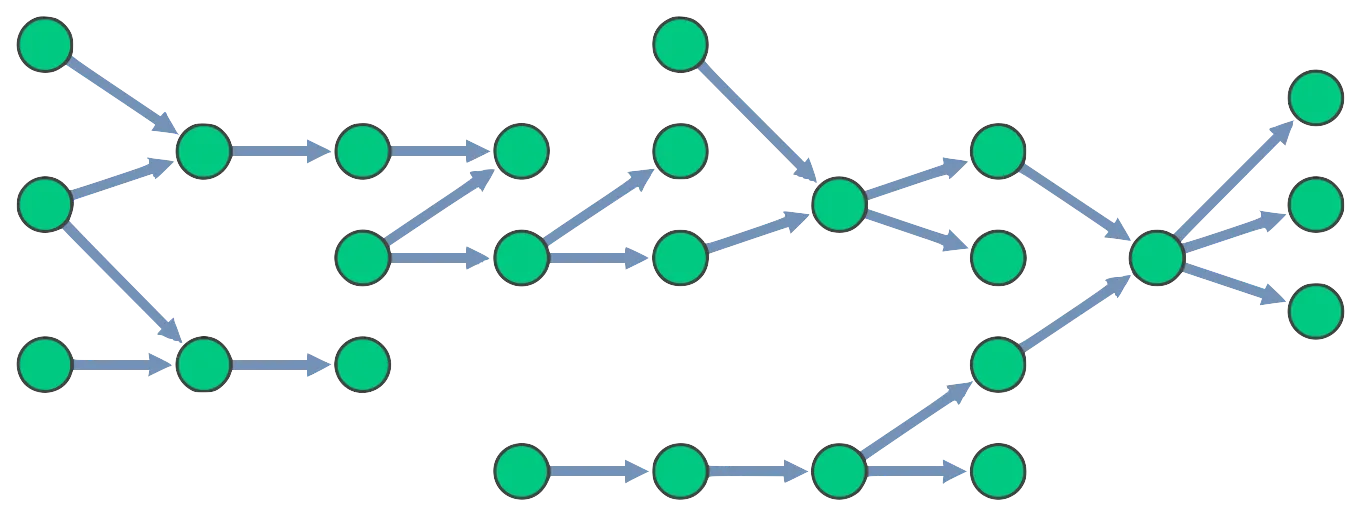
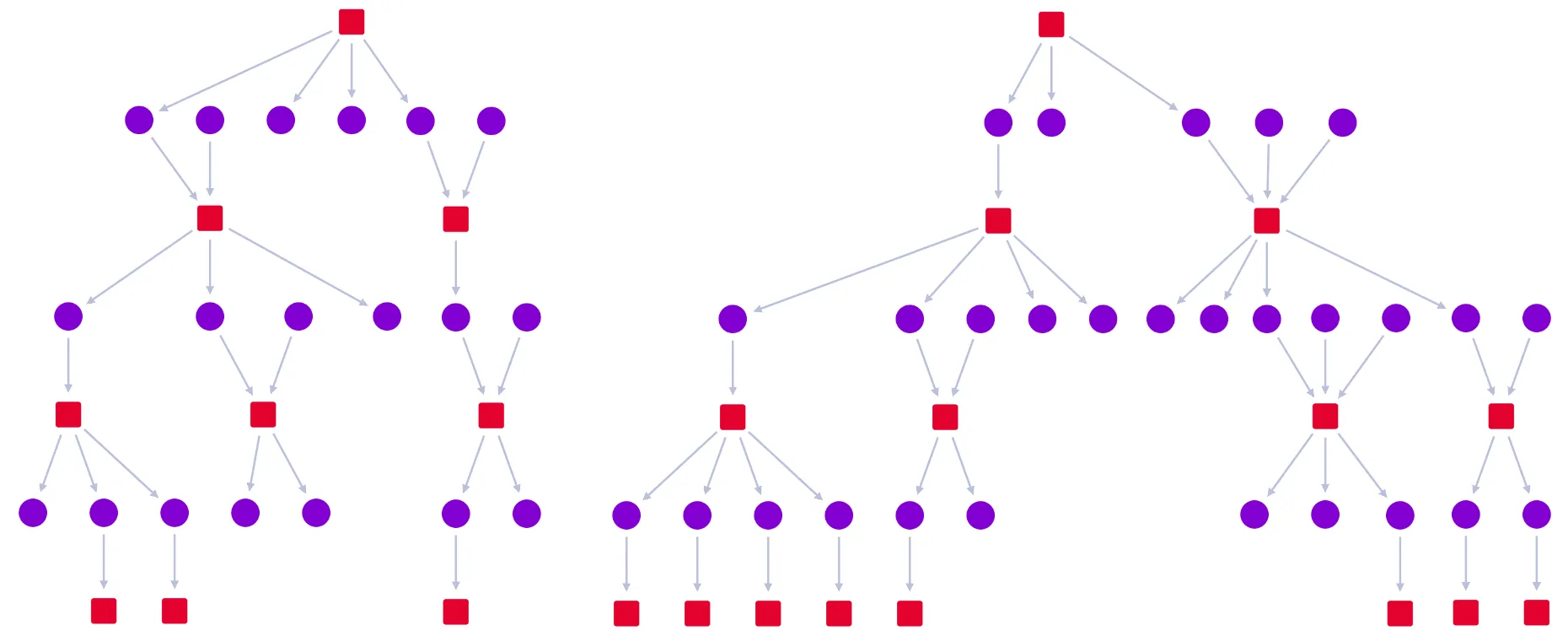
An image showing a sequential layout

Features

  • Automatic level detection for your hierarchical data when using the sequential layout, meaning the top and level options are now optional when using this layout.
  • There is a new Hierarchies story where you can explore the different sequential layout options.
  • The Combos and Timebar story has been updated to fade nodes instead of removing them.
  • Further styling updates to the SDK site in Docs, Storybook, and Playground. We'd love to hear what you think about the changes so far. Contact [email protected].

Bugs Fixed


  • Fixed an issue where layouts were not accounting for combo summary links.
  • Fixed an issue where nodes set back to default values weren't animating.
  • Fixed an issue with options.selection and falsey values.

1.10.2

  • Fixed an issue where summary link glyphs could not be cleared.
  • Fixed an issue where link end1 and end2 did not update correctly.

1.10.1

  • SDK site maintenance

1.10.0

Features

  • A new Lazy Loading Combos story to help you load only the data your users want to see. This can significantly improve application performance.
  • A new subItem argument on our event handlers. This supersedes the sub argument.
  • A new onChartDragCancel event invoked when a state change animation cancels a drag.
  • A fresh new look for our SDK site. There are further improvements planned, but we'd love to hear what you think about the changes so far. Contact [email protected].

Bugs Fixed

  • The Chart component is now robust to user interaction during state change animations. See the related onChartDragCancel event, above.
  • ReGraph no longer reveals contents links between closed combos on selection.

Deprecations

  • The sub argument on event handlers has been deprecated in favor of subItem.

TypeScript Changes

  • The donut.segments property is now correctly typed to accept an array rather than an object.

1.9.0

Features

Bugs Fixed

  • Fixed several cases where ReGraph was waiting for non-visible animations.
  • The ReGraph Chart will log a warning if an item is passed with an empty id like this:
<Chart items={ '': { color: 'red' }}) />

Deprecations

  • The time bar option histogram has been deprecated in favor of style. Instead of:
<TimeBar items={items} options={ histogram: { color: 'red' } } />

you should now write:

<TimeBar items={items} options={ style: { color: 'red' } } />

Note: histogram will continue to function until the next major version of ReGraph.

TypeScript Changes

  • The TypeScript definitions for the time bar have changed to accommodate the mode prop. The following changes may break existing code:
    • TimeBar.HistogramOptions has been renamed to TimeBar.StyleOptions.
    • The histo value for TimeBar.EventTypes has been removed. This affects the first argument of time bar event handlers.
    • The times property on items is now correctly typed. Check the API for more details.
    • The time bar highlight prop is now correctly typed. Check the API for more details.

1.8.0

A video showing links being summarized between combos

Features

Bugs Fixed

  • Zoom to ids now animates correctly
  • When children of summary links are visible, they can be interacted with

TypeScript Changes

  • Some TypeScript definitions were updated to match our documentation
    • Chart.ComboNode → Chart.Combo
    • Chart.ComboLink → Chart.Summary

1.7.0

Features

  • There is now a ReGraph playground at regraph.io/playground! You can open the code examples all over the site in the live editor by clicking on the yellow edit icon.
  • Instance methods to convert between view and world coordinates are now available. More details can be found here.

Bugs Fixed

  • Improved performance of some combo animations
  • Changing positions now respects the animation: {animate: false} property
  • Fixed an issue where view was sometimes not reported in onChartChange

1.6.0

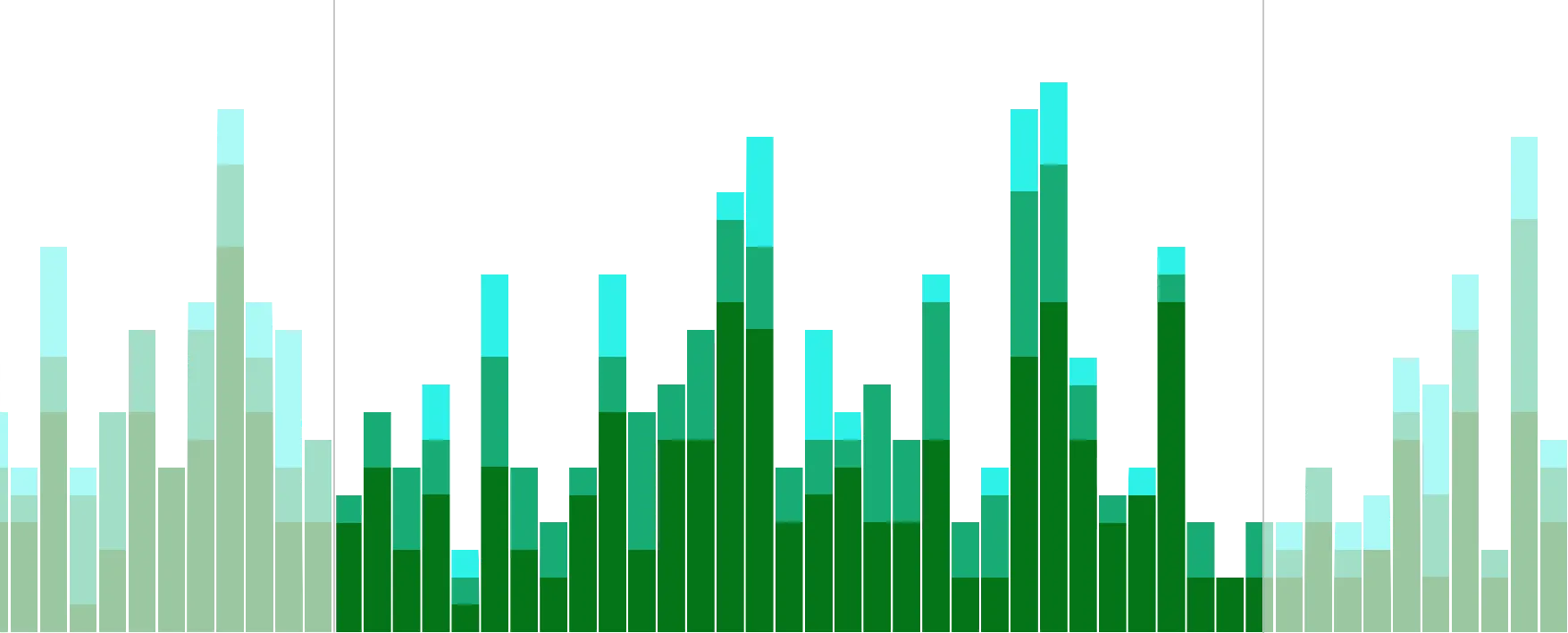
An image showing stacked bars in the time bar

Features

  • Stacked bars are now available in the Time Bar (see the Stacked Bars example).
  • A major update to our TypeScript definitions file to make it clearer and easier to use. Note: breaking changes to the TS definitions are included in this release (see TypeScript Changes below).
  • Evaluators will now see a watermark in downloaded versions of ReGraph.

Bugs Fixed

  • Chart components created by ReGraph are now named 'rg-chart-#'.

TypeScript Changes

  • Refactored several interfaces and removed the Formats namespace. Node and Link formats are now top-level interfaces.
  • Utilized generics to type the data property on Nodes and Links, as well as the Combo object in onCombineNodes.
  • Added a type definition for the FontLoader.
  • Added TypeScript section to Storybook.
  • #ts-changes-1-6.text-collapsable.text-collapsable--collapsed
    • Chart.ChartChangeEvent → Chart.ChangeEvent
    • Chart.ChartEvents namespace merged with Chart.Props
    • Chart.ChartInstanceMethods namespace merged into the Chart class
    • Chart.ChartLabelOptions → Chart.LabelOptions
    • Chart.ChartOptions → Chart.Options
    • Chart.ChartProps → Chart.Props
    • Chart.ChartViewOptions → Chart.ViewOptions
    • Chart.ComboLinkStyles → Chart.ComboLink
    • Chart.ComboNodeStyles → Chart.ComboNode
    • Chart view prop values have been consolidated into a View type
    • Formats.Border → Border
    • Formats.Donut → Donut
    • Formats.DonutBorder → DonutBorder
    • Formats.DonutSegment → DonutSegment
    • Formats.FontIcon → FontIcon
    • Formats.Glyph → Glyph
    • Formats.Halo → Halo
    • Formats.Item → Item
    • Formats.Label → Label
    • Formats.Link → Link
    • Formats.LinkEnd → LinkEnd
    • Formats.LinkFlowOptions → LinkFlowOptions
    • Formats.LinkStyle → LinkStyle
    • Formats.Location → Location
    • Formats.Node → Node
    • Formats.NodeLabel → NodeLabel
    • Formats.StyledBorder → StyledBorder
    • Formats.Time → Time
    • Formats.TimePeriod → TimePeriod
    • IdIndex → Index
    • TimeBar.TimeBarChangeEvent → TimeBar.ChangeEvent
    • TimeBar.TimeBarEvents namespace merged with TimeBar.Props
    • TimeBar.TimeBarLabelsOptions → TimeBar.LabelsOptions
    • TimeBar.TimeBarOptions → TimeBar.Options
    • TimeBar.TimeBarProps → TimeBar.Props
    • TimeBar.TimeBarRange → TimeBar.Range

1.5.0

An image showing labels on a link

Features

  • Significant performance improvements when making changes to large charts (see note below).
  • Labels and glyphs can now be added to link ends (see the Link Styles example).

Bugs Fixed

  • Overlaps are less likely when adding new components to the chart with most layouts.

Note on performance changes

To respond to state updates more quickly, we've increased the strictness of our change detection algorithm. This means that sub-objects on items must be re-created when modified.

If you have code that mutates these sub-objects, like this:

const item = { ...items[id] };
item.label.color = 'red';

You will now need to rebuild those objects, like this:

const item = { ...items[id] };
item.label = {
    ...item.label,
    color: 'red',
};

1.4.1

  • SDK maintenance

1.4.0

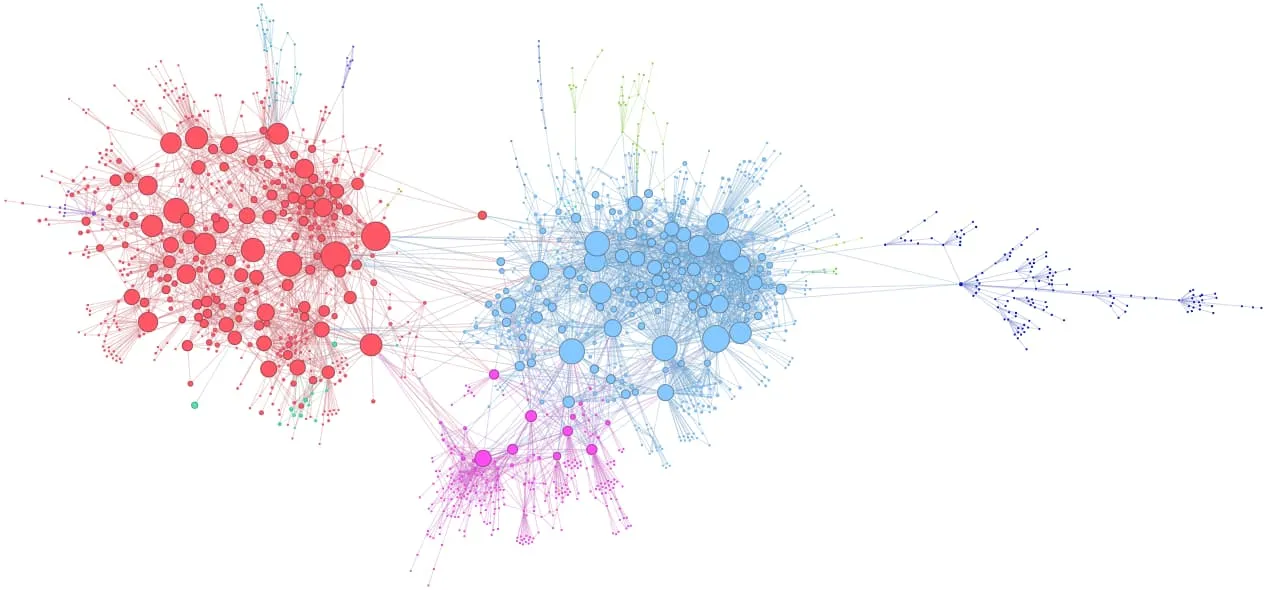
An image of an organic layout

Features

  • A significantly faster organic layout - typically between 2x and 5x faster than before.
  • The ability to run sequential layouts by passing only a 'top' node - no need to specify levels for all nodes.
  • Improved aesthetics of sequential layouts.
  • Performance and stability improvements to the sequential layout on large datasets.
  • Ability to pass a list of items to the view prop to trigger a zoom to those items.
  • A new way to sign into the SDK site using email.
  • Various documentation improvements.
An image of a sequential layout

Bugs Fixed

  • Fixed an issue which could cause links in combos to have the wrong offset.
  • Fixed a problem where the time bar would not always zoom to fit its contents.

TypeScript Changes

  • Definitions for the Chart's view prop and onChartChange event have been expanded.
  • The ViewSettings interface has been renamed to ViewOptions.

1.3.0

Features

  • The chart now uses adaptive styling which adjusts how nodes, links, and labels are drawn to suit the current zoom level.
  • Combos performance improvements.
  • Improved SDK site support for IE11.

1.2.1

  • Fixed an issue where initial chart render was waiting for image load.

1.2.0

Features

  • Improved demo support for touch devices.
  • Various documentation improvements.

Bugs Fixed

  • Fixed combo labels default behavior with empty label property.
  • Default selection color applied if supplied color is invalid.

1.1.1

  • Fixed an issue where regraph/analysis could not access the core graph engine.

1.1.0

Link flow

Features

  • New link property flow to allow animated flow along a link (see the Link Styles example).
  • New links.inlineLabels chart option for labels along links (see the Path Finding example).
  • New orientation property added to layout options (only for hierarchy and sequential layouts).
  • Organic layout has been improved and now has both rectangular and circular packing options.
  • Changing id1 and/or id2 on a link is now allowed.
  • Improved demo support for IE11 and Edge.
  • Various documentation improvements.

Bugs Fixed

  • Non-integer width containers caused ReGraph to continuously resize itself vertically.
  • ReGraph can now work alongside KeyLines.
  • Simplified the Chart and Time Bar example.
  • Time Bar can now be given open-ended times.
  • Various improvements to combos.

TypeScript changes

  • Definitions for the return object of onCombineNodes and onCombineLinks now contain Node and Link styles.

1.0.1

  • Combos sometimes crashed when combos contained non-string node labels.
  • Layout now happens when transferring items to new combos.

1.0.0

Features

  • Various documentation improvements

Bugs Fixed

  • Fix for potential infinite loop in some circumstances.
  • Shaking combo nodes could cause their contents to become detached.

TypeScript breaking changes

  • Logo → LogoOptions
  • Locale → LocaleOptions
  • Zoom → ZoomOptions
  • Changed type of TimeBar property items to be Items.
  • Removed TimeBarChangeEvent.selection (this shouldn't have been there).

Known issues - we are working on fixes to these

  • Non-integer width containers can cause ReGraph to continuously resize itself vertically.
  • Interacting with ReGraph during state changes can cause unwanted side-effects.
  • The performance of certain transitions can be improved.
  • Under some circumstances nodes can be positioned outside of their containing combo.
  • Some demos can fail to load under IE11 and Edge.

Terms of use

These terms do not alter or supersede any existing agreements between you (or your employer) and us.

By accessing or using any Content you agree to be bound by these Terms of Use. Please review these terms carefully before using the website.

The contents of this website, including but not limited to any text, code samples, API references, schemas, interactive tools, and other materials (collectively, the 'Content'), are made available for informational and internal evaluation purposes only. All intellectual property rights in the Content are reserved. No licence is granted to use the Content for any commercial purpose, or to copy, distribute, modify, reverse-engineer, or incorporate any part of the Content into any product or service, without our prior written consent.

This Content is provided “as is” and “as available,” without any representations, warranties, or guarantees of any kind, whether express or implied, including but not limited to implied warranties of merchantability, fitness for a particular purpose, non-infringement, or accuracy. To the fullest extent permitted by applicable law, we expressly exclude and disclaim all implied warranties, conditions, and other terms that might otherwise be implied.

We disclaim all liability for any loss or damage, whether direct, indirect, incidental, consequential, or otherwise, arising from any reliance placed on the Content or from your use of it, to the fullest extent permitted by applicable law. By continuing to access or use the Content, you acknowledge and agree to these terms.