- Links between nodes in a single-level sequential layout are now always drawn correctly.
ReGraph Version 4
4.8.1
4.8.0
Features
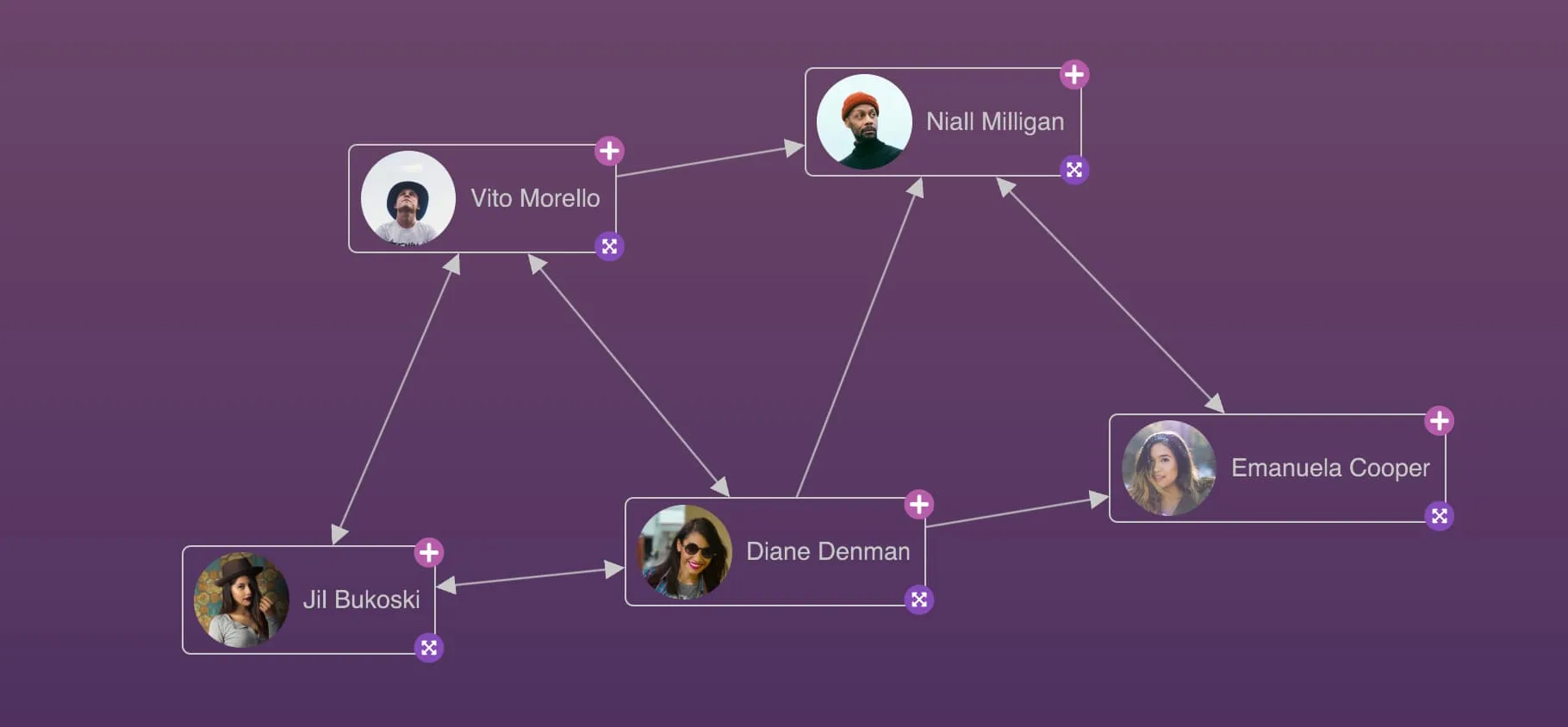
- Create beautiful and coherent nodes with our new image labels. You can now use an image as a label, or use ReGraph's expanded node styling to render images alongside text and font icon labels. See the Advanced Node Gallery example.
- The Getting Started guide to Create New ReGraph App now uses Vite as a build tool to benefit from the package manager's quick setup and modern development features.
Enhancements
- The number of images and font icons that ReGraph supports is now limited only by the user's hardware. ReGraph will performantly display up to 900 distinct images and font icons. Using more than this is not recommended as it may affect chart rendering performance.
Bugs Fixed
- Open combos now resize correctly if their child nodes are resized to an undefined size (which defaults to 1).
- Nodes with dimensions set to 'auto', containing multiple positioned labels, are now sized correctly around these labels.
- Styling aggregate links with
onItemInteractionno longer incorrectly shows a fade-related warning in the console.
4.7.0

We've added a new Try KronoGraph page to help you learn more about KronoGraph, our timeline visualization product. The page features an intro to KronoGraph and access to a number of demos integrating KronoGraph with ReGraph:
- Phone Call Analysis (formerly Timeline Analysis showcase on our site),
- Network Traffic Analysis
- Anti-money Laundering
Visit this page any time by clicking the banner on the main page.
Bugs Fixed
- Aggregate links between combos now always use the correct combo ids.
- Calling the
fitinstance method without changing the view no longer fires anonChangeevent after interacting with the chart. - The TypeScript definition of the
onLinkAggregation'ssetStylefunction no longer contains an incorrectidproperty and the documentation no longer incorrectly states that you can set a custom aggregate link id.
4.6.0
Enhancements
- To answer a popular request, we've added a new TypeScript version of the HTML Overlays example.
- We've made improvements to the
packingalgorithm which means that using 'circle' packing may now be up to 40% faster for large datasets. - ReGraph now fully supports Leaflet versions 1.9.x.
Bugs Fixed
- A single
onViewChangeevent is now invoked when the chart is first loaded. - Moving combo contents out of a combo now resets offsets of any links to its children.
- Opening and closing combos with large numbers of children is now more performant.
- Changing a child link's
aggregateByvalue to undefined now removes the link from the aggregate. - Nodes with dimensions set to 'auto' are now sized correctly when they contain labels with
textWrapset to 'normal'. - An aggregate link is no longer created if its id is already in use by a non-aggregate link, and a warning is shown.
- If a component is unmounted when rendering data, any unreturned promises are now caught and not reported as errors.
- We've fixed some issues where child items or their decorations were not always fully contained within the parent combo's boundaries.
4.5.2
- Resizing a window on MacOS machines with a specific hardware setup no longer draws temporary artefacts on the chart.
4.5.1
- Our recommended version of PDFKit for PDF export is now v0.14.0. If you are using the previous recommended version 0.12.1, we encourage you to update to v0.14.0 as it addresses a vulnerability in a dependency of PDFKit.
4.5.0
Features
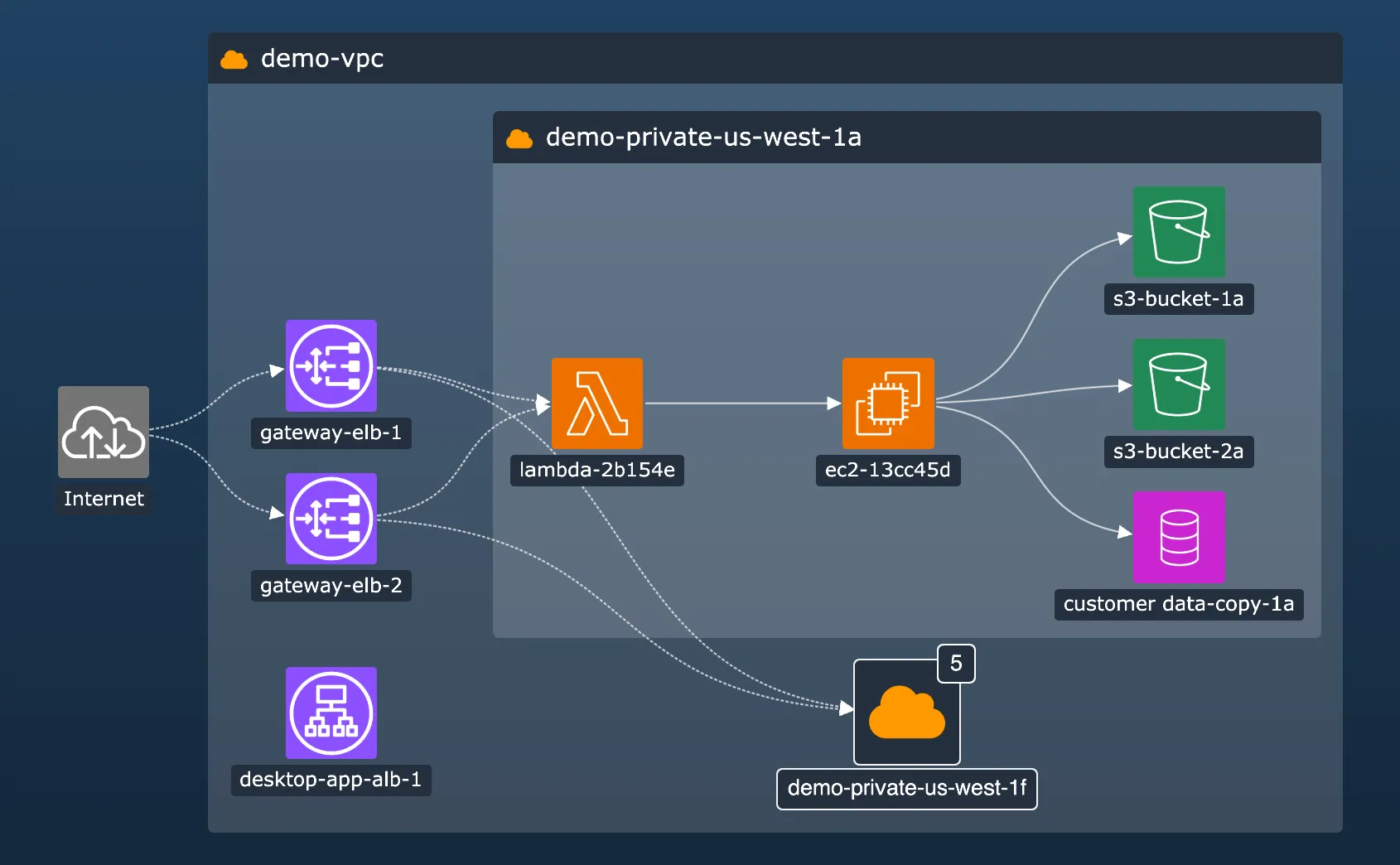
- Discover the power of sequential in open combos with the new sequential arrangement. Set in the
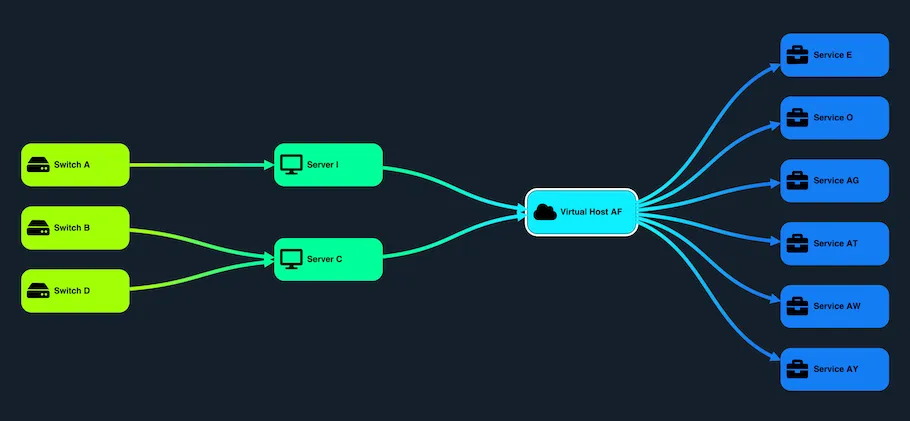
arrangeproperty in the combosetStylefunction, the sequential arrangement can help you drill down into sub- hierarchies and explore and interpret tiered data more easily. See more in our new Sequential Arrange example or in the updated Cloud Security showcase. - We've made sequential significantly more adaptive when handling data changes and small layout changes such as adding or deleting items. As a result, sequential now makes only necessary movements that preserve positions of existing items in the component as much as possible. Explore the improved behavior in the Adaptive Layouts example.
- When using sequential layout or arrangement, the new
stretchTypeproperty controls how individual levels are distributed when they contain items with varying sizes. - We've added an improved API for setting link paths, which was previously only possible at the layout level. There is now a new
linkShapeproperty for setting link paths for the layout, and a separatelinkShapeproperty for setting this for combos, so that you can fine-tune the appearance of your chart more effectively.
Enhancements
- We've added a new page on Accessibility with useful information about the Web Content Accessibility Guidelines ( WCAG 2.1) and ReGraph.
- The
getItemAtViewCoordinates,getItemInfoandgetViewCoordinatesOfIteminstance methods are now in beta. You can still share any feedback by contacting us. - PDF export is now more robust as it no longer requires using blob-stream as a dependency, and it is easier to use especially when passing a custom
PDFDocument. See it in the updated PDF Report example.
Bugs Fixed
- Updating a node font icon now works as expected.
- ReGraph now meets strict CSP directive for
style-src. - Using combos with very large datasets is now more performant.
- Fixed an issue with styling aggregate links using
onItemInteraction. - Some dependencies that were previously incorrectly marked as required are now listed as optional.
- Styling charts with very large datasets using
onItemInteractionno longer causes a performance issue. - Using
getViewCoordinatesOfItemto get information about glyphs on open combos now works as expected. - Using
getViewCoordinatesOfItemto get information about labels on nodes styled with an array of label objects now works as expected.
Deprecated APIs
- We've deprecated
curvedLinks. We recommend usinglinkShapeinstead.
4.4.1
- Aggregate link selection is now correctly reported in the
onChangeevent. - Deleting a node at an end of an aggregate link always fires an
onLinkAggregationevent. - Aggregate links between nodes that are combined or uncombined are now always displayed correctly.
- Interaction styling for combos is now applied/removed only after the open/close animation has finished.
- Using the
getViewCoordinatesOfItemmethod to get coordinates of nodes with ashapeproperty now returns correct results.
4.4.0
Styling for open combos
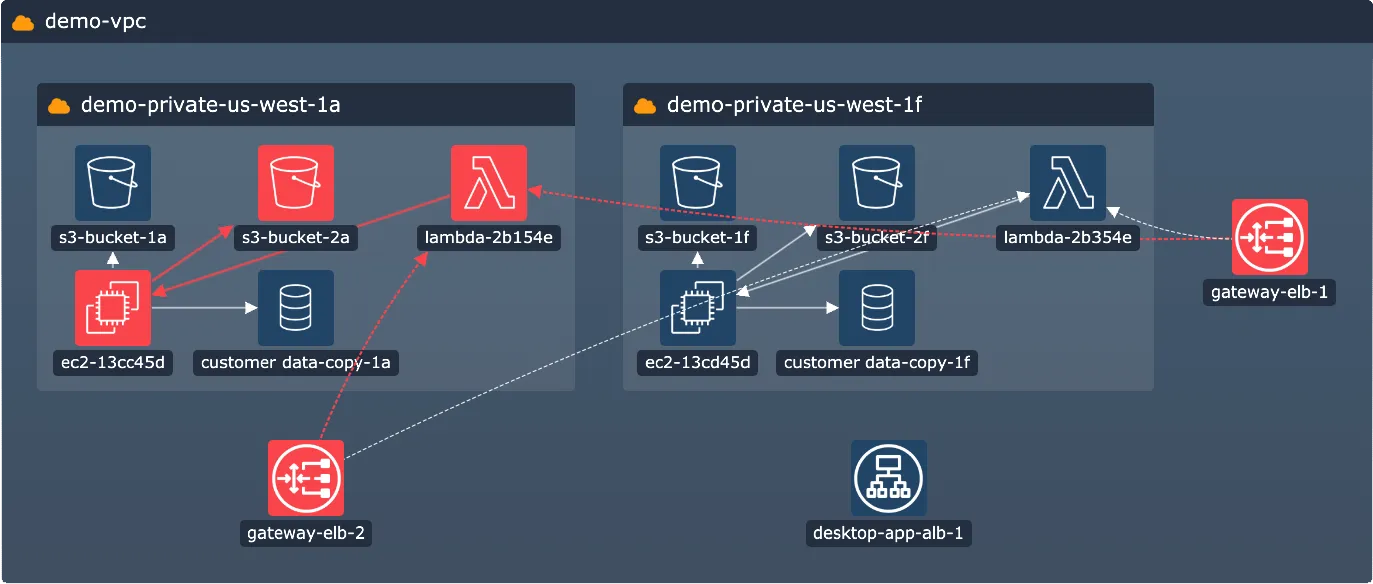
Open combos now support styling features from our 4.0 Node Styling release! Organize data in your open combos in line with your application's look and feel by using features such as multiple labels, custom label styling or pixel-perfect label positioning.
For rectangular nodes and combos, you can now set a label to minWidth: 'stretch' or minHeight: 'stretch' to get a bar label that fills the whole height or width of its parent and adjusts to any parent size, which makes it great to use as a header. In open combos, bar labels also don't get overlapped by the combo content.
In addition, open combos now support border radius to help you achieve consistent corner styling across labels, nodes, and open and closed combos alike.
And last but not least, you can now add glyphs to open combos and style and position them in the same way as glyphs on closed combos. If you style nodes or combos with both glyphs and labels, labels are drawn over glyphs by default. To reverse the order, set the new legacyGlyphAndLabelOrdering option to false.
See the new features come together in our new Network Alerts and Cloud Security showcases, or head to the Styling docs to see a new section on open combo styling.
Uncluttered view with link aggregation
Summarize links between the same pairs of nodes or combos with our new link aggregation feature.
Aggregate links represent their child links and visually reduce the number of connections in the chart, but still preserve all the data about the underlying links. To turn on link aggregation in your chart, set the aggregateLinks prop to true.
If you have different types of links in your chart, you can use the aggregateBy property to create more granular aggregation rules, and also set the aggregateByDirection property to take link directions into account.
Aggregate links can also be styled, for example to provide information about the underlying links using a summary glyph or to match your existing chart styling. To do this, pass the styling in the setStyle function of the new onLinkAggregation event.
To get started with link aggregation, head to the Basic Link Aggregation story or read more in our Aggregating Links docs.
- All features in this release are in beta. You can share any feedback by contacting us.
- We have changed the default alignment of label borders which is in beta from 4.0. The inside of the label border is aligned with the inside of the parent node/combo border. Previously, the outside of the label border was aligned. To get the previous label position, add a label
marginthat equals to the label's border width. For more details or help, please contact us.
Enhancements
- We've added a new Save and Load story to show you how to capture and reload chart states in ReGraph.
- Styling charts with very large datasets with
onItemInteractionis now significantly faster.
Bugs Fixed
- Link offsets between combos and other items are no longer drawn incorrectly due to hidden summary links.
- Using
onItemInteractionto add hover styling on open combos now works as expected.
4.3.1
- Fixed various issues with watermarks.
- Updating label properties in a node label object now works as expected.
- The
worldCoordinatesinstance method now correctly rounds outputs. - Loading a chart with a set
viewprop fires a singleonViewChangeevent. - Passing a layout in the
layoutprop and undefined in thepositionsprop on the same render always runs a layout. - Changing the
tightnessinside a combo with a concentric arrangement no longer causes unexpected movement of child items. - The 'sans-serif' font is always used by default when a custom font is set incorrectly or doesn't exist and fails to load into the chart.
4.3.0
Enhancements
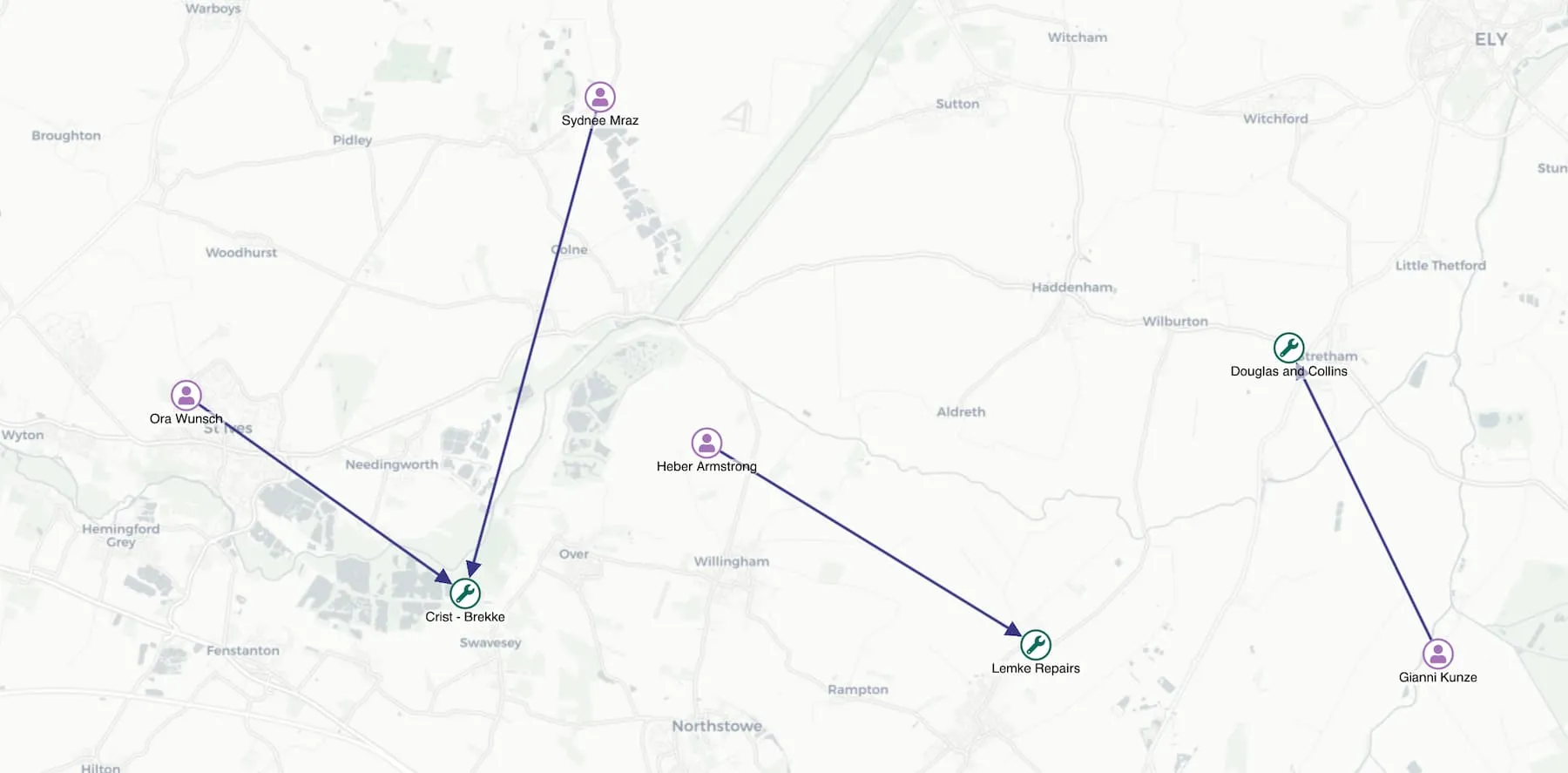
- We've addressed an issue caused by a change to our existing external source of default map tiles. As a result, ReGraph now uses OpenStreetMap, licensed under the ODbL License, as the default map tile provider. We recommend that you set your own provider in the
tilesproperty or check that your use is in accordance with the Tile Usage Policy before you deploy your charts with map mode to production.
Bugs Fixed
- Panning and zooming a chart containing a large number of open combos is now more performant.
- Exporting charts with curved links and color gradients no longer causes an error.
- Using the sequential layout with a
tightnessvalue of 4 or less now produces the expected amount of space between items. - Adding datasets with a very large number of links into the chart is now more performant.
4.2.0
Features
- After a period of improving, testing and implementing your feedback, rectangular combos are now officially out of beta!
- In this release, we made combos even more customizable with the new
tightnessoption. Available for both circular and rectangular combos,tightnesslets you control how tight or spread out the items are when they're arranged inside the open combo. You can set it in thearrangeproperty passed to thesetStylefunction of theonCombineNodesevent. Try it out in different combinations in the Grid Arrange example, and head to the Combo Tightness example for an example on a realistic dataset.
Enhancements
- We've added a new documentation section About ReGraph that contains useful information about our development process.
- The
tightnessproperty for the structural layout now affects the spacing between leaf nodes as well. - Similarly, the
tightnessproperty for the sequential layout, with thestackingoption set to 'grid', now affects the spacing between the stacked nodes.
Bugs Fixed
- A playing time bar no longer pauses unexpectedly.
- Adding a large number of items to a combo no longer causes a performance issue.
- Zooming with very small bordered labels now produces consistent results at all levels.
- A state change animation of a node's size using the
shapeproperty now works as expected. - Using
onItemInteractionto style items with images no longer causes a brief opaque flicker. - Using
onItemInteractionto style charts with many items containing sub-items no longer causes a performance issue.
4.1.1
- Using
onItemInteractionto style and unstyle a combo which was implicitly faded by settingfade: falseon another item no longer produces an error.
4.1.0
Features
- You can now set
fade: falsein thesetStylefunction passed to theonItemInteractionevent handler to specify which items are foregrounded during an interaction. This new approach is both easier to use and 400% faster in terms of performance. See how it works in the Neighbors example. - We've added a new Geospatial Combos example that shows how you can simplify geospatial networks by grouping items into combos.
- The
orderByproperty for sequential layout now accepts asortByoption to specify whether the order should be ascending or descending. Try it out in the Hierarchies example. - The sequential layout is now 2x - 5x faster when running on a dataset with no set levels where the positions are calculated automatically.
- The improved site-wide search now simultaneously displays search results from the ReGraph SDK site, relevant Cambridge Intelligence blog posts and webinars.
Bugs Fixed
- Interaction styling on nodes is now always correctly replaced by the node's styling when the interaction is over.
- Adding nodes that have labels with a
borderRadiusto some existing charts no longer makes the chart unresponsive. - Creating combos with custom IDs no longer causes an issue in ReGraph.
- Setting the view to a fixed position by setting the
viewprop now works correctly even whenanimateis set to false.
4.0.1
- Adding new items with invalid or partial styling simultaneously into new and existing combos no longer makes the chart unresponsive.
4.0.0
A new era of node styling!
ReGraph 4.0 features major improvements to the customizability of nodes and node label styling.
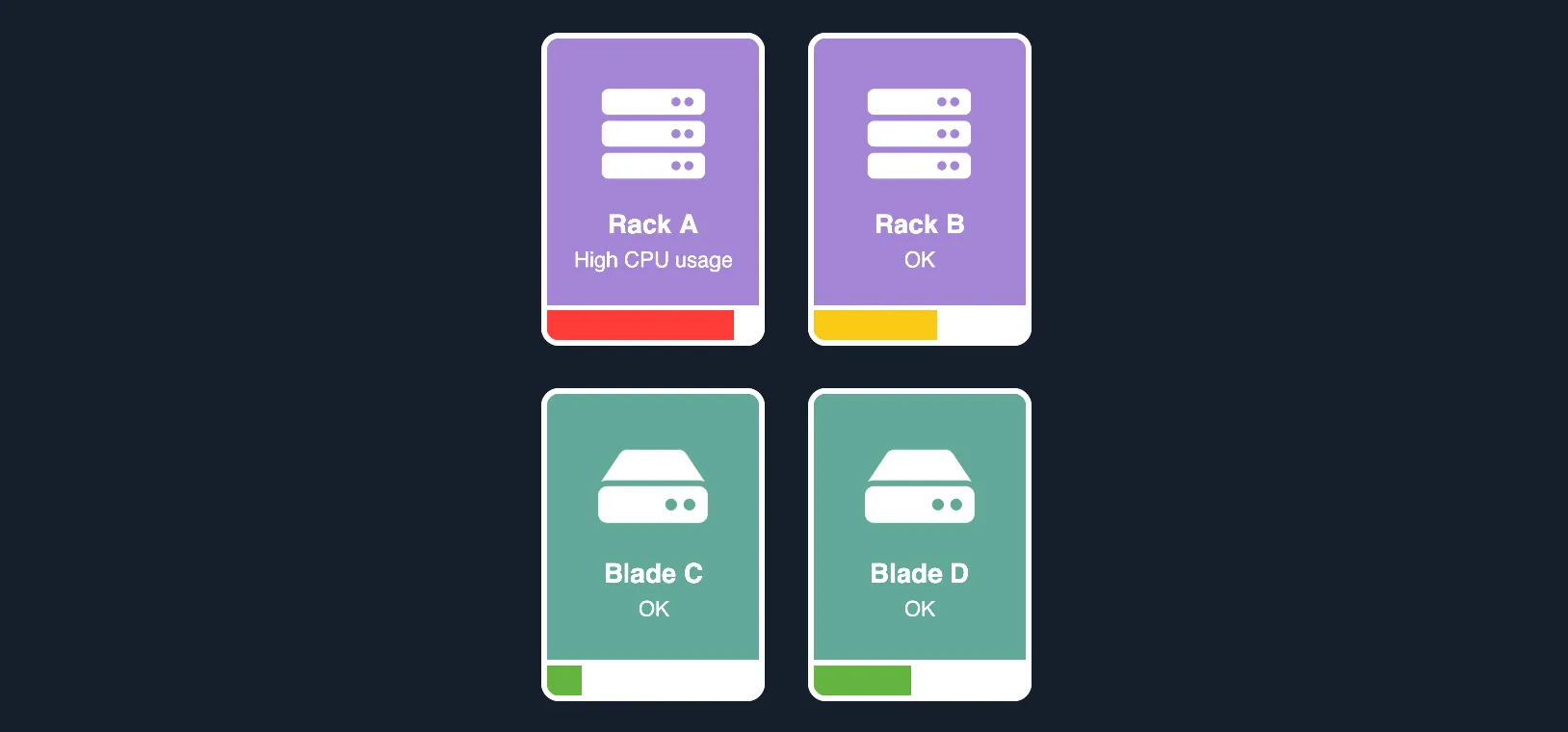
It introduces custom-size rectangular nodes which offer even more space for information and look especially sleek in grids, with rectangular combos and with our sequential layout. You can also style them with rounded corners.
In another important enhancement, ReGraph lets you add multiple labels on a node to create information-rich and styling-rich nodes. Labels can truly take your node design to the next level - especially when you also use the new label styling API that lets you fine-tune the look of your labels, use them as node styling tools or turn them into UI elements.
Custom-size rectangular nodes
Our improved rectangular nodes retain the same adaptive behavior and abilities as the default circle nodes. To create them, pass an object with width and height dimensions in the shape property. You can also give them rounded corners using the node border's radius. Get inspired in our new Cyber showcase and in the new Detail on Zoom and Advanced Node Gallery examples.
Multiple label API
To add multiple labels on a node, pass the labels as an array of objects in the label property. Each object is a label that can have a text or a fontIcon property, and that can also contain other styling options from the label styling API. See how it works in the Advanced Node Gallery or in the updated Node Gallery example.
Advanced label styling
With the new node label styling API, you can do things like:
- Place your labels anywhere inside or outside nodes using the
positionproperty. - Customize the spacing inside or outside labels with
marginandpaddingproperties. - Format long content inside labels with
textWrapproperty. - Optimize font size for any node size or zoom level with
fontSizeset to 'auto'. - Set the
minHeight,maxHeight,minWidthandmaxWidthof labels.
See also the Node Gallery example, Node Label API and the Node Styling docs.
Custom interactions with labels
With an unlimited number of labels come unlimited possibilities. As well as a source of information, here are some other examples of use:
- Multicolor node styling (empty labels with set
backgroundColorused as color blocks) - UI elements (e.g. progress bars sized by values in the nodes'
dataproperties) - Buttons with interaction styling (using the
onClickandonItemInteractionevents)
Get started with the new APIs
Multiple labels and label styling are straightforward to use whether you're starting from scratch or updating existing code. To enable unlock the new APIs, place your existing label or font icon inside a label property array of objects, for example:
label: [
  { text: 'label' },
  { fontIcon: { text: '☺︎' } }
]Enhancements
- To improve memory usage and performance, the value of
datais no longer deep cloned when the property is imported to the chart model or retrieved from it. - Added a number of Playground improvements such as an option to format code in the Code and Data tabs using Prettier.
- ReGraph now uses Leaflet v1.9.1.
Bugs Fixed
- Removing a donut border on a closed combo by setting the border's
widthproperty to 0 no longer removes the border of the open combo.
Breaking Changes
- Calling a chart instance method before the chart has finished mounting or after it has unmounted now correctly raises an error.
- Babel's modular runtime helpers @babel/runtime-corejs3@^7.20 are now a dependency of ReGraph. See our Dependencies docs for details.
- ReGraph no longer deep clones the
dataproperty object every time the property is imported to the chart model or retrieved from it. This affects all functions that accept or retrieve the property. To restore the previous behaviour, deep clone thedataproperty object before passing it to ReGraph. - We've made some breaking changes to the TS definitions. See TypeScript Changes.
TypeScript Changes
- Passing a list of
Itemsin theViewchart prop now correctly raises a TypeScript error. - Improved return type definitions for
image,export,viewCoordinatesandworldCoordinateschart instance methods.
Deprecated APIs
- We've deprecated standard layout. We recommend using organic instead.
- We've deprecated the
centeroption. Use thepositionoption instead.
End of Support
- Support for Internet Explorer 11 has now ended.
- Support for legacy onChart- and onTimeBar- events has now ended.
- Support for LTA versions 1.11.0 and 2.4.0 has ended and the versions have been removed.