- Fixed an issue where links with flow animation weren't animated correctly when selected.
- Fixed an issue where revealed combo links were sometimes layered incorrectly over nodes.
- Fixed an issue where a marquee selection area could change unexpectedly while panning the chart beyond the extents of the view area.
KeyLines Version 6
6.13.1
6.13.0
The next level of timeline analysis with KronoGraph 2.0
We've updated our Timelines with KronoGraph demo to use KronoGraph 2.0.
The latest version of our timeline visualisation toolkit introduces major improvements to viewing data and interacting with it. KronoGraph now draws all entities and their events in the timeline, which gives you an instant overview of your dataset.
To navigate through the overview, it uses a brand new lens feature that lets you enlarge a smaller set of entities, scroll, and locate and investigate any interesting data points. At the same time, lens view keeps the context of where you are in your data, so you can work efficiently even with large datasets.
Bug Fixes
- Fixed an issue where truncating long labels could sometimes affect node spacing in the sequential layout.
- Fixed an issue where links connecting nodes and combo nodes could sometimes be hidden unexpectedly during filtering.
- Fixed an issue where links with flow animation weren't animated correctly when selected. (6.13.1 patch)
- Fixed an issue where revealed combo links were sometimes layered incorrectly over nodes. (6.13.1 patch)
- Fixed an issue where a marquee selection area could change unexpectedly while panning the chart beyond the extents of the view area. (6.13.1 patch)
6.12.1
- Logging into the KeyLines SDK site is now done via Google authentication or email link authentication. We've made some infrastructure updates to enable this feature.
6.12.0
Explore demos from new angles in the KeyLines Playground
Examining and editing a chart's code in the playground is a great way to explore features in KeyLines. In this release, we've unlocked a vast supply of examples to try out as our demos can now be opened in the KeyLines Playground.
To open a demo in the playground, navigate to the Playground button located next to other tabs in the demo's right-hand side navigation panel. Clicking the button opens the demo in a new playground window where you can edit the demo's code. You can even access the demo's Data, HTML and CSS tabs and add your own data or code there, which is completely secure as everything is encoded in the URL of the playground and no data or code are sent to a server.
Note that as a result of this more modern and convenient way of editing demos, we've now removed the possibility to download the demos.
Bug Fixes
- Fixed an issue where glyph borders didn't scale as expected during glyph animation.
- Fixed an issue in WebGL where animated glyphs could sometimes move unexpectedly.
- Fixed an issue where spaces between multiple text lines didn't scale as expected during node resizing.
- Fixed an issue where the position of self-links on text-only nodes didn't scale as expected during node resizing.
- Fixed an issue where adding a large number of unconnected nodes to a chart could cause the chart to become unresponsive.
- Fixed an issue where removing previously set flow animation
velocityon links didn't decrease the level of CPU usage as expected.
6.11.0
Full control over rows and columns in combos
If you use grid arrangement to arrange the content inside your open combos, you can now also try the new gridShape option to control the number of rows or columns.
The gridShape option, which can be specified in several combo handling functions and in chart.expand(), accepts an object where you can set the rows or columns options to a suitable number.
Defining a custom grid dimension such as a single row or a column can be especially useful to visualise flows, processes or supply chains within a larger hierarchy, especially when paired with our sequential layout. It can also help scale your combos for better fit and readability.
To try it out, head to our updated Combo Options demo.
6.10.2
- We've made some improvements to our Upgrading documentation for a better upgrading experience.
6.10.1
- Fixed an issue where simultaneously opening multiple nested rectangular combos could sometimes produce unexpected results.
6.10.0
Get creative with the KeyLines Playground!
KeyLines now comes with its own Playground, an interactive code editor and live visualisation tool.
loading='lazy', style='margin: 20px 0 20px 0; border-style: solid; border-width: 1px; border-color: #dcdcdc')
When you open a playground, you can build or edit a KeyLines application directly in your browser and instantly see the results. Your code is executed only in the browser, which means that no data is stored or sent to a server. As a result, the playground is completely secure to use even with your own data. And it's straightforward, too - all you need to do is convert your data into the KeyLines JSON format that describes nodes and links and paste it in the Data tab.
Each time you run your code, the data and code are encoded into the page URL which you can bookmark, save or share with others.
Use playgrounds to collaborate with others or to ask for support - if you send us a support query with your issue in a playground, we can see what’s going on and we can get back to you with a working code solution.
To open a new playground, navigate to Playground in the top menu bar of the SDK site.
Faster and smoother installation experience
For a faster and more modern installation experience we now deliver KeyLines as a Node.js compatible package in a.tgz format. The KeyLines package is compatible with all popular Node.js package managers such as npm or yarn.
The package comes with both ESM and UMD bundles of KeyLines to make it easier to integrate into modern JavaScript applications.
We've also updated all of our framework wrappers (Angular, Vue, React) to use this modern approach, which will give you a better experience when integrating KeyLines with these frameworks.
For more detailed information see our updated installation guides in the Installing KeyLines section of the Documentation. We've also added two brand new installation guides for popular module bundlers: Using KeyLines with Webpack and Using KeyLines with Rollup.
Note that to allow the download to be installed easily, the KeyLines download is now provided as a.tgz file rather than a.zip file.
For backwards compatibility, the keylines.js file is still available in the same folder, and can be used exactly as before.
Enhancements
- We've made some minor improvements to the API Reference. These include improved styling, text formatting, and providing more detailed information, e.g. about the possible string values of API options.
Bug Fixes
- The orderBy option for
chart.expand()is now correctly included in the API Reference documentation and TypeScript definitions.
6.9.2
- Fixed an issue with sequential layout where using automatic level detection on certain data inputs could sometimes result in an error.
6.9.1
- Fixed an issue with internal tooling on the SDK site. There are no changes to the KeyLines package.
6.9.0
Stacks of improvements for sequential layout
Hierarchical data with wide trees of nodes and densely populated levels can be very difficult to analyse when viewed in full. This is because wide layouts often need to be zoomed out to fit the items in, offering very little detail without any additional scrolling or zooming.
In the new stacking property, you can now set the arrange option to 'grid' to stack groups of same-level nodes with identical neighbours into neatly organised grids. This will give you a full view of the layout at a much more readable zoom level.
In addition, the existing packing option now also applies to the sequential layout. While by default, sequential still aligns nodes on the same level across components, you can now choose the way you pack the components in your chart to use your screen space even more efficiently.
See how these new features instantly transform a challenging sequential layout in our brand new Navigate Large Hierarchies demo.
Note that if you are setting packing for all layouts, the setting will now also apply to the sequential layout. If you want to keep the previous behaviour, set packing to 'aligned' for sequential.
Ordering nodes within sequential levels
In another useful improvement to our sequential layout, we've added a new orderBy property to help you organise nodes within each level of sequential. This property specifies which property in a node's custom data object is used for ordering. Either strings or numbers can be used for ordering.
Head out to our Display Hierarchies and Impact Analysis demos which use this new feature.
CORS mode for loading external images
The new KeyLines.corsAdapter() function lets you set the value of the crossorigin HTML attribute whenever KeyLines is trying to access an image from a third-party domain. This allows you to configure the CORS requests sent by KeyLines to include user credentials when accessing secure resources behind authentication requiring cookies.
Enhancements
- Improvements to consistency of spacing between levels in the sequential layout.
- Improvements to symmetry between same-level child nodes with the same parent in the sequential layout.
- Various improvements to the way sequential layout identifies nodes with identical connections for better positioning and fewer link crossings.
Bug Fixes
- Fixed an issue with exporting very short links with a dashed line style.
- Fixed an issue where rotated font icons were not always exported correctly during PDF export.
- Fixed an issue where adding previously removed nodes back to the chart could cause positioning errors.
- Fixed an issue where running the Vue.js Integration demo locally in some combinations of operation systems and browsers could fail to show font icons.
6.8.1
- Fixed an issue with a discontinued external source of map tiles for the Map Layers demo.
6.8.0
Supercharging KeyLines layouts
There is no such thing as too much performance, especially when you're working with very large datasets. To make your applications run faster and smoother, we've significantly improved the performance of two of our popular layouts - lens and organic.
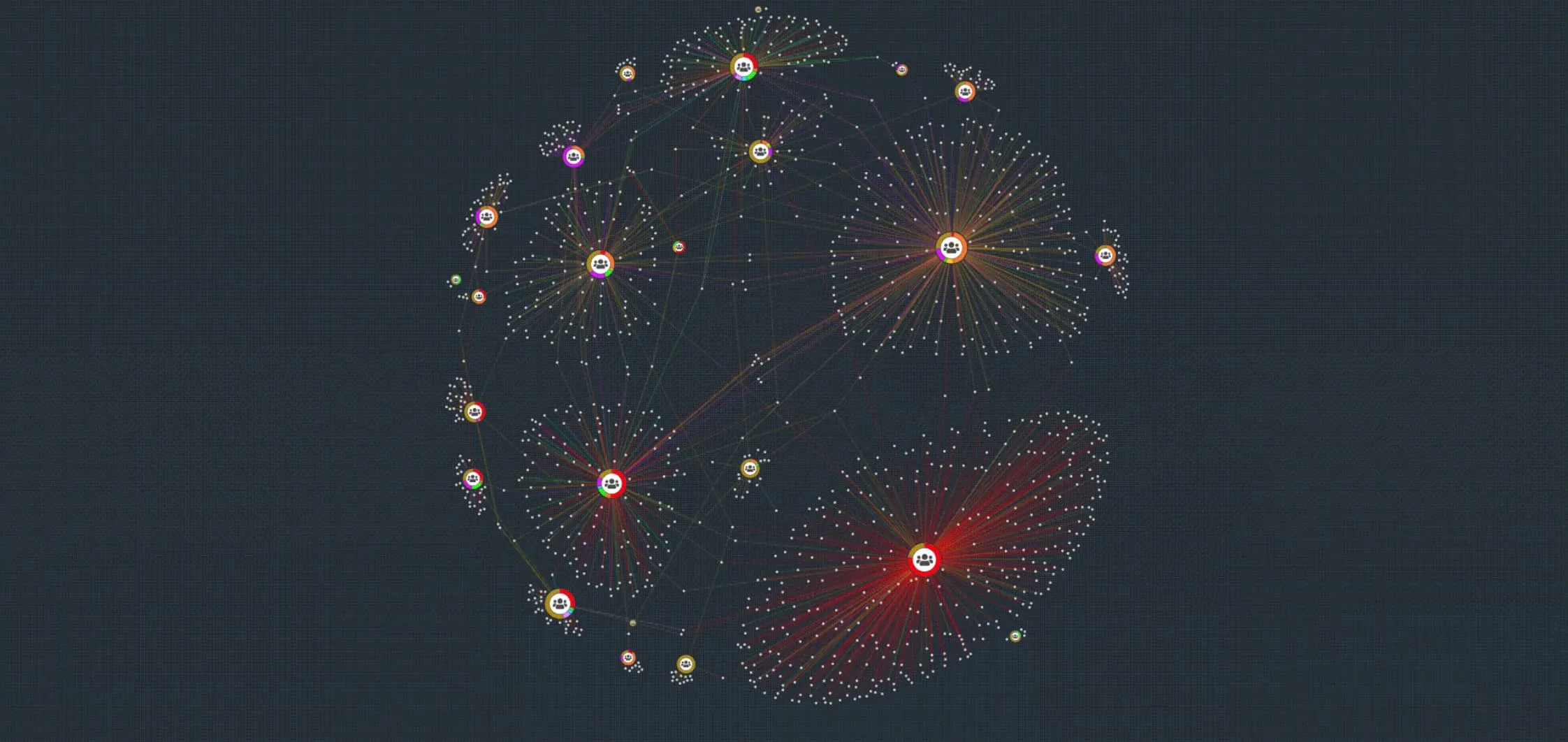
Organic
The updated algorithm of our organic layout now requires up to 15% fewer position calculations which noticeably decreases the amount of time needed to complete the layout. In addition, adding or expanding items is now also 25% to 200% faster and results in less movement while the layout adapts to changes, as you can observe for example in our Adaptive Layouts demo.
Lens
The performance of our lens layout has increased by 500% compared to previous releases with especially notable differences for very large datasets. As lens is also used by default inside our circular combos, creating combos is significantly faster and combo interactions are even smoother than before.
Vue Integration demo with font icons and tooltips
With the release of Vue 3, we took the opportunity to overhaul and enhance our Vue integration demos.
The former 'Vue.js Integration' and 'Vue.js Integration: Time' demos are now merged into a single Vue.js Integration demo which now also uses font icons and tooltips to help you implement even more features.
As the KeyLines Vue component now supports Vue 3, we've also updated the demo to use Vue 3.
Bug Fixes
- Fixed an issue where TypeScript
ComboAdaptModetype was not correctly defined. - Fixed an issue where hiding multiple items at once could trigger multiple selection-change events.
- Fixed an issue in WebGL mode where setting
backgroundAlphadid not always update chart. - Fixed an issue in map mode where modifying the node position using setProperties could result in links being hidden after switching to network mode.
- Fixed an issue where calling
timebar.setContainer()did not always correctly update the element containing the time bar. - Fixed an issue where image dataURLs containing unencoded SVG icons did not always load correctly.
- Fixed an issue with navigation bar not displaying correctly in Safari.
Advanced notice: Retirement of KeyLines 4.8 LTA
We intend to remove the KeyLines 4.8 LTA version from 1 November 2022.
If you are using this version, we strongly recommend upgrading to the latest version so that you can make use of the full features of KeyLines.
6.7.0
Generate captivating PDF documents with chart export
The chart.export() function now also generates static images of charts in PDF format offering you even more ways to present, share or publish your KeyLines charts.
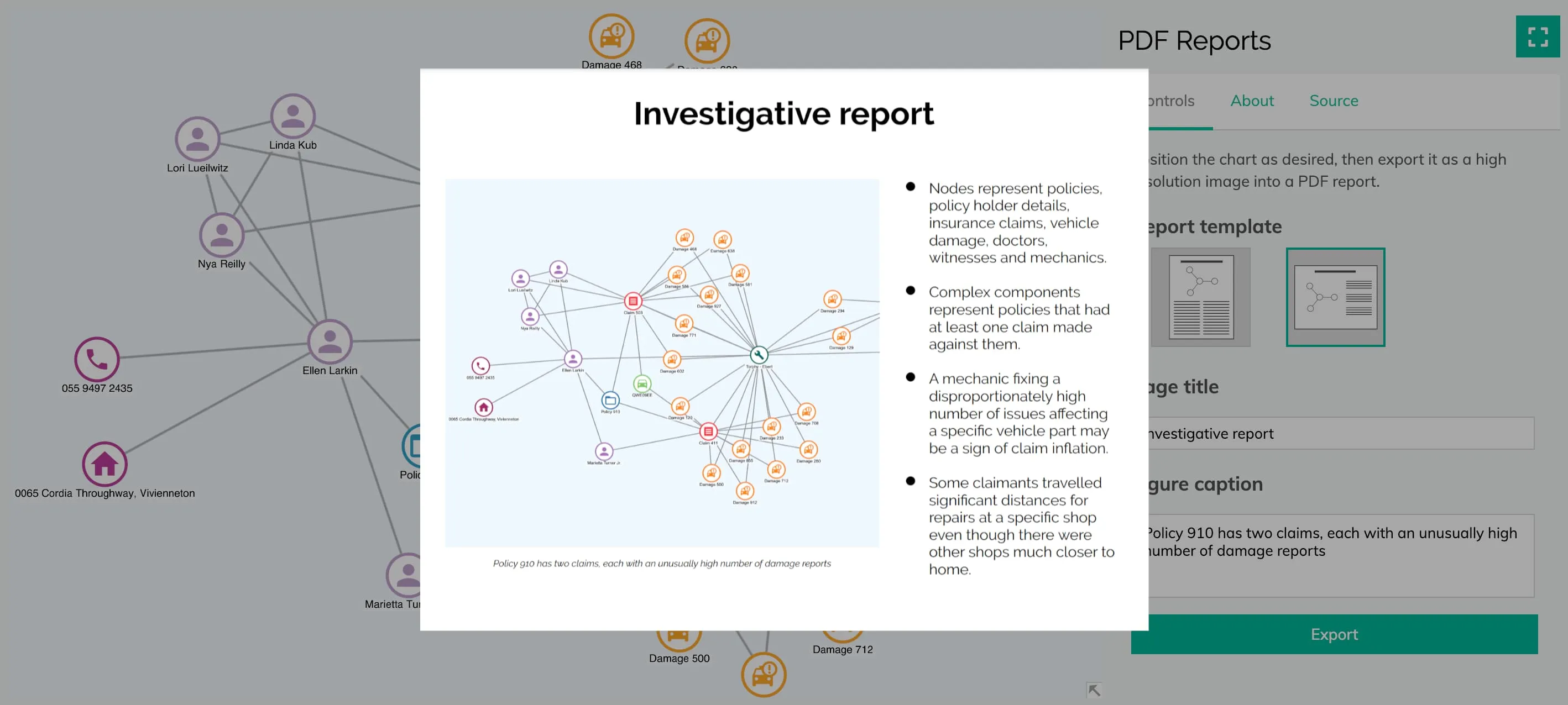
To get started, add the required dependencies to your application and set the type option for chart.export() to 'pdf'.
KeyLines gives you full control over the appearance of the output to ensure that your generated documents suit your needs and requirements perfectly. You can use the doc option to pass a custom PDFDocument from PDFKit with your own specification, taking advantage of any features of the PDFKit API to create tailor-made documents with custom look and feel.
To give you some inspiration we've added a PDF Reports demo featuring examples with various fonts and layouts. We've also updated the existing Export Chart demo to offer PDF export.
The chart.export() function, including PDF export, is still in beta. You can share any feedback by contacting us.
Please note that, as set out in the Third Party Libraries page of our SDK site, the optional functionalities of PDF export and map mode require the use of open source dependencies.
Enhancements
- We've added new documentation pages on Chart Export and PDF Export to help you learn more about these features.
- We've added a new
extentsoption for chart.export() that lets you specify whether you want to export the whole chart or its current on-screen view.
Bug Fixes
- Fixed an issue where adding to selection via marquee box could sometimes leave intermittently selected nodes in the final selection.
- Fixed an issue in WebGL mode where long Arabic strings with numbers could sometimes be ordered incorrectly when using auto RTL.
- Fixed an issue where glyphs with non-integer radii were not always reported correctly.
- Fixed an issue where KeyLines.mode() set to
'auto'did not fall back to canvas mode when hardware acceleration was disabled in Chrome v93 and Microsoft Edge v93.
6.6.0
Rectangular combos looking sharp in beta
Thanks to your feedback, we've improved rectangular combos and grid arrangement and we are moving them to beta, which means they are stable and ready for production.
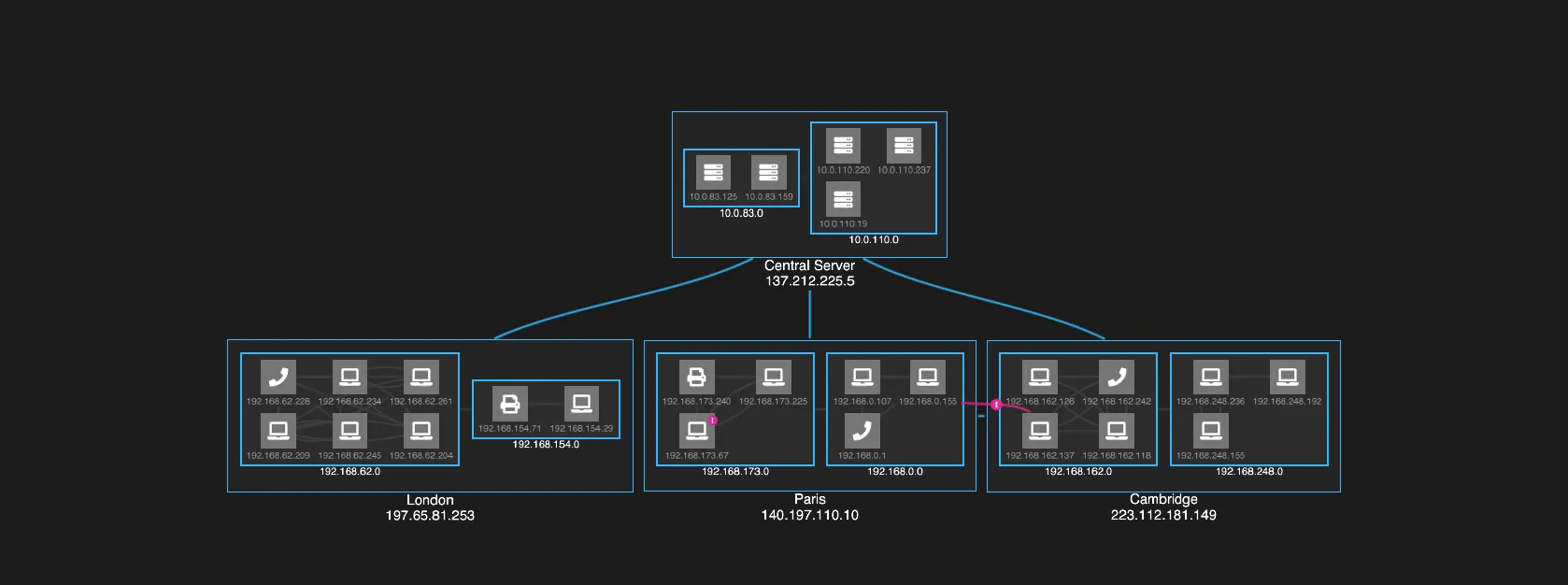
The updated grid arrangement for rectangular combos now preserves the clean grid view with zero overlaps even after actions such as opening or closing combos or transferring items.
We've also added a new adapt option for a number of combo handling functions and chart.expand. The option lets you control how items at the top chart level or inside parent combos adapt to combo or child combo changes. You can use it to partially or completely disable this behaviour, which may be useful for example to preserve the top level layout or to rearrange items manually.
By setting adapt to 'inCombo' when using rectangular combos with sequential, the sequential layout is preserved throughout any combo actions, making the chart look smart and polished at all times, just like in our Arranging IT Networks demo.
See also the Combos: Basic and Combos: Reveal Links demos for even more examples of rectangular combos.
Note that we've made 'grid' the default arrangement option for rectangular combos (i.e. when the combos option is set to 'rectangle').
Angular Integration demo with font icons and tooltips
With the release of Angular 12, we took the opportunity to overhaul and enhance our Angular integration demos.
The former 'Angular Integration' and 'Angular Integration: Time' demos are now merged into a single Angular Integration demo which now also uses font icons and tooltips to help you implement even more features.
As the KeyLines Angular component now supports Angular 12, we've also updated the demo to use Angular 12.
Bug Fixes
- Fixed an issue where running
chart.expandin some charts consisting of only single node components could cause overlapping. - Fixed an issue with
chart.exportwhere exporting strings with commas into SVG could fail to export commas. - Fixed various issues with text alignment and font icon alignment when using
chart.export. - Fixed various issues with dragging during the
view-changeevent. - Fixed an issue with slow loading performance of images on nodes.
6.5.0
Dark mode has arrived in KeyLines
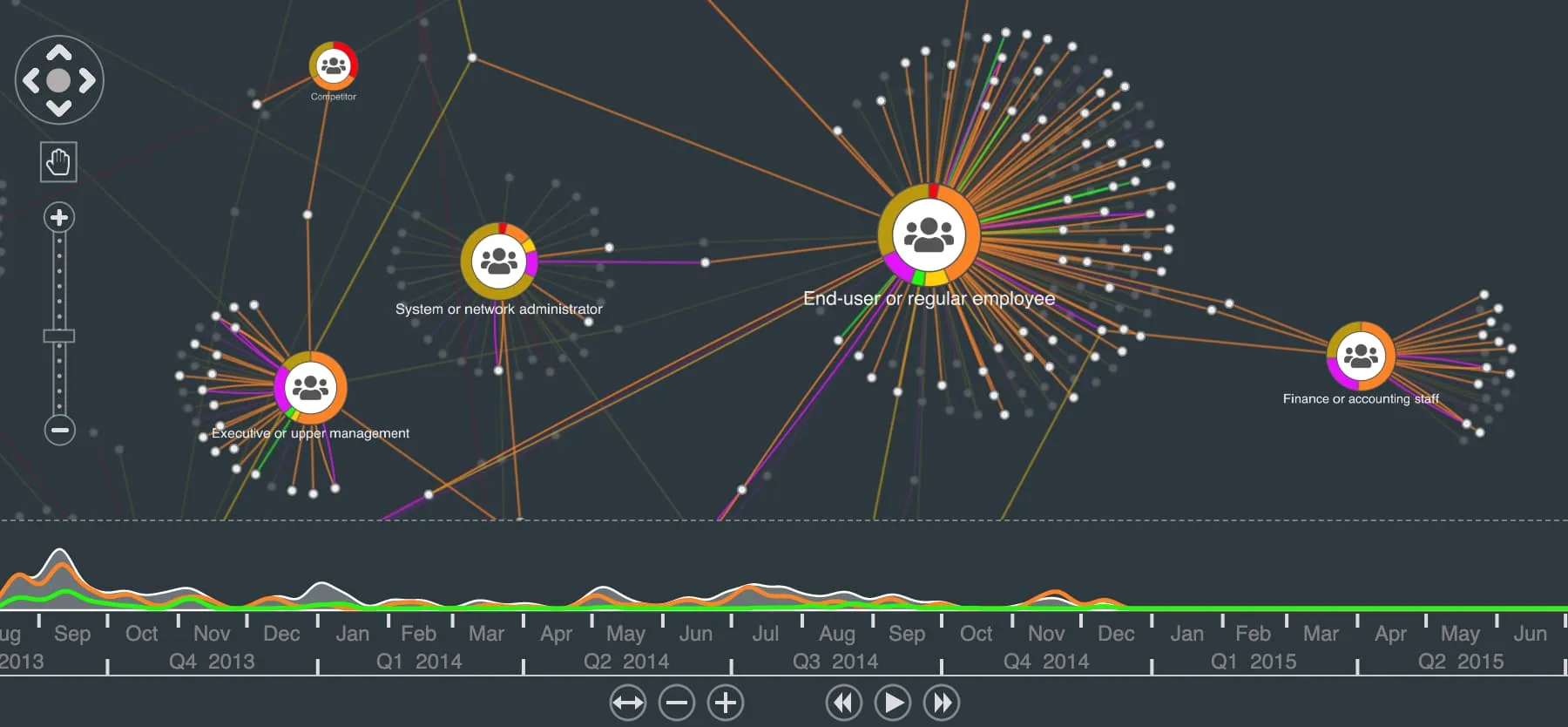
In the past few years, dark mode has undoubtedly become one of the most popular features in user interface design.
In response to popular demand, KeyLines now offers a quick and easy way to switch the theme of its navigation tools (i.e. chart navigation controls, time bar control bar and the overview window) to dark mode so that they integrate seamlessly into your dark mode styled apps without any need to create custom navigation tools.
To do this, simply set the new controlTheme option for chart and controlBarTheme option for time bar to 'dark'.
We've also updated our own dark mode demos to use this - for example Bitcoin Transactions, Arranging IT Networks, Filter Data Breaches or Impact Analysis.
Organic layout out of Beta
We're happy to announce that after a long period of improving, testing and implementing your feedback, the organic layout is now officially in General Availability as an established part of KeyLines.
Even more so, it is currently our fastest and most versatile force-directed layout. It adapts incrementally to the data changes, allowing you to focus without any disruptive movement, and delivers great results even when used with very large and complex datasets.
See how it handles the challenges of network change and large data in our Social Network Analysis, Mafia Network and Visualising Big Data demos.
Advanced notice: End of support for IE11
We intend to end support for Internet Explorer 11 from 31 October 2021.
For a list of supported devices, operating systems and browsers, see Compatibility & Supported Platforms.
Bug Fixes
- Fixed an issue in WebGL mode where strings starting with space-separated numbers could sometimes be ordered incorrectly when using auto RTL.
- Fixed an issue in WebGL mode where forced RTL mode could sometimes be ignored and RTL auto mode be used instead.
- Fixed an issue in sequential layout that could sometimes prevent it from correctly removing some link crossings and in some cases could cause the chart to become unresponsive.
- Fixed an issue where running a layout with
packingset to 'circle' or 'adaptive' could cause the chart to become unresponsive in very specific circumstances. - Fixed an issue where some special characters did not always export correctly into SVG when using
chart.export().
6.4.0
Simplified language support with RTL auto
Sometimes the best features are the ones you don't even have to think about implementing.
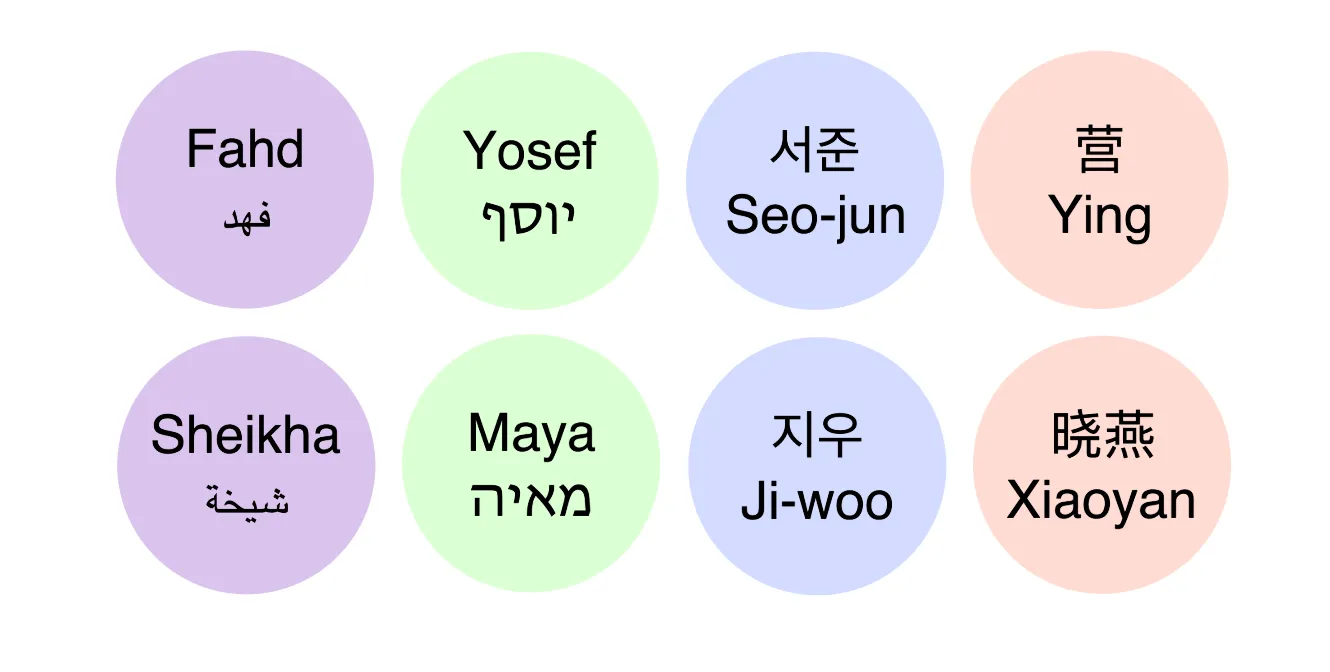
This is why KeyLines now supports automatic detection of right-to-left (RTL) and bidirectional (BIDI) languages in both WebGL and Canvas.
The RTL auto support is simply applied automatically once KeyLines detects any RTL characters, so you can be sure that any of your RTL and BIDI content is always displayed correctly without any need to set it.
See it for yourself in our updated Multiple Languages demo.
Note: To make use of the new behaviour, make sure you remove the dir attribute and direction css property from any KeyLines components.
Tracking progress with organic
Organic is already the layout to rely on when you have a large, complex dataset to visualise, and now it also offers a better user experience.
Organic layout now supports incrementally reporting progress events, which give you more feedback on the progress when the layout is taking a while to run due to the size of the dataset. These events can be especially useful when running layouts for very large datasets, because you can use them to display elements such as a preloader or a progress bar and improve the user's experience.
Take a look at an example in our Visualising Big Data demo.
Enhancements
- Even more demos now use organic as their default layout, such as Filtering and kCores, Ransomware Attacks, Time Periods and all our database integration demos.
- We've also updated our demos from the Frameworks demos section to use organic and 'adaptive' mode behaviour.
- We've made some code improvements to the Angular Integration: Time demo.
- We've updated the Integrate with ArangoDB Integrate with ArangoDB demo which is now compatible with the latest version of Arango.
Features out of Beta
We're happy to announce that a number of features are out of Beta development. These are now established features of the KeyLines toolkit:
- Chart Functions: getItemInfoAt()
- Chart Options: inline property of
linkStyleand flow property ofselectedLink - Object Types: flow options of
links - Time Bar Options: area, groups, type
Bug Fixes
- Fixed an issue where SVG images could sometimes fail to load correctly.
- Fixed an issue where expanding a single component with fixed nodes could cause unnecessary movement.
6.3.0
Organic responding to incremental changes
Our organic layout is now even better at handling small changes in the layout. You will notice this improved behaviour for example during time bar animations, filtering or resizing items.
To apply the new behaviour, set the new mode option to 'adaptive' when running chart.layout(). The 'adaptive' mode runs a short force-directed layout instead of a full one, adapting the layout to changes while preserving the original positions of items as much as possible.
Think of it as an improved ‘tweak’ - the mode option is, in fact, available also for standard layout. For the best results in your charts, however, we recommend using organic as our currently most advanced force-directed layout.
Exporting charts in high resolution and more output types
When generating KeyLines charts for purposes such as printing or sharing, our customers rely on a high quality output that preserves all the information and high standard of the original and delivers a detailed and insightful result.
This is why we are very pleased to introduce a brand new chart.export() function, which allows you to generate charts in high resolution and in several popular output types. For the first time in KeyLines you can now export to vector-based graphics, with support added for SVG, as well as higher resolution support for PNG and JPEG (to 16K). Regardless of the size of your dataset, this function will produce stunning results for your KeyLines charts in both chart and map mode.
Currently in beta, you can try out the new features in our updated Export Chart demo.
KeyLines with KronoGraph
You may have already heard of KronoGraph, our new product for timeline visualisation. KronoGraph can also integrate with KeyLines, unlocking even more possibilities for analysis and visualisation of your data.
Take a look at our exciting Timelines with KronoGraph demo to see both products working seamlessly together.
Enhancements
- We've improved organic to produce a more compact layout, whilst also reducing node overlaps, helping minimise white space and improving overall network clarity.
- As organic is our recommended force-directed layout, even more demos are now using it as a default, showcasing also our new 'adaptive' mode behaviour - for example Social Network Analysis, Filter Data Breaches and Mafia Network.
- Running
chart.expand()with organic layout also uses the behaviour introduced with 'adaptive' mode forchart.layout(). Forchart.expand(), this behaviour is applied automatically when fix is set to 'adaptive' (default option).
Bug Fixes
- Fixed a WebGL issue where passing an invalid value as colour to some objects on nodes could result in an error.
- Fixed an issue where some items with dashed borders did not always render correctly.
- Fixed an issue with selection of links created using
createLink.
6.2.0
Rectangular combos: A brand new angle on combos
We’re very excited to add a brand new look to one of our signature features.
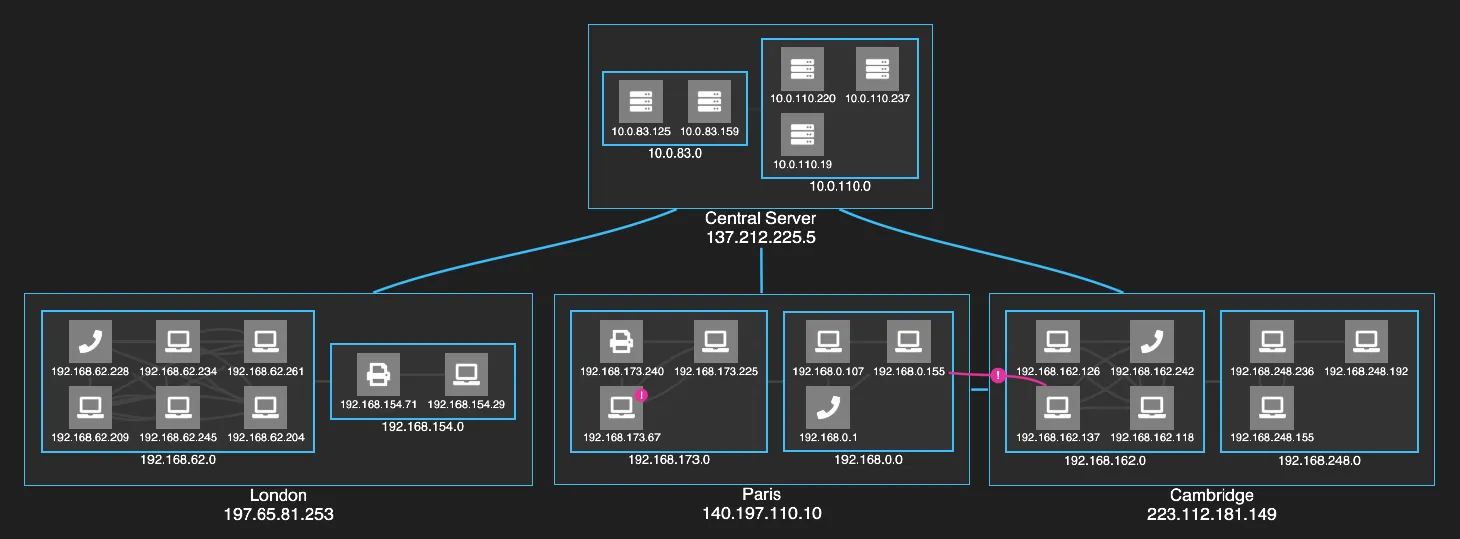
In the combos chart option, you can now set the shape of your open combos to 'rectangle'. The items inside each open combo can be arranged using any layout available for arranging nodes inside open combos. To achieve the most compact layout, try the new grid arrangement that we've introduced to complement rectangular combos.
In addition to their modern and crisp design, our rectangular combos excel in providing a clear, condensed view of the data and its context, especially when used with our sequential layout. Check out the new Arranging IT Networks demo to see how much detailed information can be displayed at once without losing clarity in your chart. To create your first rectangular combos, head to our Combos: Basic demo.
This feature is currently in alpha and we're keen to hear from you about how we can improve it. To share your feedback, please contact us.
Enhancements
We've updated our Integrate with Neo4j demo to use Neo4j 4.1.
Bug Fixes
- Fixed an issue where large circular combos containing small numbers of nodes sometimes contained too much padding.
- Fixed an issue where destroying a chart during a running layout could produce an error.
- Fixed an issue where links were sometimes not revealed properly when drawn from within a combo.
- Fixed an issue where a KeyLines chart could sometimes fail to resize correctly when its parent element was resized.
- Fixed an issue where
createLinkcould error when using curved links. - Fixed an issue where double-click events could fail to be generated in charts with high volumes of nodes.
- Fixed an issue where very long curved links to glyph-only nodes sometimes failed to render correctly.
- Fixed an issue where drag-over events failed to occur after
chart.combo().reveal()was called when dragging a node.
6.1.0
Adding items to fixed charts
Charts with components that don't move have their benefits - the components can be laid out manually to fit specific requirements and are always easy to find. However, having a fully fixed chart shouldn't compromise the readability of the layout when new items are added.

This is why you can now add new items to your chart with the fix option for layout.expand() set to 'all' and not create any overlaps with your existing fixed components.
To see the improved behaviour, head to our Adaptive Layouts demo.
Reducing movement during expand
No detail is too small when working on beautifully adaptive layouts. We've now improved the behaviour of layout.expand() so that when a single component is expanded, the movement of its existing nodes is reduced to necessary adjustments and the animation and fitting of the chart are subtler and smoother.
Staying focused with organic
Calling an organic layout with the consistent option set to true now always produces the same results for components in the chart that haven't changed. This means that running the layout only updates the positions of changed components, minimising any distractive movement in the chart and letting you focus on what has changed.
Enhancements
- The KeyLines Angular component now supports Angular 10.
- The KeyLines Vue component now supports Vue 2.6.11.
- We've improved the reliability of some multi-touch and simultaneous gestures, such as pinch-to-zoom or zooming during marquee or drag-panning.
Bug Fixes
- Fixed an issue where new items would not always stay in view as the view adjusts to fit.
- Fixed an issue where the React component could unmount before KeyLines has fully loaded and produce an error.
- Fixed an issue where using some TypeScript types could cause an issue in older versions of TypeScript.
6.0.0
KeyLines 6.0: Event of the Year
We’re delighted to bring you KeyLines 6.0, our latest release featuring a next-generation events engine, adaptive layouts, beautiful curved links and other exciting enhancements.
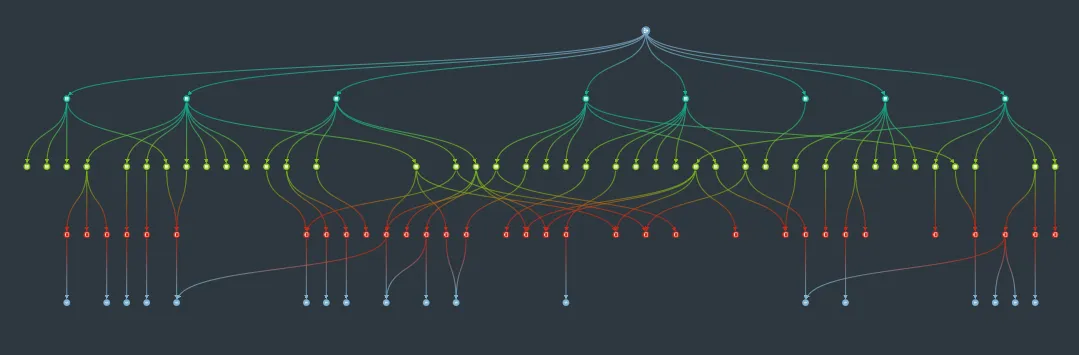
The evolution of events
KeyLines 6.0 features a new events engine and a redesigned API for a better developer and end-user experience. The events, accessed from chart.on() and timebar.on(), are intuitive, easy to work with and simple to customise. Their improved behaviour is also more closely matched to the behaviour of native DOM events. Here are some highlights of the new system:
Custom actions
Overriding the default behaviour is now simple and intuitive.
All you need to do is call the preventDefault() function in the handler. Use the function to modify any behaviour - for example to have your nodes snap to a grid during dragging or to disable some user actions.
Another useful addition is the new setDragOptions property of the drag-start event, which lets you customise the dragging behaviour. You can use it for example to enable panning of the chart while the pointer is over certain chart items.
To see how this option works, head to our Custom Dragging demo.
Fine-grained control
Listen and respond to events with greater precision. We've improved events such as view-change and selection-change to work more intuitively and seamlessly, and added new events like drag-move and pointer-move to give you tighter control over user actions.
As a result, chart items respond smoothly to user actions such as dragging, panning or selecting.
Take a look at our new HTML Annotations demo for more details.
Intuitive behaviour
We’ve listened to customer feedback and improved the order in which events fire. For example, click events no longer fire during dragging, the Ctrl and Cmd modifiers work more intuitively between Macs and PCs, and dragging nodes no longer automatically changes the chart selection.
Unrivalled device and gesture support
Experience smoother and more precise zooming, consistent touch gesture support and detailed contextual information from pointer events including modifier keys and pointer types. Whether you're supporting mobile applications, adding keyboard shortcuts for better accessibility, or adding custom interaction behaviours to your application, the new events engine gives you the control you need.
Ready for your application
Explore the new events in action in our demos, which have all been updated to use the new events engine. We especially recommend checking the Interaction Events demo and Time Bar Events demo which let you test events and user gestures while displaying the firing order and structure of the events.
All the chart events and time bar events are documented in the API Reference and the new Events Basics page features an introduction to events and an overview of the differences between the bind() and on() events.
Although you can still use the bind() API, which remains supported until the end of the 6.x cycle, we strongly recommend migrating to the new events as soon as possible.
Make waves with curved links
Refresh the styling of your sequential and hierarchy layouts with the new path option. Setting it to horizontal or vertical changes the way link ends enter and exit nodes, making the links follow a curve. This not only makes the layouts look more polished, but also improves clarity and readability, especially for charts with multiple connections between levels.
See the difference curved links can make in our Impact Analysis and Display Hierarchies demos.
Adaptive and beautiful by default
Achieving the best adaptive behaviour for dynamically changing charts should be easy and automatic.
This is why expand() now uses adaptive packing with consistent layouts by default, which means that your chart will adapt beautifully to the new data with minimal movement of unrelated items.
We have created a new Mafia Network demo to showcase the advantages of adaptive behaviour. Explore and disrupt connections within mafia networks to see the chart adapt to changes.
Enhancements
- KeyLines now supports the three-finger pan gesture across all touch devices.
- KeyLines now supports the pinch-to-zoom gesture across all touch devices.
- We've improved the behaviour of items dragged near the edge of the chart.
- Dragging no longer updates selection, which means that you can drag items without losing your selection.
- The new on() API comes with a number of new and useful events: drag-move, key-up, pointer-move and pointer-up.
- The adaptiveStyling option is now true by default, which means that your chart will look at its best even at low zoom levels. You can switch to old behaviour by setting it to false.
- The expand() function no longer waits for images to load when called asynchronously. Instead, the callback function is invoked after animation is finished.
Breaking API changes
Like our previous major releases, KeyLines 6.0 contains some breaking changes. Without them, we couldn't evolve KeyLines and deliver the features you want. We recommend reading 6.0 Breaking Changes and Migrating from bind() to on() carefully before you install this version.
Deprecations
We've added some legacy API calls to our list of Deprecations.
Bug Fixes (6.0 and 6.0.1)
- Fixed an issue for time bar where continuing to zoom out after reaching minimum zoom could sometimes cause the chart to keep updating.
- Fixed an issue where running a radial layout sometimes failed to zoom the chart to fit.
- Fixed an issue where large values entered in the animation time for chart.layout() were sometimes rounded down.
- Fixed an issue when chart.expand() function waited for images to load when called asynchronously.
- Fixed an issue where dragging a node out of a combo sometimes failed to fire a dragover event.
- Fixed an issue where a node is dragged, and the initial dragover event of 'null' was not fired for the chart background.
- Fixed an issue for time bar where removing playExtend could alter the play type.
- Fixed an issue where clicking on a donut segment with only one non-zero value returned incorrect value for the clicked segment.
- Fixed an issue where increasing the size of an overview window could produce an error.
- Fixed an issue where pings were not drawn over the whole length of straight and arced links.
- Fixed an issue where nodes were not repositioning correctly while zooming on a chart in map mode.
- Fixed an issue where running a sequential layout with automatic level detection on cyclical data could result in an error.
- Fixed an issue where dragging bounding boxes of shapes with font icons could resize the shapes incorrectly.
- Fixed an issue where running a standard or structural layout did not always fire incremental progress events.
- Fixed an issue for Windows 10 using IE 11 where dragging a shape could result in some parts of the content not dragging correctly.
- Fixed an issue where some drag events could return incorrect drag types when firing in map mode.
- Fixed an issue where running a sequential layout for datasets without a top node or specified levels could sometimes freeze the browser tab.