Scroll and drag the time bar to zoom and pan.
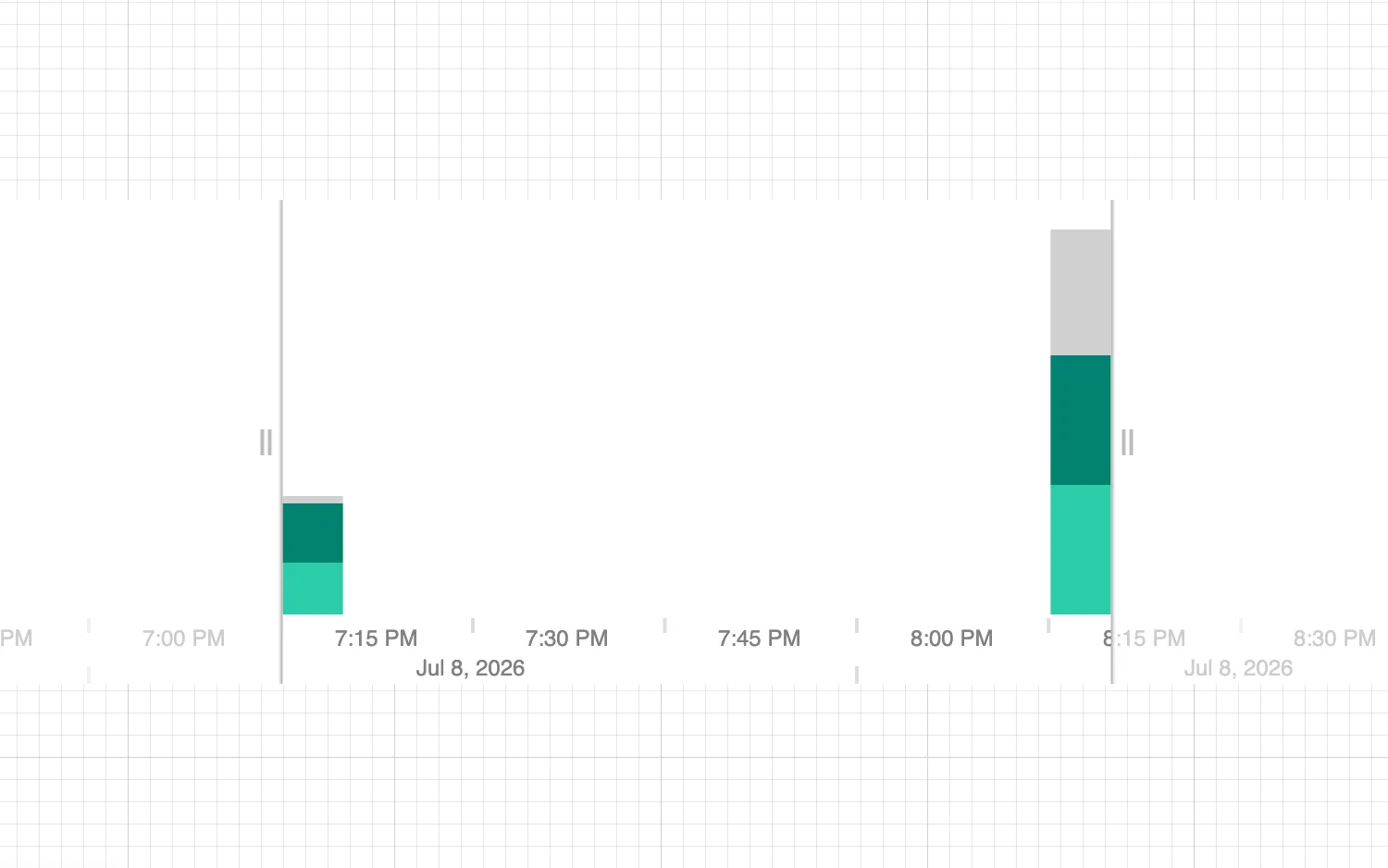
Grouping items allows users to see additional patterns over time.
Create stacked bars by defining the grouping criteria in the stacked property of the options prop.
Any unstyled groups will be combined and given a default gray color.
See also
import React from "react";
import { createRoot } from "react-dom/client";

import { TimeBar } from "regraph";

import { style } from "@ci/theme/rg/js/storyStyles";

export const Demo = () => {
  const items = {
    id1: { times: [{ time: Date.now(), value: 30 }], data: { country: "gb" } },
    id2: { times: [{ time: Date.now(), value: 27 }], data: { country: "fr" } },
    id3: { times: [{ time: Date.now(), value: 3 }], data: { country: "ie" } },
    id4: { times: [{ time: Date.now(), value: 1 }] },
    id5: {
      times: [{ time: Date.now() + 1000 * 60 * 60, value: 66 }],
      data: { country: "gb" },
    },
    id6: {
      times: [{ time: Date.now() + 1000 * 60 * 60, value: 67 }],
      data: { country: "fr" },
    },
    id7: {
      times: [{ time: Date.now() + 1000 * 60 * 60, value: 4 }],
      data: { country: "ie" },
    },
    id8: {
      times: [{ time: Date.now() + 1000 * 60 * 60, value: 61 }],
      data: { country: "it" },
    },
  };

  /*
    Note: countries not declared in stack.styles will be grouped together
    into a final stack (the countries 'it' and 'ie').
    Any items that do not have a value for data.country (item 'id4')
    will also be grouped into this final stack.
    This final stack is styled according to default time bar style.
   */
  const options = {
    style: { hoverColor: "#e8e6e6" }, // default time bar style
    stack: {
      by: "country",
      styles: {
        fr: { ...style.primary1, hoverColor: style.colors.tealFade1 },
        gb: { ...style.primary2, hoverColor: style.colors.tealFade2 },
      },
    },
  };

  return (
    <div className="timebar-wrapper">
      <TimeBar items={items} options={options} />
    </div>
  );
};

const root = createRoot(document.getElementById("regraph"));
root.render(<Demo />);<!doctype html>
<html>
<body>
<div id="regraph" style="height: 100vh"></div>
<script type="module" src="./code.jsx"></script>
</body>
</html>