- Revealed combo links are now layered correctly behind nodes.
- Further fix to ensure that reusing summary link IDs that had been rendered and subsequently removed no longer produces an error.
ReGraph Version 3
3.10.1
3.10.0
Features
- We've updated our Timeline Analysis showcase to use KronoGraph 2.0. The latest version of KronoGraph now draws all entities and their events in the timeline to give you an instant overview of your dataset. To navigate through the overview, it uses a new lens feature that lets you enlarge a smaller set of entities, scroll, and investigate any interesting data points while keeping the overall context of where you are in your data.
Bugs Fixed
- Adding data to sequential layout with
packingset to 'aligned' now always produces the expected result. - Setting
selectionin the chartoptionsprop to false no longer causes TypeScript errors. - Using the FontLoader component with React 18 no longer causes TypeScript errors.
- Truncating long labels doesn't affect node spacing in the sequential layout.
3.9.0
Enhancements
- A new HTML tab in the Playground lets you add your own HTML code.
Bugs Fixed
- Removing flow
velocitydecreases the level of CPU usage as expected. - Reusing summary link IDs between nested combos that had been rendered and subsequently removed no longer produces an error.
- Adding a large number of unconnected nodes to the chart no longer makes it unresponsive.
- The
FontLoadercomponent now works correctly in React 18 dev mode. - Animated glyphs no longer move unexpectedly during animation.
- Borders of animated glyphs scale correctly during animation.
- Spacing between multiple text lines scales correctly during node resizing.
- The Chart and Stacked Bars example is now displayed correctly.
3.8.0
Features
- A new
gridShapeoption lets you control the number of rows or columns inside open combos with grid arrangement. Try it out in our new Grid Arrange example.
Bugs Fixed
- Resizing node labels inside a combo now correctly adjusts the parent combo size if needed.
- Adding data to sequential layout with
packingset to 'aligned' always produces the expected result. - Reusing summary link IDs that had been rendered and subsequently removed no longer produces an error.
- Passing a boolean object as the first parameter of the
pinginstance method no longer causes TypeScript errors.
3.7.1
- Simultaneously opening multiple nested rectangular combos now always produces the correct result.
- ReGraph now renders correctly when StrictMode is enabled in React 18.
3.7.0
Features
- A new
onUpdateCompleteevent is invoked each time the chart has finished updating. You can use it for example to check when the chart animation is complete. Note that the event is currently in beta. - We've added three new chart instance methods that are intended for integration testing:
getItemAtViewCoordinates,getItemInfoandgetViewCoordinatesOfItem. See our new Testing tips docs for details. Note that these methods are in alpha, which means that we might change their behavior or introduce breaking changes in any release until the alpha status is removed.
Bugs Fixed
- Sequential layout always correctly adapts when chart items are removed.
3.6.3
- Fixed an issue where ReGraph did not raise an onChange event after rapidly re-rendering a chart in map mode.
3.6.2
- Fixed an issue with sequential layout where using automatic level detection on certain data inputs could sometimes result in an error.
3.6.1
- Fixed an issue with internal tooling on the SDK site. There are no behavior changes to the ReGraph package.
3.6.0
Features
The main theme of this release is a number of new features and improvements for our sequential layout:
- You can organize nodes in your sequential layouts with the new
stackingproperty. Setting itsarrangeoption stacks groups of four or more same-level nodes with identical neighbors into grids that make even wide hierarchies readable without any zooming. - If your charts contain multiple disconnected subgraphs, you can now use the
packingoption to pack them like any other layout to make the most of the available screen space. - To showcase the powerful effect of
stackingandpackingoptions on a sequential layout, we've added a brand new Navigating Large Hierarchies example. - The new
orderByproperty lets you order the nodes within levels based on a value of a specified data property. See the updated Hierarchies example for details.
Note: If you are setting packing for all your layouts, the setting will now also be applied to sequential. If you want to keep the previous behavior, set packing to 'aligned' for sequential layout.
Enhancements
- The new
setCorsAdapterconfig method sets the value of the crossorigin HTML attribute whenever ReGraph is trying to load an image from a third-party domain. - The
onItemInteractionevent is now in beta, which means that it's safe to use in production. You can still share any feedback by contacting us.
Bugs Fixed
- Short links with a dashed line style are always exported correctly.
- Adding new components to a chart with a single fixed component always positions new components correctly.
3.5.2
- Fixed an issue with downloading exported images in a example on the SDK site.
3.5.1
- Fixed an issue with internal tooling on the SDK site. There are no behavior changes to the ReGraph package.
3.5.0
Features
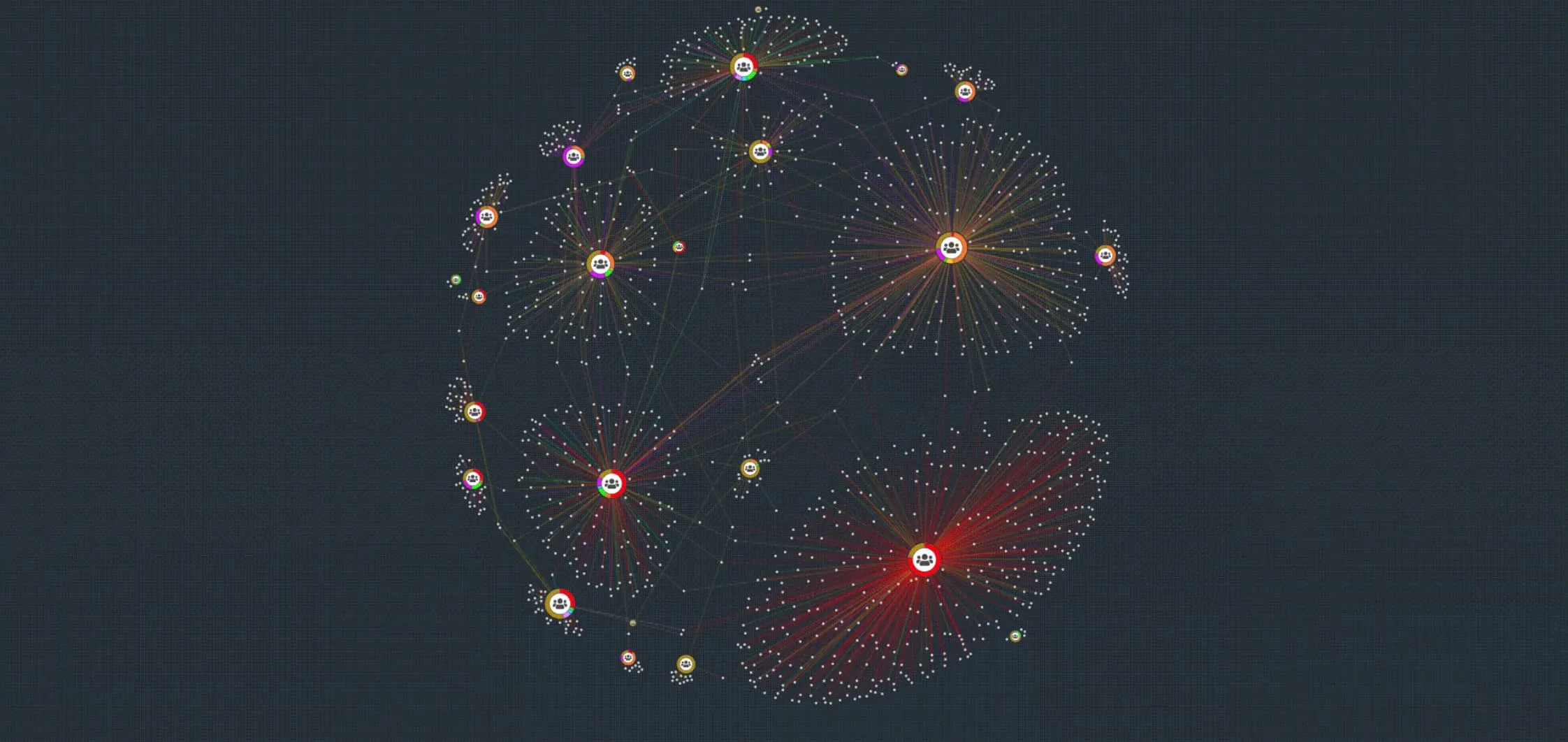
- In this release we've focused on performance of our organic and lens layouts:
- The organic layout now uses 15% fewer position calculations to complete a layout. In addition, it is also 25% - 200% quicker when adding or removing items, and requires less movement while adapting to layout changes.
- The lens layout now runs 500% faster in large networks and since lens is the default arrangement in circular combos, they're much faster to create and interact with too.
- Our new Performance example measures ReGraph's performance using a sample dataset. You can also open the example in the Playground and run the test with your own dataset.
- The
contentsproperty that shows or hides summary link's contents now accepts a dictionary with ids and truthy values for the child links that should be revealed. Try it out in the updated Summary Links and Selection Behavior example.
Bugs Fixed
- Removing large number of nodes at once is now faster.
- Navigation bar is now always displaying correctly in Safari.
- The properties for
pinginstance method are correctly typed as optional. - The
colorproperty forlabelis now correctly typed. - Links connected to repositioned nodes are visible in map mode after toggling between chart and map mode.
Deprecations
- We have deprecated ReGraph 2.4.0 (LTA), which means that from November 1, 2022 this version will no longer be available and support for this version will end.
3.4.0
Features
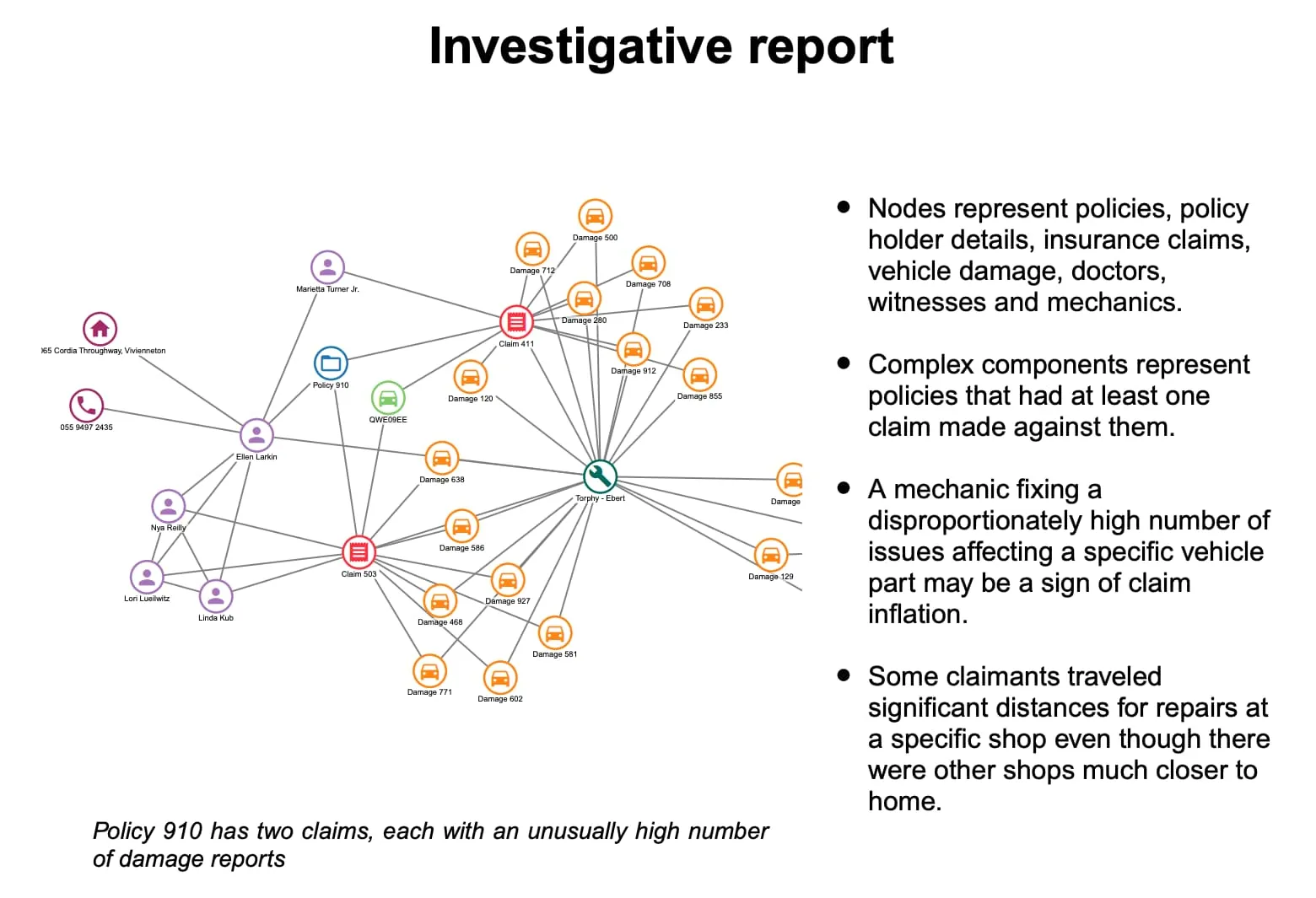
Present, share or publish your charts as PDF documents in just a few steps - ReGraph's export method can now be set to type:'pdf' to generate images of charts in the popular format. You can customize the output using the doc property by passing your own PDFDocument from PDFKit.
- We've updated the Export example and added a brand new PDF Report example.
- The new
extentsoption specifies whether the whole chart or just its on-screen view should be exported. - The
exportinstance method is still in beta and you can share any feedback by contacting us.
Note: As stated in the Dependencies page of our SDK site, the optional functionalities of PDF export and map mode require the use of open source dependencies.
Bugs Fixed
- Summary links restyled by interaction styling now always return to original styling when the interaction is finished.
- Updating items while combining nested nodes no longer produces an error.
3.3.1
- ReGraph now correctly falls back to canvas mode when hardware acceleration is disabled in Chrome v93 and Edge v93.
3.3.0
Features
- Rectangular combos are in beta! Their default 'grid' arrangement now keeps its neat rectangular shape at all times. In addition, we have also improved how rectangular combos work in combination with sequential layout. Try it out in our updated Combo Tightness example.
- The new
controlThemeproperty of theoptionsprop can be set to 'dark' to turn the navigation and overview window controls into a dark mode. Check out the new look in the Dark mode example. - ReGraph now automatically applies RTL auto support once it detects any RTL characters. See the Right to Left Text example.
Bugs Fixed
- Any errors that occur during onItemInteraction are reported in the console.
- onItemInteraction no longer reports properties set in
closedStylewhen interacting with open combos. - Properties in
closedStyleare respected even for automatically closed combos. - The
fadeproperty is now always respected when combos are created. - Various improvements to behavior of combos when using the
fit:'auto'option. - Setting label
centerto null now shows the label correctly in the default position. - When interacting with multiple glyphs with the same
angleproperty, the index of the sub-item is now always reported correctly. - Fixed an issue where adding items consisting only of single node components could cause overlapping.
3.2.1
- Fixed an issue when using sequential with some data structures could cause the chart to become unresponsive.
3.2.0
Features
- The new
onItemInteractionevent unlocks a variety of hover and selection styling possibilities. You can style the items in the event's handler and the styling will only apply during the specified interaction. - We've added two new examples to help you explore interaction styling - Item Interaction and Donut Menu.
Note: onItemInteraction is currently in Alpha, so we don’t recommend using it in production just yet. We might change the behavior or introduce breaking API changes in any release until the Alpha status is removed. There are several scenarios when styling combos and sub-items which will be improved in an upcoming release.
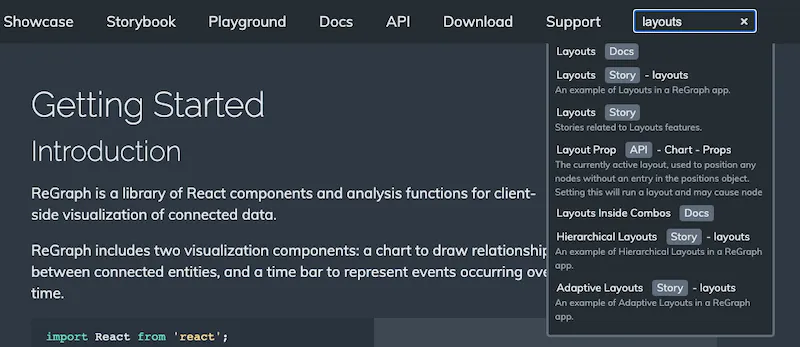
- A new site-wide search box is now available at the top right corner of all SDK pages.
Deprecations
- We have deprecated ReGraph 1.11.0 (LTA), which means that from June 1, 2022 this version will no longer be available and support for this version will end.
Bugs Fixed
- Passing an empty object to the
positionsprop now always runs a full layout. - Switching from chart mode to map mode now always fires the
onViewChangeevent with correct properties. - Running
neighborsanalysis with a dataset containing self-links no longer produces an error. - Defining
end1andend2properties no longer prevents item style updates. - The time bar correctly renders
optionsettings in smooth mode.
3.1.0
Features
- A little movement goes a long way: our default organic layout now adapts when you resize items, in addition to when you add or remove them. It keeps movement to a minimum and preserves the positions of existing items relative to one another. See the improvement in action in our Social Network Analysis showcase.
- Report on the details: our new
exportinstance method generates a high resolution.png, .jpg, or.svg image of the chart. Check out the updated Export example or try it out on a huge chart in the Performance showcase. - All the examples in our Docs are now hook-based, which means that all of the ReGraph sample code now uses functional components.
Deprecations
- We intend to end support for Internet Explorer 11 from October 31, 2021. If you need more information or help, please contact support.
Bugs Fixed
- TimeBar only reports
rangein the onChange event when relevant. - The
viewprop is correctly reported in onChange when the chart is passed positions on first load. handMode: falseis respected when the chart changes to map mode.- The
dummyLinkdragger now works correctly in map mode. - Existing nodes in
itemsnow appear immediately if assigned coordinates while in map mode. - The return type definitions for
viewCoordinatesandworldCoordinatesno longer cause TypeScript errors.
3.0.1
onViewChangenow fires consistently on first load.
3.0.0
New events API!
ReGraph version 3 brings you a brand new events API that is more powerful, intuitive and more customizable than ever before.
While you can continue using the deprecated legacy events during the lifecycle of 3.X, we strongly recommend migrating your code as soon as possible to make the most of the new features.
React-like experience and handling
- Events are renamed to follow the naming of native React DOM events. Some events were replaced and many contain new and useful properties. See the new API for Chart Events and Time Bar Events.
- Event handling is more functional and intuitive. All events are passed a single object as a parameter. See the new structure and properties in the updated Chart Events and Time Bar Events examples.
- Other behaviors are also more similar to native React DOM events. For example, events now use
preventDefault()to prevent default actions. Also, error handling is now done directly in the event handlers.
Customizable dragging
- We've made dragging much more precise and easier to control. The new
onDragEndevent replaces a number of events at once and can help you reduce your code. - With the new
setDragOptions()function and properties such asbuttonandmodifierKeys, you can customize the dragging behavior to respond to various user actions such as key or button presses. - Check out the dragging possibilities in our two new examples - Snap to Grid and Drag Events.
Smoother high-frequency events
- Some events such as
onPointerMove,onDragandonWheelnow fire more frequently, giving you more information and control over the interactions in the chart. - We've added a brand new
onViewChangeevent which fires continuously during chart view changes. Use it to create seamless actions and animations - just like our brand new HTML Overlays example.
Enhancements
- Improvements to performance of combos in large datasets.
- Dragging and selection are now handled separately. As a result, you can drag an item or the background without changing the active selection.
Bugs Fixed
- Summary links are now updated correctly when child links have been removed from the combos.
- Various issues linked to the legacy chart events and legacy time bar events are now fixed in the 3.0 events.
Breaking Changes
Using any ReGraph events (legacy or 3.0) simultaneously with native React DOM events is not possible unless the React DOM event is moved onto a wrapping div.
We've removed support for the following APIs:
- The
viewAPI for legacyonTimeBarChangeevent. Userangeinstead. - The
consistentproperty on thelayoutprop is now handled internally by ReGraph.
Deprecated APIs
- We deprecated onChart- and onTimeBar- events. While you can still use them during the lifecycle of 3.X, we recommend migrating your code as soon as possible.
- The new events API does not have a replacement for onError events. Errors are handled in the event handler.
- The return objects of
onCombineNodesandonCombineLinksare deprecated. Styling is now done usingsetStyle. See Styling.
We've also removed support for some previously deprecated APIs. See Breaking Changes.