8.11.0

Enhancements

  • The delay before an animation starts for large charts is now significantly shorter.
  • The frame rate of animations is now higher for large charts with hidden items (hidden from view or hidden within combos).
  • Sequential layout with automatically assigned levels is now up to 8x faster, particularly on large and densely connected charts.

Bug Fixes

  • Position of labels with vertical position set to 'inherit' inside auto-sized nodes is always respected.

End of Support

Support for Windows 10 has now ended.

8.10.2

  • Calling chart.zoom() on charts with an integrated Leaflet map no longer draws links incorrectly in some situations.

8.10.1

  • Fixed an issue where the Playground would sometimes require a hard reload to work correctly.
  • Dragging nodes connected by links with a colour gradient no longer causes issues in Canvas mode.

8.10.0

Enhancements

  • We've improved the algorithms behind opening and closing combos, significantly reducing overlapping items when combos are repeatedly opened and closed.
  • We've optimised the performance of nested combo arrangements, meaning they are now up to 10x faster.
  • In TypeScript, the types of return values for the KeyLines.create() function are now more accurate.

Bug Fixes

  • When links with arrows have the linkShape property set to 'curved' they no longer produce a type error.

End of Support

Support for LTA version 6.13.1 has now ended and the version has been removed.

8.9.1

  • We have fixed an issue with our licensing mechanism.

8.9.0

More flexible annotations for every workflow

This release introduces some of the most requested annotation features to make annotations even more flexible and suitable for different workflows.

Annotations can now be added without subjects and positioned anywhere on the chart. Standalone annotations can be customised in the same way as annotations with subjects, and they are especially useful for adding overall context to a chart.

In another great improvement, the position property on annotations now supports x and y world coordinates. This keeps world-coordinate annotations in place even when their subjects are added, moved or removed, or when the chart or view are changed.

Explore the latest features in our updated Annotating Charts and Annotations Basics demos.

Annotations are still in beta and you can share any feedback by contacting us.

New MCP servers for all products

We've launched new MCP servers across our products to help AI agents in your code editor interact with our APIs and documentation. Use the KeyLines MCP server to get better assistance during KeyLines development, or add our MCP servers together when integrating multiple products.

See the MCP Servers documentation for details.

Enhancements

  • Curved links drawn over a long distance are now much smoother.
  • The sequential layout with automatically assigned levels is now even faster at revealing hidden hierarchies in complex datasets with at least 1000 nodes.

Bug Fixes

  • Interacting with angled links with multiple orthogonal branches now always returns correct ids across their parts.
  • Annotation world coordinates are now correctly returned from the designated chart.getWorldAnnotationPosition() function instead of chart.getItem().

8.8.1

  • We have fixed an issue with our licensing mechanism.

8.8.0

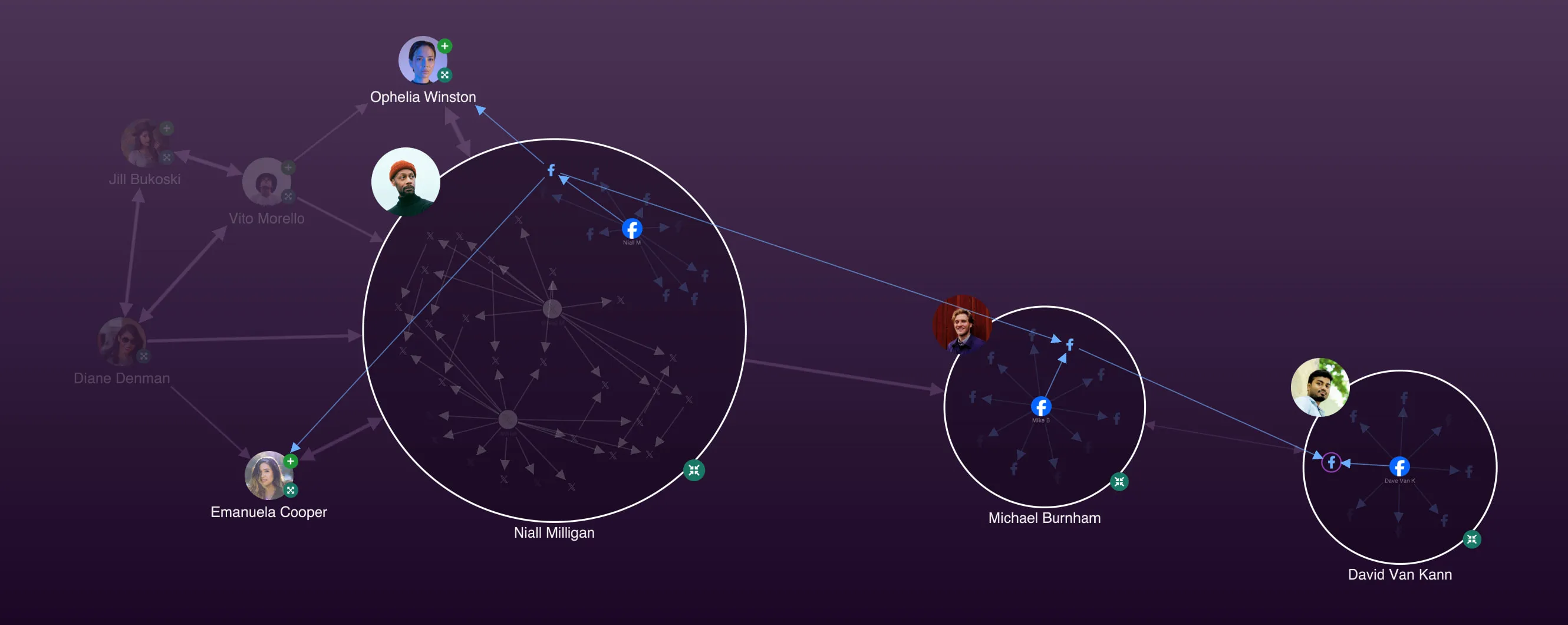
A screenshot from Social Media Analysis demo with several open and closed combos

Enhancements

  • We've updated our Social Media Analysis demo with a fresh new design and our latest styling features.
  • We've made some refactoring improvements to annotations which have notably reduced the level of CPU usage during annotation animations.

Bug Fixes

  • Annotation connector is always repositioned correctly when a node selection border is removed.

8.7.0

8.6.1

  • SVG Data URLs are now loading image data correctly.
  • Exporting map tiles from map tile server now works as expected when using KeyLines with Leaflet.

8.6.0

Overlap improvements for charts with large labels

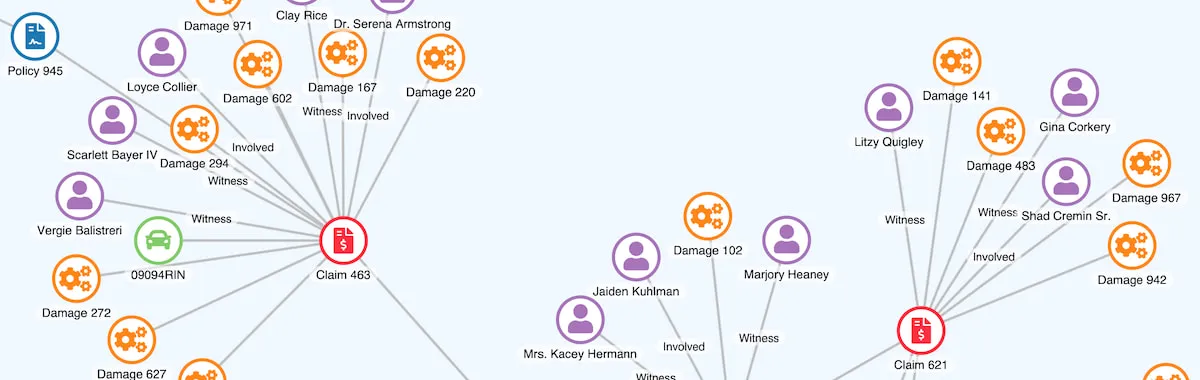
A screenshot from Insurance Fraud Analysis demo with nodes indicating insurance claims, witnesses, involved parties and damages

Our organic and lens layouts (and the lens arrangement for combos) are now even better at reducing node label overlaps and creating a more readable chart.

When the tightness option is set to values between 1 and 5, nodes with large labels are spread out more accurately to create fewer label overlaps without obstructions to the view.

Explore the improved behaviour in our Insurance Fraud Analysis demo.

Bug Fixes

  • Circle node and glyph borders are always exported correctly into SVG and PDF.
  • Updating properties of a created link in the drag-end event handler now works as expected.

8.5.0

Font icons ready in 1,2,3

Screenshots of three KeyLines demos with various font icons

Custom fonts and font icons are an effective way to improve both usability and aesthetics of your charts and bring their design closer to the rest of your application.

In this release, we've made icon font libraries even easier to integrate. As a result, you can now enter the font icon name directly in the t option on the fi property.

For font families relying on classes such as the popular Font Awesome, the string is treated as a class and rendered with the correct font weight settings. For font familes that don't rely on classes, such as Material Icons, the string is used as a ligature string to look up the correct icon.

For an even better developer experience with fonts and font icons, we are now also using and recommending the document.fonts property from the CSS Font Loading API as a more modern approach to font loading. We've implemented it in our demos as well as in our default Playground.

To learn more, head over to our updated Fonts and Font Icons documentation with brand new step-by-step tutorials.

Deprecations

We've added some legacy APIs to our list of deprecations:

  • We've deprecated the KeyLines.getfontIcon() API as it's no longer needed. Set the font icons directly in the t option on the fi property.

8.4.0

Take control over glyph border styling

Impact analysis demo screenshot

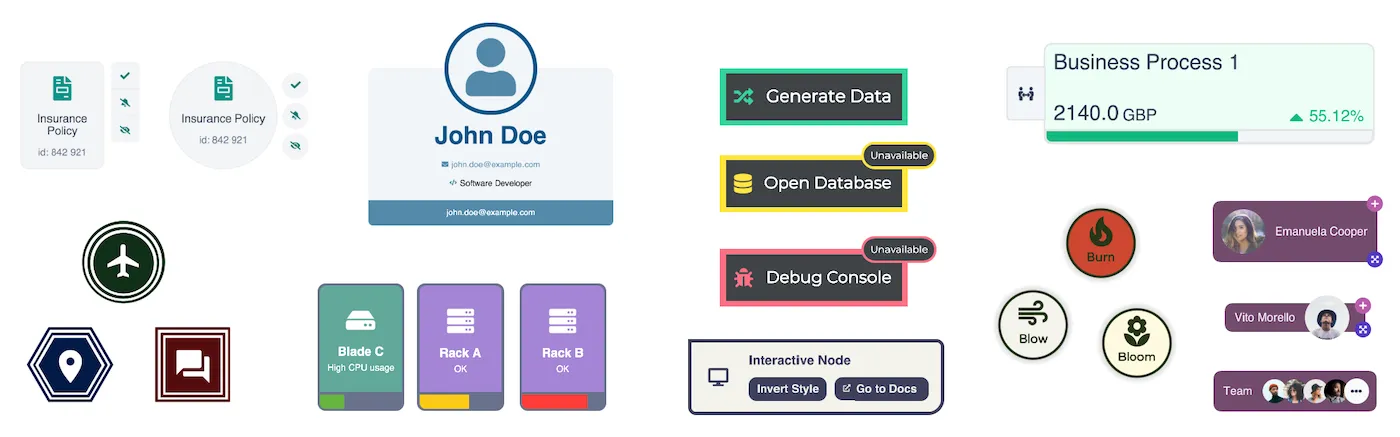
Glyphs are incredibly versatile - you can use them as alerts, counters, short texts, decorations or even as interactive buttons. To make glyphs easier to use and integrate into your charts, we've introduced a more intuitive and customisable border styling API.

The new border object features a colour property to set a border colour as previously available, but it also has a brand new border width to customize the border width.

Explore the new API in the updated Node Styles and Style Links demos. We've also redesigned our Impact Analysis demo with an enhanced alert system with interactive annotation glyphs.

Enhancements

  • We've improved the performance of large charts with annotations. These improvements are especially notable for charts where annotations are linked to many subjects, and for annotated charts containing many nodes with text labels.

Deprecations

We've added some legacy APIs to our list of deprecations:

  • We've deprecated the b option for glyphs. Use the new border API instead.

Bug Fixes

  • Width of annotation labels is now calculated correctly.
  • Halos and donuts are now always exported correctly to SVG and PDF.
  • Dashed borders on circle nodes are now always drawn correctly in WebGL.
  • Updating images in open combo labels no longer causes unnecessary flickering.
  • Dragging an annotation returns the correct annotation id in the pointer-move event.

8.3.2

  • Rectangular items with rounded corners no longer show artefacts in WebGL in some browsers.

8.3.1

  • Fixed an issue where some pixels near a node label edge were incorrectly excluded from the interaction area.

8.3.0

We've introduced a number of new link label styling options to help you create richer and more cohesive chart designs.

The new border property lets you specify a border around your link labels and customise it with colour, width and even border radius. We've also added a new padding property that controls the amount of padding within your labels and make them stand out within your designs.

To quickly and easily differentiate selected links in the chart, use the new link label styling properties on the selectedLink API.

Explore our updated Style Links, Insurance Claim Workflows and Insurance Fraud Analysis demos to learn more about the new link labels.

Enhancements

  • Thanks to improved anti-aliasing for rectangular labels, sloping rectangular labels are now drawn with smoother edges.
  • The organic layout is now even more efficient when adding and expanding items into large charts, resulting in less unnecessary movement and better performance.
  • Our Figma Design Kit is now in General Availability and you can download the latest version here.
  • The new changeEventThrottling time bar option lets you control the interval between individual change events.

Bug Fixes

  • Labels with minHeight set to 'stretch' are drawn correctly on auto-sized nodes and annotations.
  • Annotation containers around subjects nested in combos are now animated correctly during combo animations.

8.2.1

  • We recently launched the Cambridge Intelligence Figma Design Kit, which helps accelerate the design and build of your graph and timeline visualisations. It is now available to download here.

8.2.0

Screenshot of the Advanced Node Styles demo

Enhancements

  • We've refreshed our Advanced Node Styles demo with new node designs and our latest features to give you even more inspiration for node styling.
  • Our angled links now support flow animation.
  • Our aggregate links are more performant in some situations including aggregating links between and within combos, foregrounding and backgrounding aggregate links.
  • The most popular tutorials from our Using KeyLines with... suite feature new npm, yarn and pnpm tabs which show the right steps for your selected package manager.
  • A new section in the Obfuscation Requirements documentation clarifies your obligations with regards to any applicable Open Source Software (OSS) licenses.

Bug Fixes

  • Link ends now correctly avoid node labels with rounded corners.
  • Calling chart.load() in map mode now behaves as expected.
  • Links between combos are now always aggregated when animate is set to false.
  • Glyphs on nodes with certain node IDs are now always positioned correctly on the node.
  • Node and link labels with a specified labelOffset are now always exported as expected.
  • We've fixed an issue where KeyLines.webGlSupport() failed to detect an unsupported graphics backend.
  • Using chart.setProperties() in the handler of a drag-over event in WebGL now always applies the changes when the event is fired.

8.1.0

screen shot of path analysis demo

Whether visualising elements of an IT infrastructure, or as a way of understanding complex relationships between companies and their subsidiaries, hierarchical charts allow you to explore and understand connections and dependencies within the data.

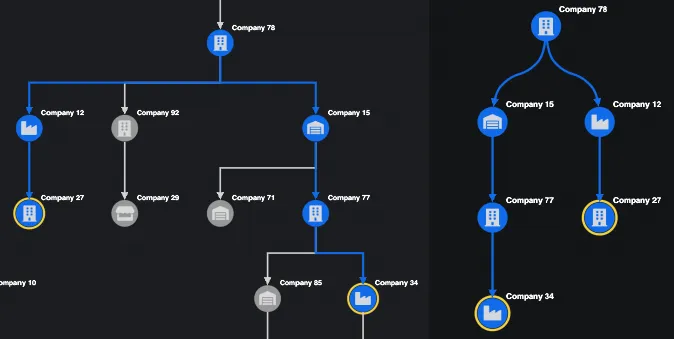
Angled links provide an orthogonally branching link shape, designed to be used with hierarchical data. Like curved links, they are automatically aligned with the orientation of the arrangement or layout.

They are ideal for displaying charts that reflect multiple levels of dependency and can be used with combos to enable large, multi-layered systems to be viewed, explored and drilled down into.

Explore the use of angled links in the Path Analysis in Trees demo:

See also our new Link shapes documentation to learn more.

screen shot of attack path in cloud security demo

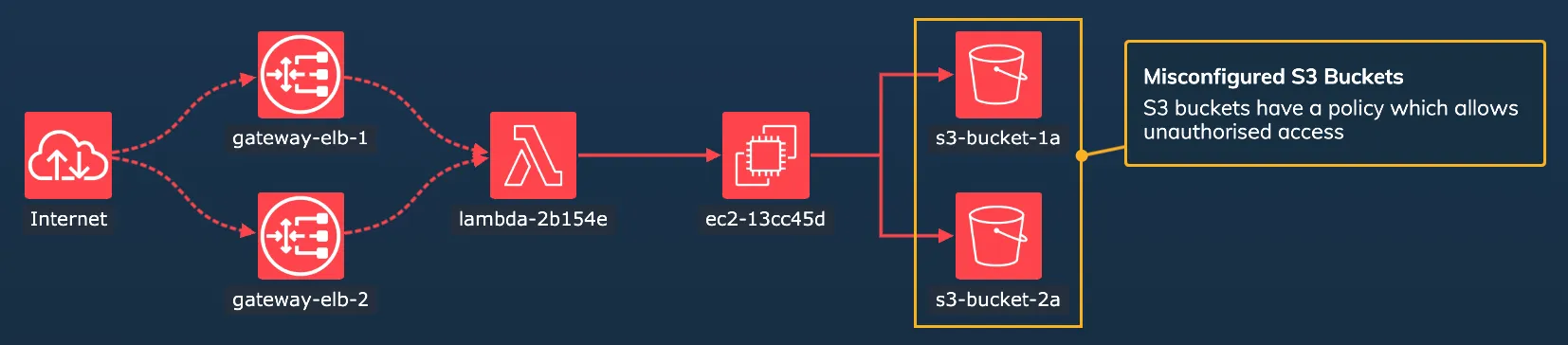
We've extended the way you can specify shapes of links in a chart to be even more flexible, by adding a new property, linkShape, to links.

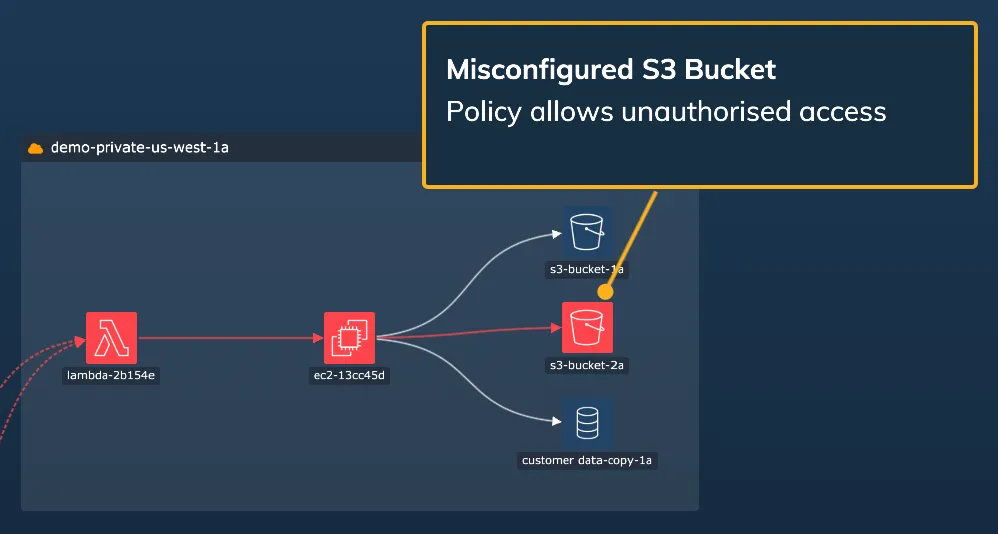
While previously you could only set link path shape at the whole chart level, and also at combo level, you can now also specify the link shape for individual links. This means that you can use link shapes to represent different types of relationship in the same chart, as illustrated in the Cloud Security demo:

Explore the use of mixed link shapes in the Mixed Link Shapes demo, and see the Using a mixture of link shapes documentation to learn more.

Links can be shown clearly to the front of the chart by setting link priority.

This can be particularly useful when using angled links, which often partly overlay one another, to help surface and highlight specific paths through your chart.

Explore the use of link priority for viewing the attack path in the Path Analysis in Trees demo.

The features described above are currently in beta, which means that they are fully tested and safe to deploy to production, but we may still introduce breaking API changes in future versions. If you have any early feedback to help us refine them, please contact us.

Updated Vue tutorial

Following previous updates to other tutorials, we've now also modernised our Using KeyLines with Vue guide:

  • The Vue tutorial now uses Vite as a build tool to benefit from the package manager's quick setup and modern development features.
  • The tutorial shows how to transform your raw data into a KeyLines-required format.
  • The tutorial now has even more useful content, including steps for visualising item metadata and styling the chart with chart options.
  • You can now copy all code snippets to your clipboard easily by clicking the Image of copy button button in the top-right corner of each code block.

Enhancements

  • The technology behind the KeyLines Playground has been updated and improved, loading more quickly to provide a better development experience.

Known Limitations

  • Using flow on angled links is currently not supported. We are working to add this feature in a future release. For more details, please contact us.

Bug Fixes

  • Fixed an issue where adding a set of glyphs on nodes could sometimes make the chart unresponsive.

8.0.0

When visualising connected data, a beautiful chart is just the beginning — the next step is to tell the story behind the data.

KeyLines annotations bring a new dimension to graph visualisation, fitting seamlessly into your application and elevating your workflow.

Annotations add a narrative layer to your charts so that you can analyse, capture, discuss and share insights directly within the chart. You can annotate nodes, links and combos, and annotations will stay readable at any chart size and zoom level. For added context in documents or presentations, you can also export annotated charts using chart.export().

Start exploring annotations in our brand new Annotating Charts demo.

Annotations for any use case

screen shot of annotation in cloud security demo

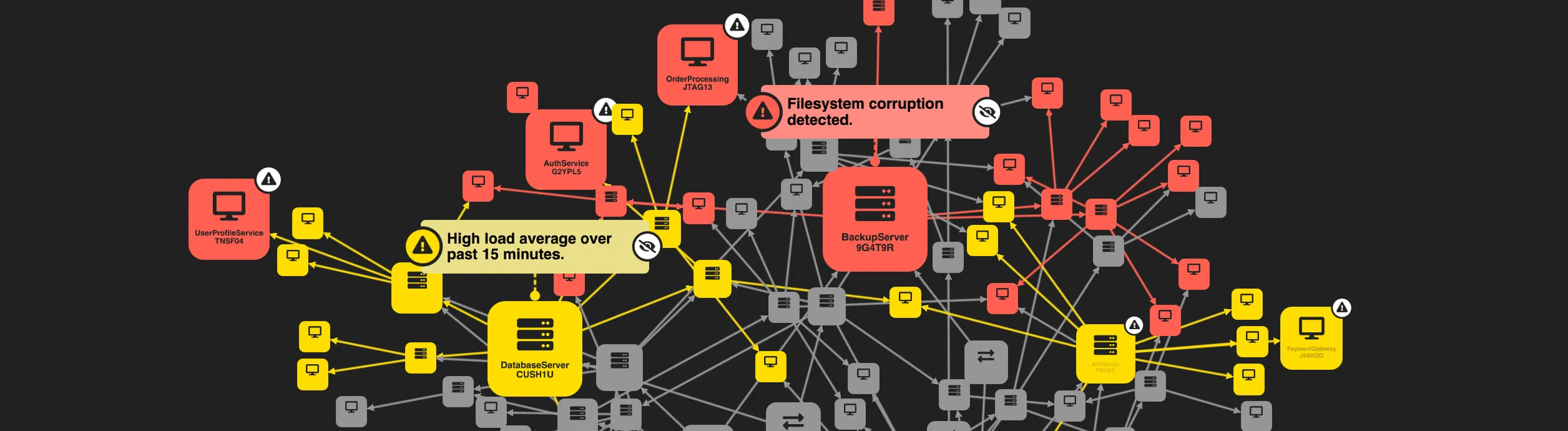
Turn your AI-generated or algorithm-based alerts into chart annotations and draw the attention of chart users to the most important parts of your network.

Through the power of KeyLines events, you can add interactive elements on annotations to allow your end user to deal with these alerts, creating an end-to-end in-chart process for visualising and resolving network alerts.

See an example of this in our updated Cloud Security demo.

Annotations can also be used to display real-time insights in a collaborative workflow between colleagues or investigators.

Thanks to the simple data-driven loading of KeyLines annotations, you can save and reload these user-generated or user-editable insights at a later time. To build on this workflow, you can export your chart with annotations into a shareable jpeg, svg, png or pdf format. Our new Annotating Charts demo shows an example of this create, edit and export workflow.

All levels of styling and customisation

You have full control over the styling of your annotations to create the look that suits your application design and interface.

The annotation body, styled in the annotation properties, can show any content including text, images, font icons, or even simple buttons created using annotation labels. You can also add your own controls such as editable text fields using an HTML overlay.

The connector, styled in the connectorStyle object, lets you customise how annotations link to their subjects so that the connection is immediately clear to the chart users.

To help you explore the full range of possibilities, we've developed a new suite of annotation demos:

See also our new Annotations documentation to learn more.

Annotations are currently in beta. They are fully tested and safe to use in production, but we may still introduce breaking API changes in future versions. You can share any feedback by contacting us.

Updated React tutorial

Following previous updates to other tutorials, we've now also modernised our Using KeyLines with React guide:

  • The React tutorial now uses Vite as a build tool to benefit from the package manager's quick setup and modern development features.
  • The tutorial shows how to transform your raw data into a KeyLines-required format.
  • The tutorial now has even more useful content, including steps for visualising item metadata and styling the chart with chart options.
  • You can now copy all code snippets to your clipboard easily by clicking the image of copy snippet icon button in the top-right corner of each code block.

Enhancements

  • We've now also added an annotation to the Interaction Events demo.
  • KeyLines fully supports Leaflet v1.9.x, and our SDK site now uses Leaflet v1.9.4.
  • We've updated our Welcome page with a fresh new design that looks great, highlights our key features and improves page navigation.
  • To continue improving security, consistency and quality of our codebase, we've added a new suite of scanners. Read more in the Security documentation.

Chart Export out of Beta

We're delighted to announce that after a period of improving, testing and implementing your feedback, the chart.export() function is now officially in General Availability as an established part of KeyLines.

Bug Fixes

  • Chart items with no type property are now always correctly omitted from the chart.
  • We've fixed various issues with alignment and positioning of styled node labels in sequential layout.
  • Labels with minWidth set to 'stretch' and w set to 'auto' now correctly ignore any value of maxWidth.
  • Nodes with styled labels are now always aligned correctly within the same level of the sequential layout.
  • Using chart.labelPosition() on labels positioned with number values now always works as expected.

Breaking API Changes

Like our previous major releases, KeyLines 8.0 contains some breaking changes. Without them, we couldn't evolve KeyLines and deliver the features you want. We recommend reading 8.0 Breaking Changes carefully before you install this version.

Deprecations

We've added some legacy APIs to our list of Deprecations.

Advanced Notice: Retirement of KeyLines LTAs

  • We intend to remove the KeyLines 5.10 LTA version from 1 October 2025.
  • We intend to remove the KeyLines 6.13.1 LTA version from 1 March 2026.

If you are using either of these versions, we strongly recommend upgrading to the latest version so that you can make use of the full features of KeyLines.

End of Support

The following previously deprecated APIs have now been removed and are no longer supported:

  • bind() events, deprecated since 6.0: replaced with on() events.
  • The tidy option in chart.layout(), deprecated since 6.0: use packing instead.
  • The dragPan chart option, deprecated since 5.5: use panAtBoundary instead.
  • The element argument of KeyLines.create(), deprecated since 5.3: use container instead.
  • The KeyLines.setSize() function, deprecated since 5.3: no longer needed when specifying a container in KeyLines.create().
  • The du property on nodes, deprecated since 5.3: no longer used.
  • The chart.getLastError() function, deprecated since 5.0: no longer relevant with the removal of bind and unbind events.
  • The assets option for KeyLines.paths(), deprecated since 5.0: no longer used.
  • The KeyLines.dashedLineSupport() function, deprecated in 4.8: no longer applicable to any supported browsers.

Terms of use

These terms do not alter or supersede any existing agreements between you (or your employer) and us.

By accessing or using any Content you agree to be bound by these Terms of Use. Please review these terms carefully before using the website.

The contents of this website, including but not limited to any text, code samples, API references, schemas, interactive tools, and other materials (collectively, the 'Content'), are made available for informational and internal evaluation purposes only. All intellectual property rights in the Content are reserved. No licence is granted to use the Content for any commercial purpose, or to copy, distribute, modify, reverse-engineer, or incorporate any part of the Content into any product or service, without our prior written consent.

This Content is provided “as is” and “as available,” without any representations, warranties, or guarantees of any kind, whether express or implied, including but not limited to implied warranties of merchantability, fitness for a particular purpose, non-infringement, or accuracy. To the fullest extent permitted by applicable law, we expressly exclude and disclaim all implied warranties, conditions, and other terms that might otherwise be implied.

We disclaim all liability for any loss or damage, whether direct, indirect, incidental, consequential, or otherwise, arising from any reliance placed on the Content or from your use of it, to the fullest extent permitted by applicable law. By continuing to access or use the Content, you acknowledge and agree to these terms.