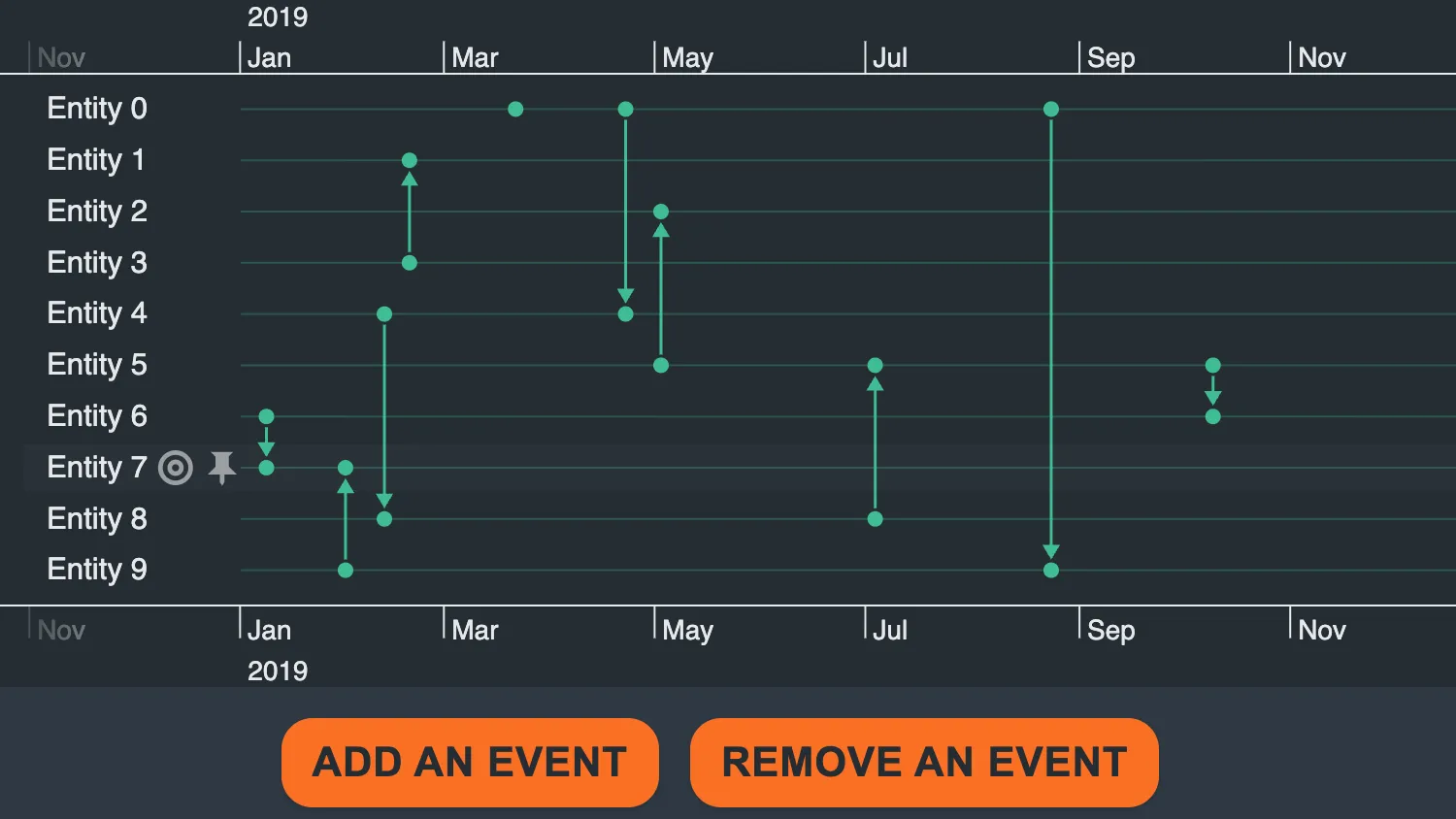
Use the controls below the timeline to add or remove events.
When set() is called, KronoGraph detects the changes and updates the timeline state.
See Also
import { createTimeline } from "kronograph";
import initialData from "./data";

let currentData = initialData;
const initialRange = {
  start: 1546318746000,
  end: 1576858855000,
};
const timeline = createTimeline("my-timeline");
let nextId = 0;

function makeNewEventId() {
  return `event${nextId++}`;
}

function setCurrentData(newData) {
  currentData = newData;
  timeline.set(newData);
}

function addEvent() {
  // Choose which entities the event should link:
  const currentEntityIds = Object.keys(currentData.entities);
  const entityCount = currentEntityIds.length;
  const entity1Index = Math.floor(Math.random() * entityCount);
  const entityIds = [currentEntityIds[entity1Index]];
  const entity2Index = Math.floor(Math.random() * entityCount);
  if (entity2Index !== entity1Index) {
    entityIds.push(currentEntityIds[entity2Index]);
  }
  const time =
    initialRange.start +
    (initialRange.end - initialRange.start) * Math.random();
  const event = { entityIds, time };
  const newEvents = { ...currentData.events, [makeNewEventId()]: event };
  setCurrentData({ ...currentData, events: newEvents });
}

function removeEvent() {
  const currentEventIds = Object.keys(currentData.events);
  const indexToRemove = Math.floor(Math.random() * currentEventIds.length);
  const idToRemove = currentEventIds[indexToRemove];
  const { [idToRemove]: eventToRemove, ...newEvents } = currentData.events;

  setCurrentData({ ...currentData, events: newEvents });
}

function attachUIHandlers() {
  const addEventEl = document.getElementById("add-event");
  const removeEventEl = document.getElementById("remove-event");
  addEventEl.addEventListener("click", addEvent);
  removeEventEl.addEventListener("click", removeEvent);
}

timeline.setOrdering("alphabetical");
timeline.set(currentData);
timeline.range(initialRange.start, initialRange.end);
attachUIHandlers();export default {
entities: {
"Entity 0": {},
"Entity 1": {},
"Entity 2": {},
"Entity 3": {},
"Entity 4": {},
"Entity 5": {},
"Entity 6": {},
"Entity 7": {},
"Entity 8": {},
"Entity 9": {},
},
events: {
"Event 0": {
entityIds: ["Entity 0", "Entity 0"],
time: 1553193247242.8289,
},
"Event 1": {
entityIds: ["Entity 6", "Entity 7"],
time: 1546960558052.2786,
},
"Event 2": {
entityIds: ["Entity 4", "Entity 8"],
time: 1549911800579.0632,
},
"Event 3": {
entityIds: ["Entity 0", "Entity 4"],
time: 1555945205141.8933,
},
"Event 4": {
entityIds: ["Entity 3", "Entity 1"],
time: 1550537841911.8403,
},
"Event 5": {
entityIds: ["Entity 5", "Entity 6"],
time: 1570636438296.6475,
},
"Event 6": {
entityIds: ["Entity 9", "Entity 7"],
time: 1548937929059.1575,
},
"Event 7": {
entityIds: ["Entity 8", "Entity 5"],
time: 1562186409725.5623,
},
"Event 8": {
entityIds: ["Entity 0", "Entity 9"],
time: 1566588957851.134,
},
"Event 9": {
entityIds: ["Entity 5", "Entity 2"],
time: 1556829559941.3125,
},
},
};<!doctype html>
<html>
<head>
<link rel="stylesheet" href="@ci/theme/kg/css/examples.css" />
</head>
<body>
<div class="story">
<div class="story__timeline" id="my-timeline"></div>
<div class="story__controls story__controls--row">
<div class="story__controls__button-container">
<button class="button" id="add-event" type="button">Add an event</button>
<button class="button" id="remove-event" type="button">Remove an event</button>
</div>
</div>
</div>
<script type="module" src="./code.js"></script>
</body>
</html>import React, { useState } from "react";
import { createRoot } from "react-dom/client";
import Timeline from "kronograph/react/Timeline";
import initialData from "./data";
const initialRange = {
start: 1546318746000,
end: 1576858855000,
};
let nextId = 0;
function makeNewEventId() {
return `event${nextId++}`;
}
export const Demo = () => {
const [currentData, setCurrentData] = useState(initialData);
function addEvent() {
// Choose which entities the event should link:
const currentEntityIds = Object.keys(currentData.entities);
const entityCount = currentEntityIds.length;
const entity1Index = Math.floor(Math.random() * entityCount);
const entityIds = [currentEntityIds[entity1Index]];
const entity2Index = Math.floor(Math.random() * entityCount);
if (entity2Index !== entity1Index) {
entityIds.push(currentEntityIds[entity2Index]);
}
const time =
initialRange.start +
(initialRange.end - initialRange.start) * Math.random();
const event = { entityIds, time };
const newEvents = { ...currentData.events, [makeNewEventId()]: event };
setCurrentData({ ...currentData, events: newEvents });
}
function removeEvent() {
const currentEventIds = Object.keys(currentData.events);
const indexToRemove = Math.floor(Math.random() * currentEventIds.length);
const idToRemove = currentEventIds[indexToRemove];
const { [idToRemove]: eventToRemove, ...newEvents } = currentData.events;
setCurrentData({ ...currentData, events: newEvents });
}
return (
<div className="story">
<Timeline {...currentData} range={initialRange} ordering="alphabetical" />
<div className="story__controls story__controls--row">
<div className="story__controls__button-container">
<button
className="button"
id="add-event"
type="button"
onClick={addEvent}
>
Add an event
</button>
<button
className="button"
id="remove-event"
type="button"
onClick={removeEvent}
>
Remove an event
</button>
</div>
</div>
</div>
);
};
const root = createRoot(document.getElementById("my-timeline"));
root.render(<Demo />);export default {
entities: {
"Entity 0": {},
"Entity 1": {},
"Entity 2": {},
"Entity 3": {},
"Entity 4": {},
"Entity 5": {},
"Entity 6": {},
"Entity 7": {},
"Entity 8": {},
"Entity 9": {},
},
events: {
"Event 0": {
entityIds: ["Entity 0", "Entity 0"],
time: 1553193247242.8289,
},
"Event 1": {
entityIds: ["Entity 6", "Entity 7"],
time: 1546960558052.2786,
},
"Event 2": {
entityIds: ["Entity 4", "Entity 8"],
time: 1549911800579.0632,
},
"Event 3": {
entityIds: ["Entity 0", "Entity 4"],
time: 1555945205141.8933,
},
"Event 4": {
entityIds: ["Entity 3", "Entity 1"],
time: 1550537841911.8403,
},
"Event 5": {
entityIds: ["Entity 5", "Entity 6"],
time: 1570636438296.6475,
},
"Event 6": {
entityIds: ["Entity 9", "Entity 7"],
time: 1548937929059.1575,
},
"Event 7": {
entityIds: ["Entity 8", "Entity 5"],
time: 1562186409725.5623,
},
"Event 8": {
entityIds: ["Entity 0", "Entity 9"],
time: 1566588957851.134,
},
"Event 9": {
entityIds: ["Entity 5", "Entity 2"],
time: 1556829559941.3125,
},
},
};<!doctype html>
<html>
<head>
<link rel="stylesheet" href="@ci/theme/kg/css/examples.css" />
</head>
<body>
<div id="my-timeline" style="height: 100vh"></div>
<script type="module" src="./code.jsx"></script>
</body>
</html>