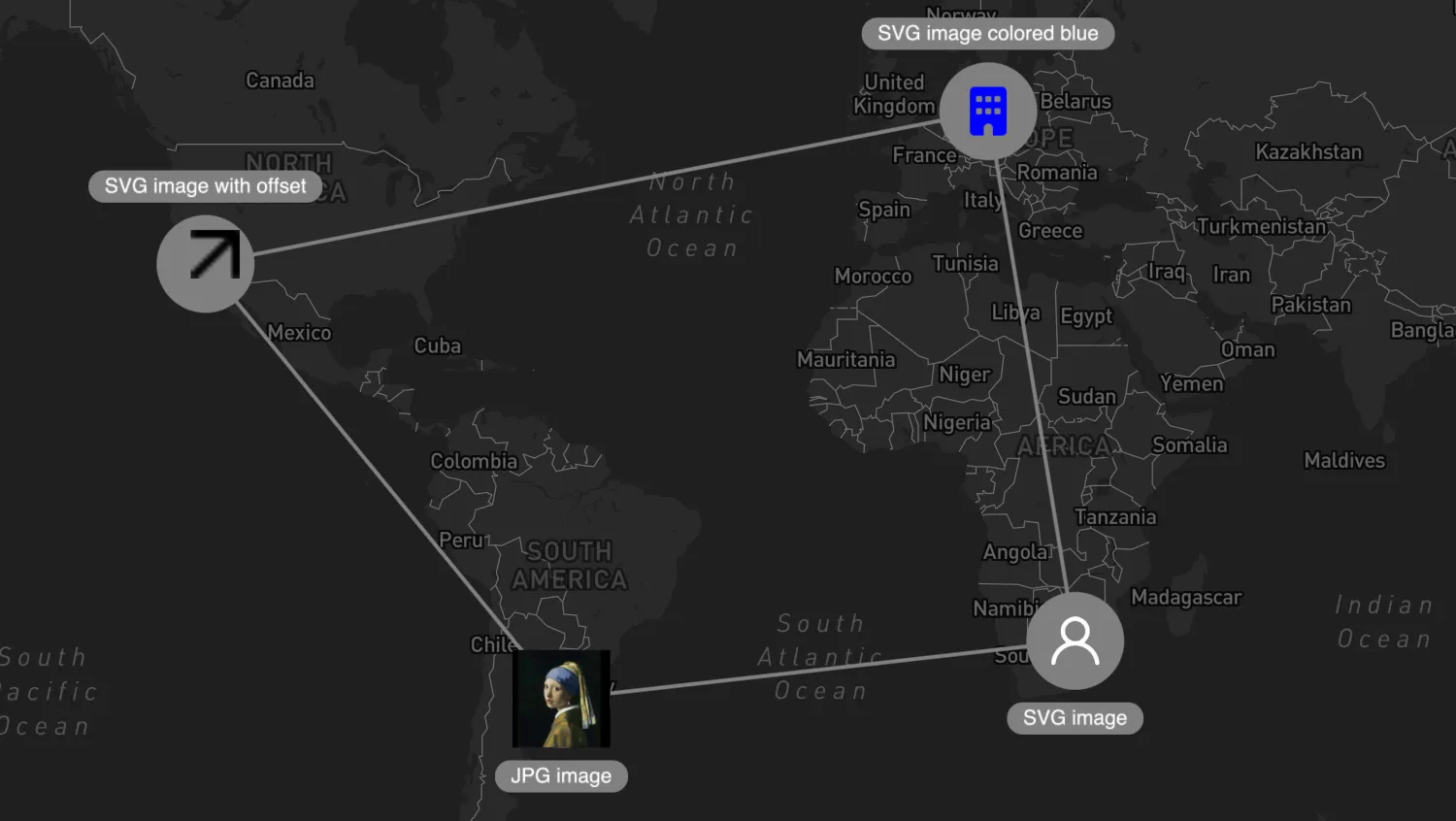
Open the data tab to explore the nodes styled with images in this example.
The image property on nodes supports common formats such as SVG and jpeg.
import { MapWeave } from "mapweave/mapbox";
import { NetworkLayer } from "mapweave/layers";
import { networkData } from "./data";

const mapweave = new MapWeave({
  container: "mw",
  options: { accessToken: VITE_MAPBOX_API_KEY },
});
const networkLayer = new NetworkLayer({ data: networkData });
mapweave.addLayer(networkLayer);
mapweave.fitBounds();export const networkData = {
jpgImage: {
type: "node",
size: 24,
latitude: -34.6,
longitude: -58.38,
label: {
text: "JPG image",
position: "s",
},
image: {
url: `/public/images/pearlgirl.jpg`,
scale: 2,
},
},
svgImage: {
type: "node",
size: 24,
latitude: -26.2,
longitude: 28.03,
label: {
text: "SVG image",
position: "s",
},
image: {
url: `/public/images/icons/ci/user.svg`,
},
},
svgImageBlue: {
type: "node",
size: 24,
latitude: 52.52,
longitude: 13.4,
label: {
text: "SVG image colored blue",
position: "n",
},
image: {
url: `/public/images/icons/ci/office.svg`,
color: "blue",
},
},
svgImageOffset: {
type: "node",
size: 24,
latitude: 34.05,
longitude: -118.24,
label: {
text: "SVG image with offset",
position: "n",
},
image: {
url: `/public/images/icons/ci/upward-right-arrow.svg`,
offsetX: 5,
offsetY: -5,
},
},
link1: {
type: "link",
id1: "jpgImage",
id2: "svgImage",
},
link2: {
type: "link",
id1: "svgImage",
id2: "svgImageBlue",
},
link3: {
type: "link",
id1: "svgImageBlue",
id2: "svgImageOffset",
},
link4: {
type: "link",
id1: "svgImageOffset",
id2: "jpgImage",
},
};<!doctype html>
<html>
<head>
<link rel="stylesheet" href="@ci/theme/mw/css/examples.css" />
</head>
<body>
<div id="mw"></div>
<script type="module" src="./code.js"></script>
</body>
</html>import React from "react";
import { createRoot } from "react-dom/client";
import { MapWeave } from "mapweave/react/mapbox";
import { NetworkLayer } from "mapweave/react/layers";
import { networkData } from "./data";
const mapWeaveOptions = { accessToken: VITE_MAPBOX_API_KEY };
function Demo() {
return (
<MapWeave options={mapWeaveOptions}>
<NetworkLayer data={networkData} />
</MapWeave>
);
}
const root = createRoot(document.getElementById("mw"));
root.render(<Demo />);export const networkData = {
jpgImage: {
type: "node",
size: 24,
latitude: -34.6,
longitude: -58.38,
label: {
text: "JPG image",
position: "s",
},
image: {
url: `/public/images/pearlgirl.jpg`,
scale: 2,
},
},
svgImage: {
type: "node",
size: 24,
latitude: -26.2,
longitude: 28.03,
label: {
text: "SVG image",
position: "s",
},
image: {
url: `/public/images/icons/ci/user.svg`,
},
},
svgImageBlue: {
type: "node",
size: 24,
latitude: 52.52,
longitude: 13.4,
label: {
text: "SVG image colored blue",
position: "n",
},
image: {
url: `/public/images/icons/ci/office.svg`,
color: "blue",
},
},
svgImageOffset: {
type: "node",
size: 24,
latitude: 34.05,
longitude: -118.24,
label: {
text: "SVG image with offset",
position: "n",
},
image: {
url: `/public/images/icons/ci/upward-right-arrow.svg`,
offsetX: 5,
offsetY: -5,
},
},
link1: {
type: "link",
id1: "jpgImage",
id2: "svgImage",
},
link2: {
type: "link",
id1: "svgImage",
id2: "svgImageBlue",
},
link3: {
type: "link",
id1: "svgImageBlue",
id2: "svgImageOffset",
},
link4: {
type: "link",
id1: "svgImageOffset",
id2: "jpgImage",
},
};<!doctype html>
<html>
<head>
<link rel="stylesheet" href="@ci/theme/mw/css/examples.css" />
</head>
<body>
<div id="mw"></div>
<script type="module" src="./code.jsx"></script>
</body>
</html>