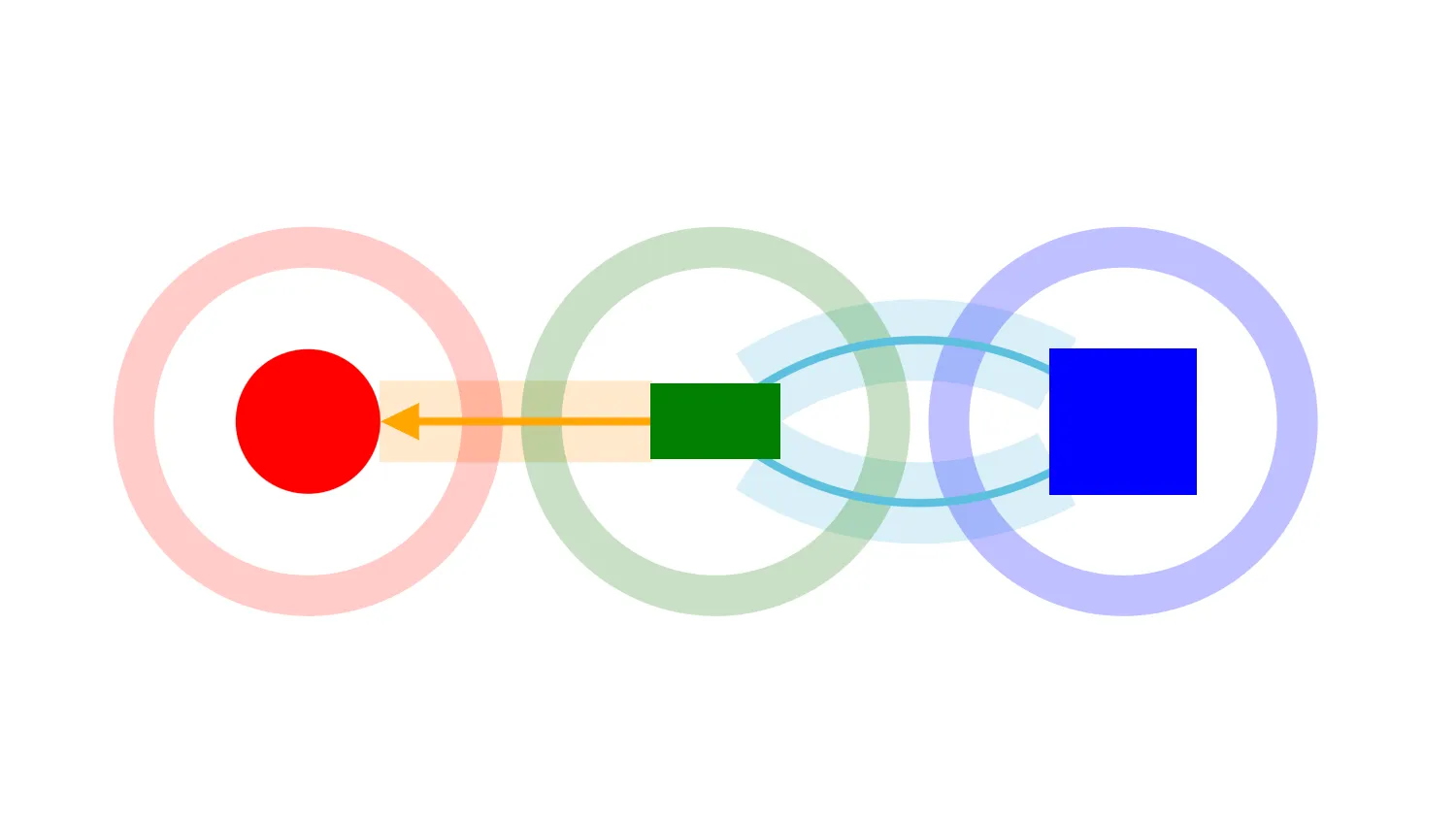
This demo uses ping to animate a node or link.
Ping is a great way to draw attention to key items.For example, you can use it to alert users when a new node or link is added to a chart.
You can customise ping options including the width and colour of the animated effect, as well as the animation length and repetition.
Animation is a powerful visual tool that's best used in moderation. Using it too often may distract and confuse users.
Key function used:
import KeyLines from "keylines";
import { data } from "./data.js";

let chart;

function findAndPing(identifier) {
  // find the items associated with the button and ping them
  switch (identifier) {
    case "red":
      chart.ping("a", { c: identifier });
      break;
    case "green":
      chart.ping("b", { c: identifier });
      break;
    case "blue":
      chart.ping("c", { c: identifier });
      break;
    case "orange":
      chart.ping("a-b", { c: identifier });
      break;
    case "lightblue":
      chart.ping(["b-c", "c-b"], { c: "#5bc0de" });
      break;
    case "all":
      ["a", "b", "c", "a-b", "b-c", "c-b"].forEach((id) => {
        const item = chart.getItem(id);
        chart.ping(id, { c: item.c });
      });
      break;
    case "all3":
      ["a", "b", "c", "a-b", "b-c", "c-b"].forEach((id) => {
        const item = chart.getItem(id);
        chart.ping(id, {
          c: item.c,
          r: 20,
          w: 100,
          time: 1000,
          repeat: 3,
          lw: 30,
        });
      });
      break;
    default:
      break;
  }
}

function initialiseInteractions() {
  // listen for user clicks for each button
  Array.from(document.getElementsByClassName("ping")).forEach((el) => {
    el.addEventListener("click", () => {
      findAndPing(el.getAttributeNode("id").value);
    });
  });
}

async function loadKeyLines() {
  const options = {
    logo: { u: "/public/images/Logo.png" },
    handMode: true,
  };
  chart = await KeyLines.create({ container: "klchart", options });
  chart.load(data);
  chart.zoom("fit");
  // set up user interactions
  initialiseInteractions();
}

window.addEventListener("DOMContentLoaded", loadKeyLines);export const data = {
type: "LinkChart",
items: [
{ type: "node", id: "a", c: "red", x: -150, y: 0 },
{ type: "node", id: "b", c: "green", x: 0, y: 0, w: 48, h: 28 },
{ type: "node", id: "c", c: "blue", x: 150, y: 0, sh: "box" },
{
type: "link",
id: "a-b",
id1: "a",
id2: "b",
c: "orange",
a1: true,
w: 3,
},
{
type: "link",
id: "b-c",
id1: "b",
id2: "c",
c: "#5bc0de",
off: 30,
w: 3,
},
{
type: "link",
id: "c-b",
id1: "c",
id2: "b",
c: "#5bc0de",
off: 30,
w: 3,
},
],
};<!doctype html>
<html lang="en" style="background-color: #2d383f">
<head>
<meta charset="utf-8" />
<title>Ping Items</title>
<link rel="stylesheet" type="text/css" href="@ci/theme/kl/css/keylines.css" />
<link rel="stylesheet" type="text/css" href="@ci/theme/kl/css/minimalsdk.css" />
<link rel="stylesheet" type="text/css" href="@ci/theme/kl/css/sdk-layout.css" />
<link rel="stylesheet" type="text/css" href="@ci/theme/kl/css/demo.css" />
<link rel="stylesheet" href="./style.css" />
</head>
<body>
<div id="klchart" class="klchart"></div>
<script type="module" src="./code.js"></script>
</body>
</html>.btn.btn-block.faded {
opacity: 0.75;
margin-top: 10px;
}
.btn.btn-block.faded:hover {
opacity: 1;
margin-top: 10px;
}
#red {
color: white;
background-color: red;
border-color: red;
}
#orange {
color: white;
background-color: orange;
border-color: orange;
}
#green {
color: white;
background-color: green;
border-color: green;
}
#lightblue {
color: white;
background-color: #5bc0de;
border-color: #5bc0de;
}
#blue {
color: white;
background-color: blue;
border-color: blue;
}
#all3 {
margin-top: 10px;
}