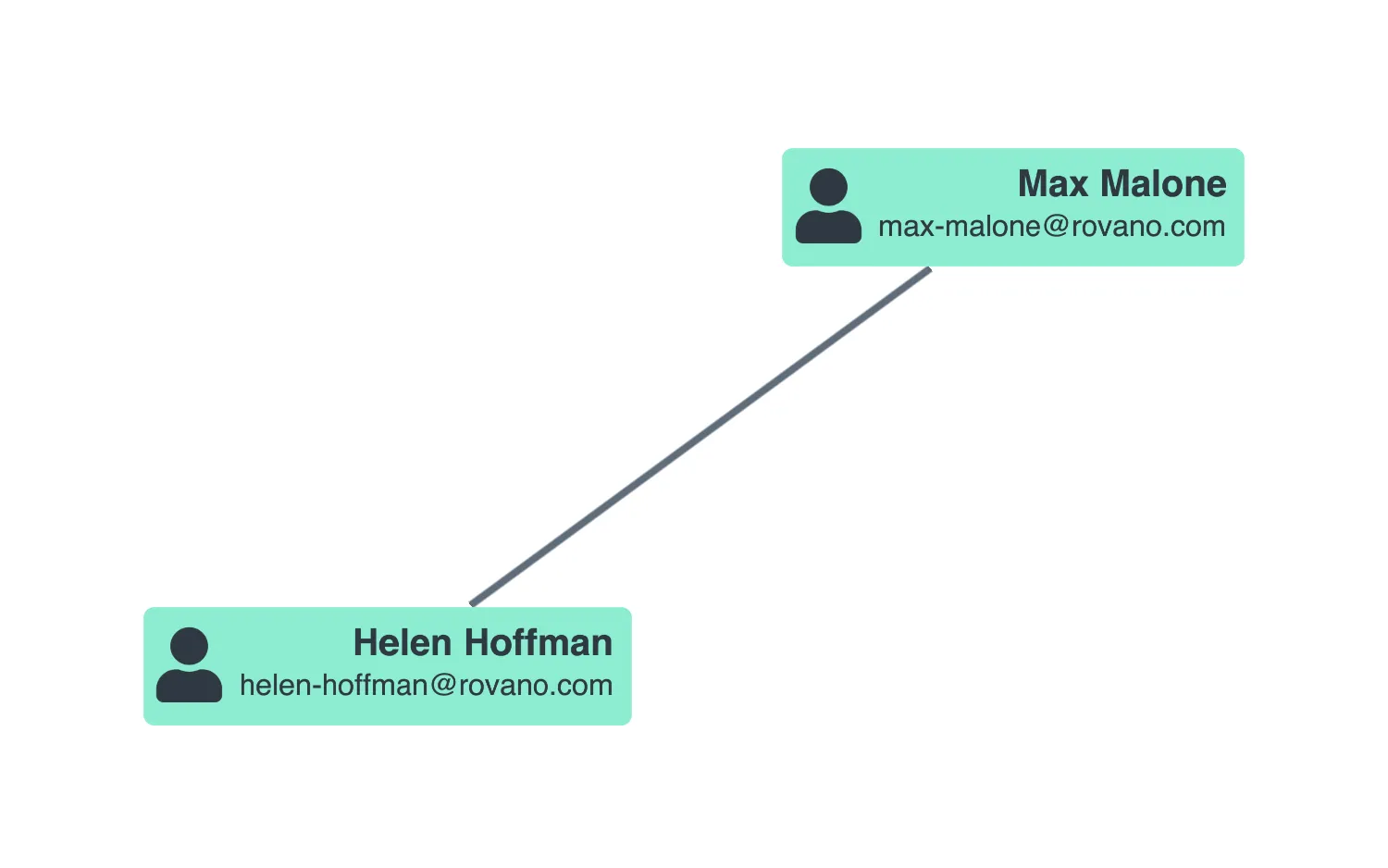
Double click on a label to edit the text and press the Enter key to save your changes, or the Esc key to discard them.
The labelPosition instance method provides information about a label's position in the view. One use case is to work out where to place HTML elements to provide text editing functionality.
See also
import React, { useEffect, useRef, useState } from "react";
import { createRoot } from "react-dom/client";

import cloneDeep from "lodash/cloneDeep";
import { Chart } from "regraph";

import data from "./data";

const isNode = (item) => {
  return !("id1" in item && "id2" in item);
};

const editableLabelIndexes = { node: { 1: true, 2: true }, link: { 0: true } };
const isEditableLabel = (item, index) => {
  return isNode(item) && editableLabelIndexes.node[index];
};

function EditLabels(props) {
  const chartRef = useRef(null);
  const [items, setItems] = useState(props.items);
  const [labelState, setLabelState] = useState({});

  const handleDoubleClick = ({ id, subItem }) => {
    if (subItem && subItem.type === "label" && isEditableLabel(items[id], subItem.index)) {
      const { index } = subItem;
      // use instance method labelPosition to find out the position to place the text editor
      const position = chartRef.current.labelPosition(id, index);
      // find the label
      const label = items[id].label[index];
      if (position) {
        // set the state for the editor
        setLabelState({
          id,
          index,
          value: label.text,
          position,
          fontSize: label.fontSize,
          bold: label.bold,
        });
      }
    }
  };

  const onTextEditorUpdate = (value) => {
    const { id, index } = labelState;
    if (id === null) {
      return;
    }
    if (value) {
      // update the item with the new label value
      const newItems = { ...items };
      newItems[id] = cloneDeep(newItems[id]);
      newItems[id].label[index].text = value;
      setItems(newItems);
    }
    // finished editing so clear labelState
    setLabelState({ id: null });
  };

  return (
    <div style={{ width: "100%", height: "100%", position: "relative" }}>
      <Chart
        ref={chartRef}
        items={items}
        onDoubleClick={handleDoubleClick}
        options={{
          navigation: false,
          overview: false,
          iconFontFamily: "Font Awesome 5 Free",
        }}
      />
      <MaskedTextEditor
        position={labelState.position}
        value={labelState.value}
        fontSize={labelState.fontSize}
        bold={labelState.bold}
        onCancel={onTextEditorUpdate}
        onSave={onTextEditorUpdate}
      />
    </div>
  );
}

const editorStyle = {
  position: "absolute",
  padding: "4px 4px 0px",
  borderRadius: 6,
  borderWidth: 1,
  borderColor: "black",
  borderStyle: "solid",
  fontFamily: "sans-serif",
  resize: "none",
  outline: "none",
  textAlign: "right",
};
const maskStyle = {
  position: "absolute",
  display: "none",
  top: 0,
  left: 0,
  height: "100%",
  width: "100%",
  backgroundColor: "rgba(0,0,0,0.4)",
};

// Component to manage the text editor and the mask that appears behind it
// to capture all pointer and keyboard events over the chart
function MaskedTextEditor({
  // the mask and text editor only show when a position object is provided
  position = null,
  value = "",
  fontSize = 14,
  bold = false,
  onCancel = () => {},
  onSave = () => {},
}) {
  const maskRef = React.useRef(null);
  const editorRef = React.useRef(null);

  useEffect(() => {
    if (position) {
      // set the editor's value
      editorRef.current.value = value;
      // put the text editor in the specified position
      const { x1, x2, y1, y2 } = position;
      editorRef.current.style.top = `${y1}px`;
      // adjust to account for the input's padding and border
      editorRef.current.style.left = `${x1 - 10}px`;
      editorRef.current.style.height = `${y2 - y1 - 5}px`;
      editorRef.current.style.width = `${x2 - x1}px`;
      // and apply the specified styling
      editorRef.current.style.fontSize = `${fontSize}px`;
      editorRef.current.style.fontWeight = bold ? "bold" : "normal";

      maskRef.current.style.display = "block";
      editorRef.current.focus();

      setTimeout(() => {
        // as this is called from with a pointer event, we need to wait
        // for the event to finish bubbling up before focussing the input
      });
    } else {
      maskRef.current.style.display = "none";
    }
  }, [position, value, fontSize, bold]);

  const handleKeyDown = ({ key, nativeEvent }) => {
    if (key === "Enter") {
      // prevent new lines being added to our editor
      nativeEvent.preventDefault();
    }
  };

  const handleKeyUp = ({ key }) => {
    if (key === "Enter") {
      onSave(editorRef.current.value);
    }
    if (key === "Escape") {
      onCancel();
    }
  };

  const handleClick = ({ nativeEvent }) => {
    if (nativeEvent.target === maskRef.current) {
      onSave(editorRef.current.value);
    }
  };

  const handleContextMenu = ({ nativeEvent }) => {
    nativeEvent.preventDefault();
    if (nativeEvent.target === maskRef.current) {
      onCancel();
    }
  };

  return (
    <div
      ref={maskRef}
      style={maskStyle}
      onKeyDown={handleKeyDown}
      onKeyUp={handleKeyUp}
      onClick={handleClick}
      onContextMenu={handleContextMenu}
    >
      <textarea ref={editorRef} style={editorStyle} />
    </div>
  );
}

const FontReadyChart = React.lazy(() =>
  document.fonts.load("900 24px 'Font Awesome 5 Free'").then(() => ({
    default: () => <EditLabels items={      } />,
  }))
);

export function Demo() {
  return (
    <React.Suspense fallback="">
      <FontReadyChart />
    </React.Suspense>
  );
}

const root = createRoot(document.getElementById("regraph"));
root.render(<Demo />);import { style } from "@ci/theme/rg/js/storyStyles";
function data() {
return {
node1: {
...style.primary0,
border: {
radius: 6,
},
label: [
{
...style.darkLabel,
fontSize: 50,
padding: {
top: 12,
right: 0,
bottom: 0,
left: 8,
},
position: {
vertical: "top",
horizontal: "left",
},
fontIcon: {
text: "fas fa-user",
},
},
{
...style.darkLabel,
bold: true,
text: "Max Malone",
padding: {
top: 10,
right: 10,
bottom: 2,
left: 10,
},
position: {
horizontal: "right",
vertical: "top",
},
fontSize: 20,
},
{
...style.darkLabel,
text: "[email protected]",
fontSize: 16,
padding: {
top: 1,
right: 10,
bottom: 10,
left: 10,
},
margin: {
bottom: 2,
},
},
],
shape: {
height: "auto",
width: "auto",
},
},
node2: {
...style.primary0,
border: {
radius: 6,
},
label: [
{
...style.darkLabel,
fontSize: 50,
padding: {
top: 12,
right: 0,
bottom: 0,
left: 8,
},
position: {
vertical: "top",
horizontal: "left",
},
fontIcon: {
text: "fas fa-user",
},
},
{
...style.darkLabel,
bold: true,
text: "Helen Hoffman",
padding: {
top: 10,
right: 10,
bottom: 2,
left: 10,
},
position: {
horizontal: "right",
vertical: "top",
},
fontSize: 20,
textWrap: "normal",
maxWidth: 200,
textAlignment: { horizontal: "right", vertical: "middle" },
},
{
...style.darkLabel,
text: "[email protected]",
fontSize: 16,
padding: {
top: 1,
right: 10,
bottom: 10,
left: 10,
},
margin: {
bottom: 2,
},
textWrap: "normal",
maxWidth: 200,
textAlignment: { horizontal: "right", vertical: "middle" },
},
],
shape: {
height: "auto",
width: "auto",
},
},
link: {
// a link's ends are defined by id1 and id2
id1: "node1",
id2: "node2",
...style.link,
},
};
}
export default data;<!doctype html>
<html>
<body>
<div id="regraph" style="height: 100vh"></div>
<script type="module" src="./code.jsx"></script>
</body>
</html>