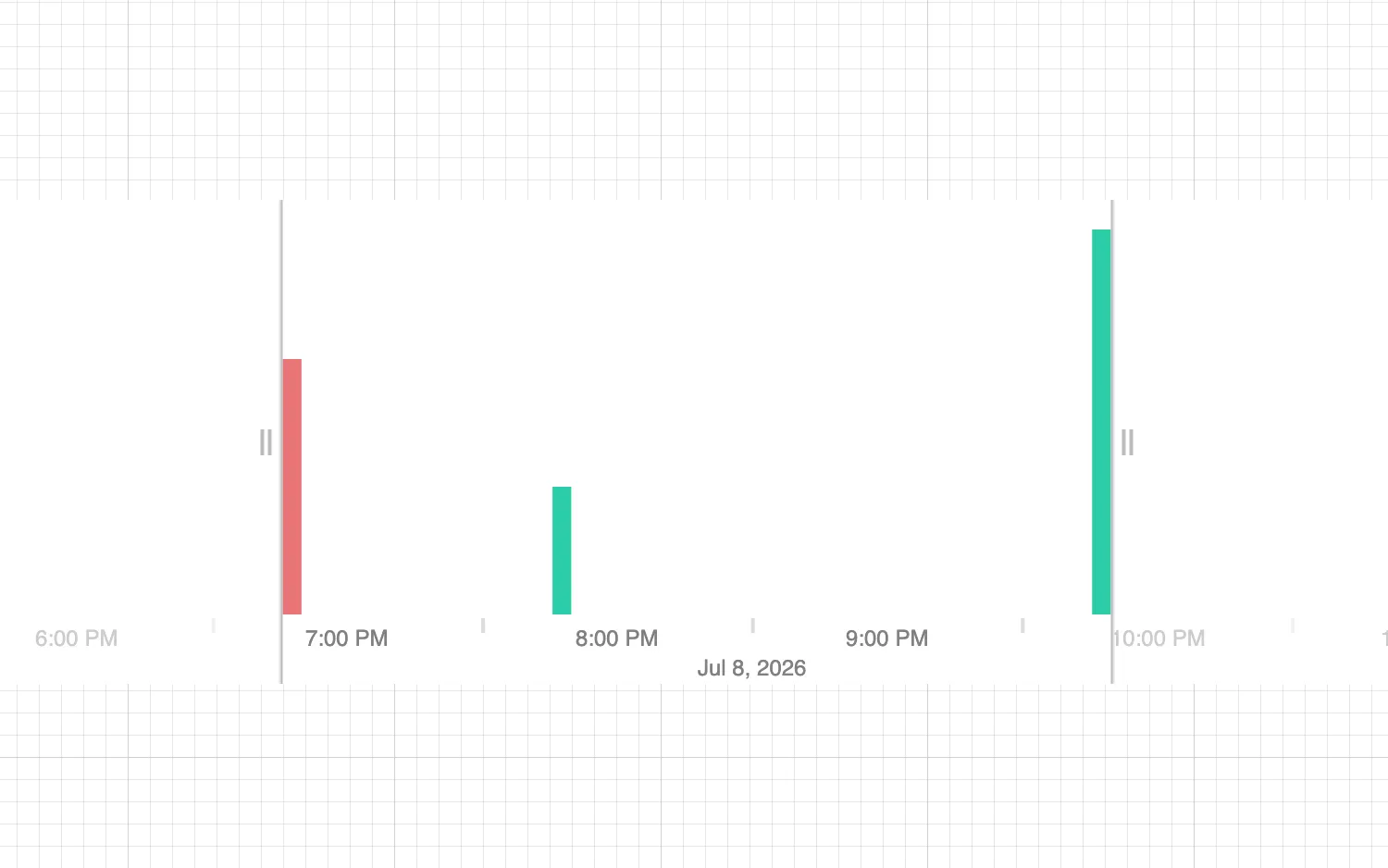
You can highlight items with a distinct style. This example colors bars red to highlight them.
Highlight times by passing timestamps to the highlight prop.
Bars that overlap with these timestamps use the styling defined in the highlight property of the options prop.
See also
import React from "react";
import { createRoot } from "react-dom/client";

import { TimeBar } from "regraph";

import { style } from "@ci/theme/rg/js/storyStyles";

export const Demo = () => (
  <div className="timebar-wrapper">
    <TimeBar
      items={data()}
      highlight={[Date.now()]}
      options={{
        style: {
          ...style.primary1,
          hoverColor: style.primary0.color,
        },
      }}
    />
  </div>
);

function data() {
  return {
    id1: { times: [{ time: Date.now(), value: 2 }] },
    id2: { times: [{ time: Date.now() + 1000 * 60 * 60 }] },
    id3: { times: [{ time: Date.now() + 1000 * 60 * 60 * 3, value: 3 }] },
  };
}

const root = createRoot(document.getElementById("regraph"));
root.render(<Demo />);<!doctype html>
<html>
<body>
<div id="regraph" style="height: 100vh"></div>
<script type="module" src="./code.jsx"></script>
</body>
</html>