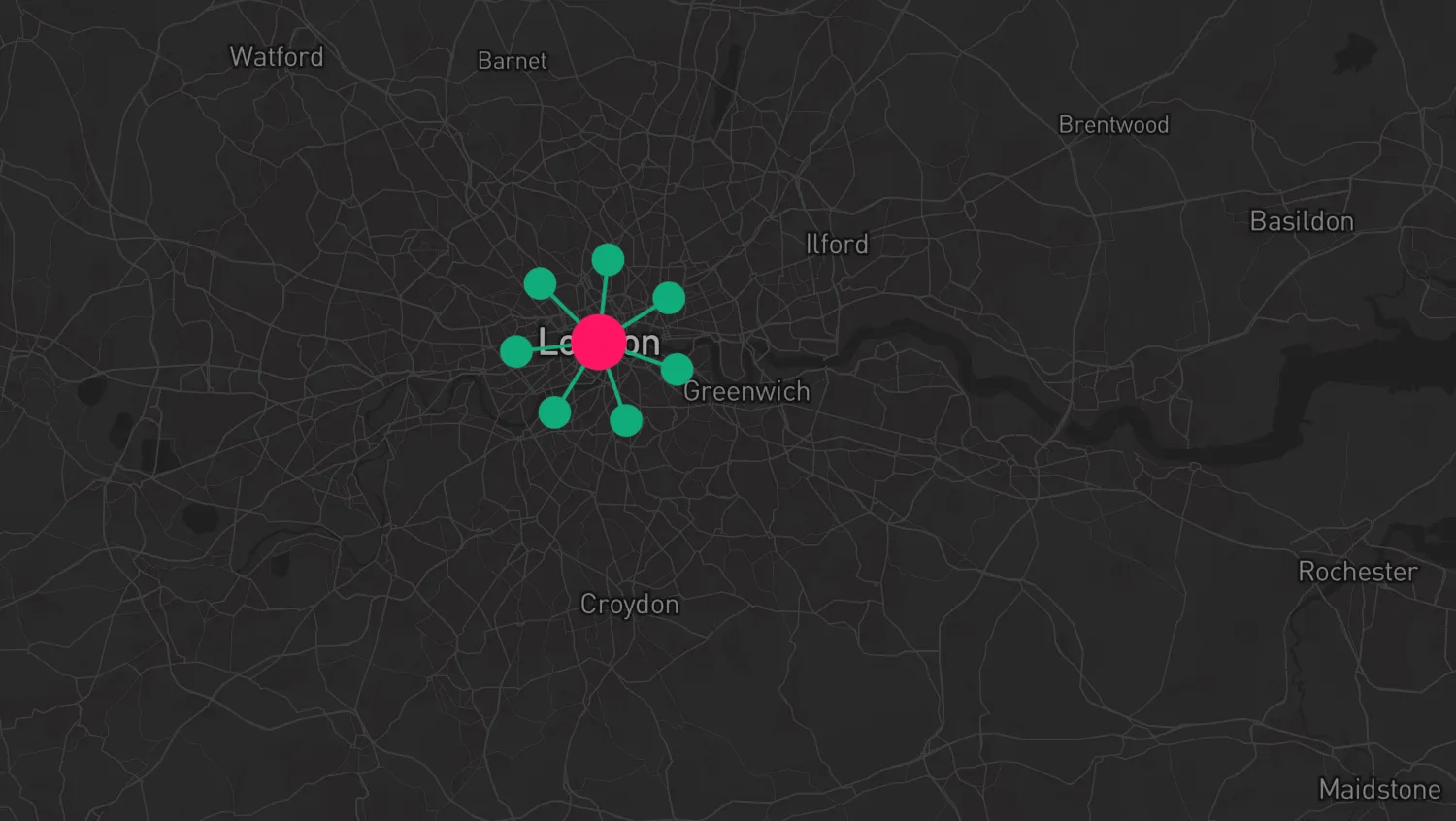
Hover over a node to change its color.
Use the hover event with overrideStyle() to update the styling.
Clear the styling override once the user interaction is over by calling the returned StyleReset function.
Hover over a node to change its color.
Use the onHover event prop with overrideStyles to update the styling.
- Event Handling docs
- Override Item Styles docs
import { MapWeave } from "mapweave/mapbox";
import { NetworkLayer } from "mapweave/layers";
import { networkData, defaultView } from "./data";

const highlightColor = "#FF1764";
const mapweave = new MapWeave({
  container: "mw",
  options: { accessToken: VITE_MAPBOX_API_KEY },
});
const networkLayer = new NetworkLayer({ data: networkData });

mapweave.addLayer(networkLayer);
mapweave.view(defaultView);

let lastHoveredId = null;
let styleReset = null;

mapweave.on("hover", ({ id, item }) => {
  const hoveredNodeId = item?.type === "node" ? id : null;
  if (hoveredNodeId !== lastHoveredId) {
    styleReset?.();
    lastHoveredId = hoveredNodeId;
    if (lastHoveredId !== null) {
      styleReset = networkLayer.overrideStyle(hoveredNodeId, {
        color: highlightColor,
      });
    }
  }
});export const defaultView = {
latitude: 51.5,
longitude: -0.128,
zoom: 6,
};
export const networkData = {
London: {
type: "node",
color: "#0FAB7C",
latitude: 51.507387,
longitude: -0.127663,
scale: 2,
},
A: {
type: "node",
color: "#0FAB7C",
},
linkA: {
type: "link",
id: "LinkA",
id1: "A",
id2: "London",
color: "#0FAB7C",
width: 2,
},
B: {
type: "node",
color: "#0FAB7C",
},
linkB: {
type: "link",
id: "LinkB",
id1: "B",
id2: "London",
color: "#0FAB7C",
width: 2,
},
C: {
type: "node",
color: "#0FAB7C",
},
linkC: {
type: "link",
id: "LinkC",
id1: "C",
id2: "London",
color: "#0FAB7C",
width: 2,
},
D: {
type: "node",
color: "#0FAB7C",
},
linkD: {
type: "link",
id: "LinkD",
id1: "D",
id2: "London",
color: "#0FAB7C",
width: 2,
},
E: {
type: "node",
color: "#0FAB7C",
},
linkE: {
type: "link",
id: "LinkE",
id1: "E",
id2: "London",
color: "#0FAB7C",
width: 2,
},
F: {
type: "node",
color: "#0FAB7C",
},
linkF: {
type: "link",
id: "LinkF",
id1: "F",
id2: "London",
color: "#0FAB7C",
width: 2,
},
G: {
type: "node",
color: "#0FAB7C",
},
linkG: {
type: "link",
id: "LinkG",
id1: "G",
id2: "London",
color: "#0FAB7C",
width: 2,
},
};<!doctype html>
<html>
<head>
<link rel="stylesheet" href="@ci/theme/mw/css/examples.css" />
</head>
<body>
<div id="mw"></div>
<script type="module" src="./code.js"></script>
</body>
</html>import React, { useState } from "react";
import { createRoot } from "react-dom/client";
import { MapWeave } from "mapweave/react/mapbox";
import { NetworkLayer } from "mapweave/react/layers";
import { networkData, defaultView } from "./data";
const mapWeaveOptions = { accessToken: VITE_MAPBOX_API_KEY };
const overrideStyle = { color: "#FF1764" };
function Demo() {
const [hoverInfo, setHoverInfo] = useState(null);
const overrideStyles =
hoverInfo?.item?.type === "node"
? [{ ids: hoverInfo.id, overrideStyle }]
: [];
return (
<MapWeave
options={mapWeaveOptions}
view={defaultView}
onHover={setHoverInfo}
>
<NetworkLayer data={networkData} overrideStyles={overrideStyles} />
</MapWeave>
);
}
const root = createRoot(document.getElementById("mw"));
root.render(<Demo />);export const defaultView = {
latitude: 51.5,
longitude: -0.128,
zoom: 6,
};
export const networkData = {
London: {
type: "node",
color: "#0FAB7C",
latitude: 51.507387,
longitude: -0.127663,
scale: 2,
},
A: {
type: "node",
color: "#0FAB7C",
},
linkA: {
type: "link",
id: "LinkA",
id1: "A",
id2: "London",
color: "#0FAB7C",
width: 2,
},
B: {
type: "node",
color: "#0FAB7C",
},
linkB: {
type: "link",
id: "LinkB",
id1: "B",
id2: "London",
color: "#0FAB7C",
width: 2,
},
C: {
type: "node",
color: "#0FAB7C",
},
linkC: {
type: "link",
id: "LinkC",
id1: "C",
id2: "London",
color: "#0FAB7C",
width: 2,
},
D: {
type: "node",
color: "#0FAB7C",
},
linkD: {
type: "link",
id: "LinkD",
id1: "D",
id2: "London",
color: "#0FAB7C",
width: 2,
},
E: {
type: "node",
color: "#0FAB7C",
},
linkE: {
type: "link",
id: "LinkE",
id1: "E",
id2: "London",
color: "#0FAB7C",
width: 2,
},
F: {
type: "node",
color: "#0FAB7C",
},
linkF: {
type: "link",
id: "LinkF",
id1: "F",
id2: "London",
color: "#0FAB7C",
width: 2,
},
G: {
type: "node",
color: "#0FAB7C",
},
linkG: {
type: "link",
id: "LinkG",
id1: "G",
id2: "London",
color: "#0FAB7C",
width: 2,
},
};<!doctype html>
<html>
<head>
<link rel="stylesheet" href="@ci/theme/mw/css/examples.css" />
</head>
<body>
<div id="mw"></div>
<script type="module" src="./code.jsx"></script>
</body>
</html>