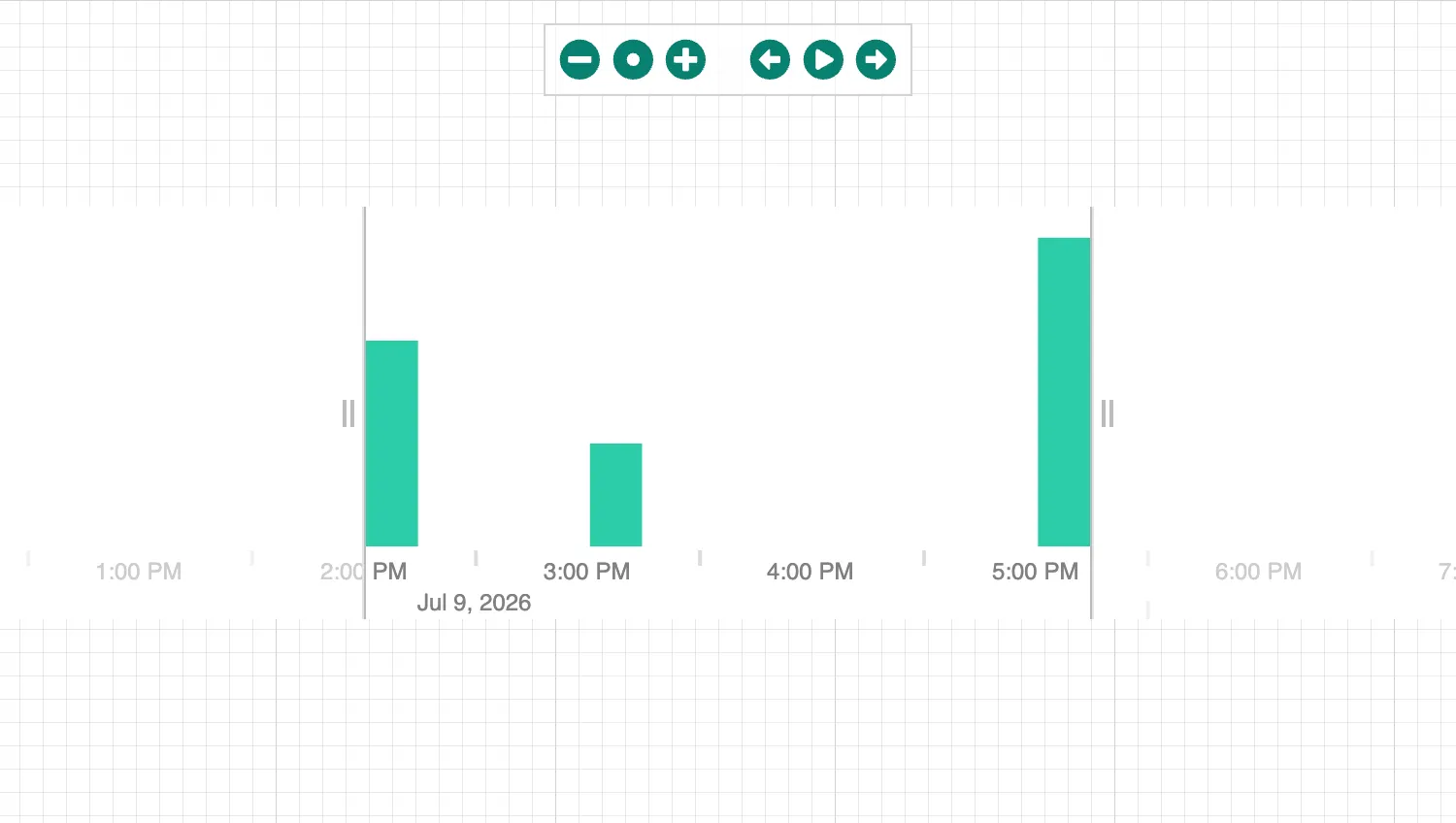
Click on the buttons in the toolbar at the top to interact with the time bar.
The toolbar is a simple JSX element with interactions linked to time bar state updates.
See also
import React, { createRef, useState } from "react";
import { createRoot } from "react-dom/client";

import { library } from "@fortawesome/fontawesome-svg-core";
import {
  faArrowAltCircleLeft,
  faArrowAltCircleRight,
  faDotCircle,
  faMinusCircle,
  faPauseCircle,
  faPlayCircle,
  faPlusCircle,
} from "@fortawesome/free-solid-svg-icons";
import { FontAwesomeIcon } from "@fortawesome/react-fontawesome";
import { TimeBar } from "regraph";

import data from "./data";
import { style } from "@ci/theme/rg/js/storyStyles";

library.add([
  faMinusCircle,
  faDotCircle,
  faPlusCircle,
  faArrowAltCircleLeft,
  faPlayCircle,
  faPauseCircle,
  faArrowAltCircleRight,
]);

export const Demo = () => <TimeBarControls items={data()} />;

function TimeBarControls(props) {
  const { items } = props;
  const timeBarRef = createRef();
  const [play, setPlay] = useState(false);

  const zoom = (direction) => {
    if (timeBarRef.current == null) {
      return;
    }
    timeBarRef.current.zoom(direction);
  };

  const pan = (direction) => {
    if (timeBarRef.current == null) {
      return;
    }
    timeBarRef.current.pan(direction);
  };

  const fit = (how) => {
    if (timeBarRef.current == null) {
      return;
    }
    timeBarRef.current.fit(how);
  };

  const togglePlay = () => {
    setPlay(!play);
  };

  const onChangeHandler = ({ play: newPlay }) => {
    if (newPlay !== undefined) {
      setPlay(newPlay);
    }
  };

  return (
    <div className="timebar-wrapper">
      <TimeBar
        ref={timeBarRef}
        play={play}
        items={items}
        animation={{ animate: true, time: 500 }}
        options={{
          style: { ...style.primary1, hoverColor: style.primary0.color },
        }}
        onChange={onChangeHandler}
      />
      <div className="timebar">
        <FontAwesomeIcon
          className="timebarbutton"
          title="Zoom out"
          icon={faMinusCircle}
          onClick={() => zoom("out")}
        />
        <FontAwesomeIcon
          className="timebarbutton"
          title="Fit"
          icon={faDotCircle}
          onClick={() => fit("all")}
        />
        <FontAwesomeIcon
          className="timebarbutton"
          title="Zoom in"
          icon={faPlusCircle}
          onClick={() => zoom("in")}
        />
        <span className="spacer" />
        <FontAwesomeIcon
          className="timebarbutton"
          title="Back"
          icon={faArrowAltCircleLeft}
          onClick={() => pan("backward")}
        />
        {!play && (
          <FontAwesomeIcon
            className="timebarbutton"
            title="Play"
            icon={faPlayCircle}
            onClick={togglePlay}
          />
        )}
        {play && (
          <FontAwesomeIcon
            className="timebarbutton"
            title="Pause"
            icon={faPauseCircle}
            onClick={togglePlay}
          />
        )}
        <FontAwesomeIcon
          className="timebarbutton"
          title="Forward"
          icon={faArrowAltCircleRight}
          onClick={() => pan("forward")}
        />
      </div>
    </div>
  );
}

const root = createRoot(document.getElementById("regraph"));
root.render(<Demo />);function data() {
return {
id1: { times: [{ time: Date.now(), value: 2 }] },
id2: { times: [{ time: Date.now() + 1000 * 60 * 60 }] },
id3: { times: [{ time: Date.now() + 1000 * 60 * 60 * 3, value: 3 }] },
};
}
export default data;<!doctype html>
<html>
<head>
<link rel="stylesheet" href="./style.css" />
</head>
<body>
<div id="regraph" style="height: 100vh"></div>
<script type="module" src="./code.jsx"></script>
</body>
</html>@import "@ci/theme/rg/css/variables.css";
.timebar {
display: flex;
align-items: center;
font-family: sans-serif;
font-size: 16pt;
position: absolute;
top: 12px;
left: 50%;
-webkit-transform: translateX(-50%);
transform: translateX(-50%);
background-color: rgba(255, 255, 255, 0.7);
border: solid 1px lightgray;
padding: 4px;
z-index: 2;
}
.spacer {
padding: 8px;
}
.timebarbutton {
color: var(--primary2);
padding: 3px;
}
.timebarbutton:hover {
background-color: #eeeeee;
color: #111111;
}