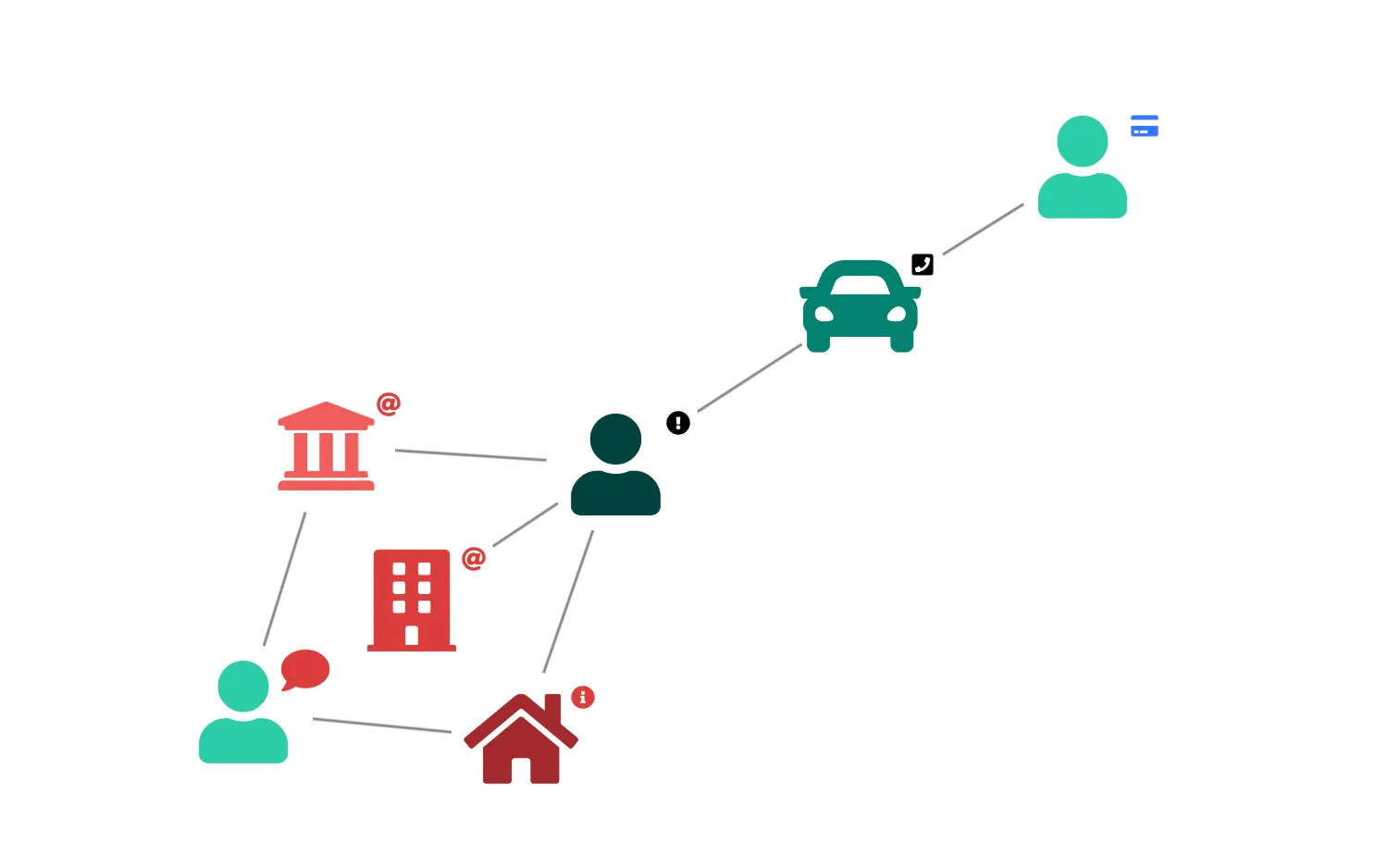
ReGraph can display font icons on nodes and glyphs.
Pass the CSS class name and the style class, e.g. 'fas' or 'far', into the fontIcon property.
You can load in font libraries using the document.fonts.load function.
See the FontReadyChart and Demo components in the Code tab for how to wait for fonts to load before rendering the chart.
See also
import React from "react";
import { createRoot } from "react-dom/client";

import { Chart } from "regraph";

import items from "./data";

import "@fortawesome/fontawesome-free/css/fontawesome.css";
import "@fortawesome/fontawesome-free/css/solid.css";

function FontAwesome() {
  return (
    <Chart
      items={items}
      options={{
        imageAlignment: {
          "fas fa-car": { size: 1.2 },
          "fas fa-comment": { size: 2 },
        },
        iconFontFamily: "Font Awesome 5 Free",
        navigation: false,
        overview: false,
      }}
    />
  );
}

const FontReadyChart = React.lazy(() =>
  // Ensure that the CSS containing the @font-face declaration
  // has been loaded before attempting to load the font here.
  document.fonts.load("24px 'Font Awesome 5 Free'").then(() => ({
    default: FontAwesome,
  })),
);

export function Demo() {
  return (
    <React.Suspense fallback="">
      <FontReadyChart />
    </React.Suspense>
  );
}

const root = createRoot(document.getElementById("regraph"));
root.render(<Demo />);import { style } from "@ci/theme/rg/js/storyStyles";
const items = {
3: {
fontIcon: { text: "fas fa-user", ...style.primary1 },
color: "rgba(0, 0, 0, 0)",
glyphs: [
{
position: "ne",
color: "rgba(0, 0, 0, 0)",
fontIcon: { text: "fas fa-credit-card", color: style.tertiary2.color },
},
],
},
4: {
fontIcon: { text: "fas fa-user", ...style.primary1 },
color: "rgba(0, 0, 0, 0)",
glyphs: [
{
position: "ne",
color: "rgba(0, 0, 0, 0)",
fontIcon: { text: "fas fa-comment", color: style.secondary2.color },
},
],
},
5: {
fontIcon: { text: "fas fa-user", ...style.primary3 },
color: "rgba(0, 0, 0, 0)",
glyphs: [
{
position: "ne",
color: "rgba(0, 0, 0, 0)",
fontIcon: { text: "fas fa-exclamation-circle", color: "black" },
},
],
},
6: {
fontIcon: { text: "fas fa-university", ...style.secondary1 },
color: "rgba(0, 0, 0, 0)",
glyphs: [
{
position: "ne",
color: "rgba(0, 0, 0, 0)",
fontIcon: { text: "fas fa-at", color: style.secondary2.color },
},
],
},
7: {
fontIcon: { text: "fas fa-car", ...style.primary2 },
color: "rgba(0, 0, 0, 0)",
glyphs: [
{
position: "ne",
color: "rgba(0, 0, 0, 0)",
fontIcon: { text: "fas fa-phone-square", color: "black" },
},
],
},
8: {
fontIcon: { text: "fas fa-building", ...style.secondary2 },
color: "rgba(0, 0, 0, 0)",
glyphs: [
{
position: "ne",
color: "rgba(0, 0, 0, 0)",
fontIcon: { text: "fas fa-at", color: style.secondary2.color },
},
],
},
9: {
fontIcon: { text: "fas fa-home", ...style.secondary3 },
color: "rgba(0, 0, 0, 0)",
glyphs: [
{
position: "ne",
color: "rgba(0, 0, 0, 0)",
fontIcon: { text: "fas fa-info-circle", color: style.secondary2.color },
},
],
},
l1: { id1: "3", id2: "7" },
l2: { id1: "4", id2: "6" },
l3: { id1: "4", id2: "9" },
l4: { id1: "5", id2: "7" },
l5: { id1: "5", id2: "8" },
l6: { id1: "5", id2: "9" },
l7: { id1: "5", id2: "6" },
};
export default items;<!doctype html>
<html>
<body>
<div id="regraph" style="height: 100vh"></div>
<script type="module" src="./code.jsx"></script>
</body>
</html>