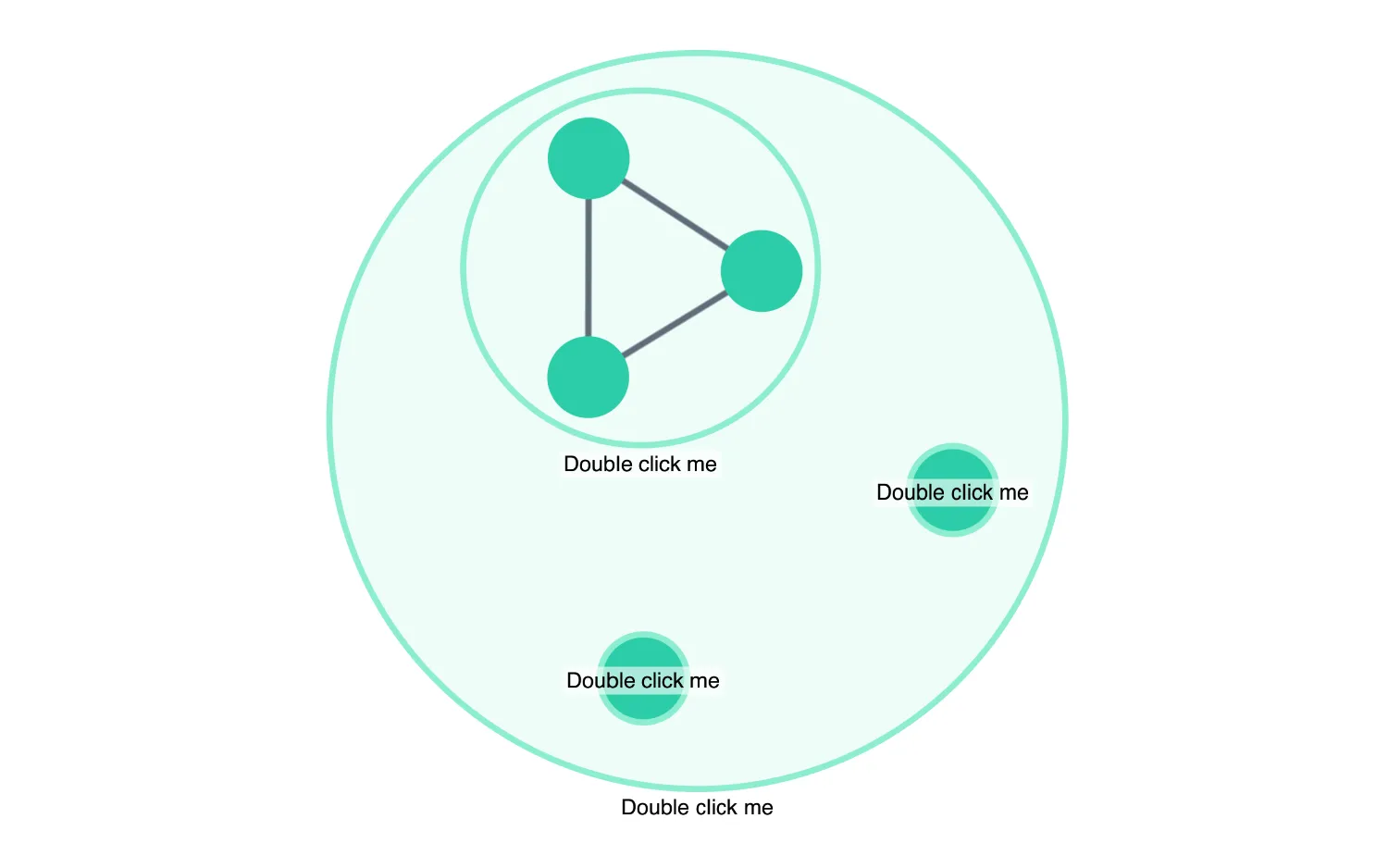
You can close combos to hide the nodes they contain.
Set which combos should be open in your onCombineNodes handler.
See also
import React, { useState } from "react";
import { createRoot } from "react-dom/client";

import { Chart } from "regraph";

import data from "./data";
import { style } from "@ci/theme/rg/js/storyStyles";

export const Demo = () => <OpenCloseCombos items={data()} />;

function OpenCloseCombos(props) {
  const { items } = props;
  const [state, setState] = useState({
    openCombos: {},
    combine: { level: 2, properties: ["subgroup", "group"] },
  });

  const combineNodesHandler = ({ id, setStyle }) => {
    const label = { text: "Double click me" };
    setStyle({
      open: !!state.openCombos[id],
      label,
      color: style.combo.color,
      border: {
        color: style.combo.border.color,
      },
      closedStyle: {
        color: style.primary1.color,
        label,
      },
    });
  };

  const doubleClickHandler = ({ id, itemType }) => {
    /* Toggle the value on the openCombos object,
      this value is used to set the open state of the combo.

      Also creates a new 'combine' object. This forces ReGraph to
      do a re-render and call 'onCombineNodes'
      so we can set the open value of the combo. */
    if (itemType === "combo") {
      setState((current) => {
        return {
          openCombos: { ...current.openCombos, [id]: !current.openCombos[id] },
          combine: { ...current.combine },
        };
      });
    }
  };

  return (
    <Chart
      combine={state.combine}
      items={items}
      onDoubleClick={doubleClickHandler}
      onCombineNodes={combineNodesHandler}
      options={{ fit: "none", navigation: false, overview: false }}
    />
  );
}

const root = createRoot(document.getElementById("regraph"));
root.render(<Demo />);import { style } from "@ci/theme/rg/js/storyStyles";
function data() {
return {
id1: {
data: {
group: "Group 1",
subgroup: "Subgroup 1",
},
...style.primary1,
},
id2: {
data: {
group: "Group 1",
subgroup: "Subgroup 1",
},
...style.primary1,
},
id3: {
data: {
group: "Group 1",
subgroup: "Subgroup 1",
},
...style.primary1,
},
"id1-id2": {
id1: "id1",
id2: "id2",
...style.link,
},
"id1-id3": {
id1: "id1",
id2: "id3",
...style.link,
},
"id3-id2": {
id1: "id3",
id2: "id2",
...style.link,
},
id11: {
data: {
group: "Group 1",
subgroup: "Subgroup 2",
},
...style.primary1,
},
id21: {
data: {
group: "Group 1",
subgroup: "Subgroup 2",
},
...style.primary1,
},
id31: {
data: {
group: "Group 1",
subgroup: "Subgroup 2",
},
...style.primary1,
},
"id11-id21": {
id1: "id11",
id2: "id21",
...style.link,
},
"id11-id31": {
id1: "id11",
id2: "id31",
...style.link,
},
"id31-id21": {
id1: "id31",
id2: "id21",
...style.link,
},
id12: {
data: {
group: "Group 1",
subgroup: "Subgroup 3",
},
...style.primary1,
},
id22: {
data: {
group: "Group 1",
subgroup: "Subgroup 3",
},
...style.primary1,
},
id32: {
data: {
group: "Group 1",
subgroup: "Subgroup 3",
},
...style.primary1,
},
"id12-id22": {
id1: "id12",
id2: "id22",
...style.link,
},
"id12-id32": {
id1: "id12",
id2: "id32",
...style.link,
},
"id32-id22": {
id1: "id32",
id2: "id22",
...style.link,
},
};
}
export default data;<!doctype html>
<html>
<body>
<div id="regraph" style="height: 100vh"></div>
<script type="module" src="./code.jsx"></script>
</body>
</html>