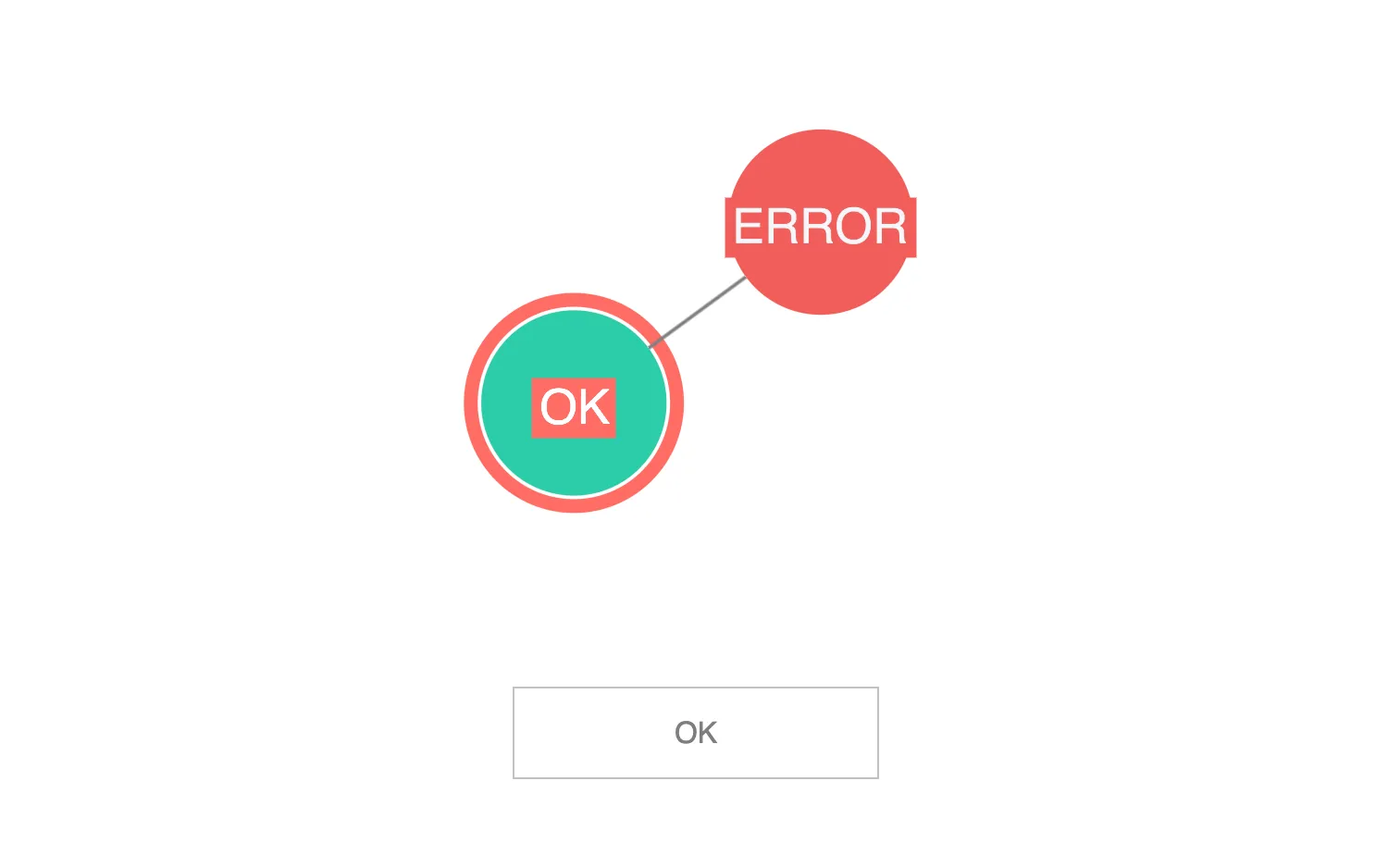
Click on nodes to display a status message in the overlay.
Define additional type rules to control the data property more strictly.
See also
import React, { useState } from "react";
import { createRoot } from "react-dom/client";

import mapValues from "lodash/mapValues";
import { Chart, type Items, type Node } from "regraph";

import initialData from "./data";
import { style } from "@ci/theme/rg/js/storyStyles";

import "@ci/theme/rg/css/button.css";
import "@ci/theme/rg/css/layout.css";

interface Props {
  data: Items;
}

/* Defines the data property of a node */
interface Data {
  /** The type of kind of node */
  type: string;

  /** The status of the node */
  status: "OK" | "ERROR";
}

export const Demo = () => <DataDemo data={initialData()} />;

function DataDemo(props: Props) {
  const { data } = props;
  const [state, setState] = useState({
    items: data,
    status: "",
    selection: {},
  });

  const styleItems = () => {
    const { items } = state;
    // Map over all items and links and decide whether to update any
    return mapValues(items, (item) => {
      if (item.data) {
        // Cast the generic item into a node with a strongly-typed data prop
        let node = { ...(item as Node<Data>) };
        // Now we can do what we want based on the type
        if (node.data!.type === "a") {
          node = { ...style.secondary1, ...node };
          node.label = { ...style.secondaryLabel1, text: node.data!.status };
        } else {
          node = { ...style.primary1, ...node };
          node.label = { ...style.primaryLabel1, text: node.data!.status };
        }
        return node;
      }
      return item;
    });
  };

  const showStatus = (id?: string, node?: Node<Data>) => {
    const status = node ? node.data!.status : "";
    const selection: Record<string, true> = id ? { [id]: true } : {};
    setState((current) => {
      return { ...current, status, selection };
    });
  };

  const handleClick = ({ id }: Chart.PreventablePointerEvent) => {
    const { items } = state;
    if (id == null) {
      showStatus();
      return;
    }

    const item = items[id];
    if (item && item.data) {
      showStatus(id, item as Node<Data>);
    } else {
      showStatus();
    }
  };

  return (
    <div className="story">
      <div className="chart-wrapper">
        <Chart
          items={styleItems()}
          onClick={handleClick}
          options={{ navigation: false, overview: false }}
          selection={state.selection}
        />
        <div
          style={{
            position: "absolute",
            top: "70%",
            left: "50%",
            marginLeft: "-80px",
            border: "solid 1px #c0c0c0",
            padding: "12px 18px",
            textAlign: "center",
            color: "#7e7e7e",
            width: "160px",
          }}
        >
          {state.status || "[No Selection]"}
        </div>
      </div>
    </div>
  );
}

const root = createRoot(document.getElementById("regraph"));
root.render(<Demo />);function initialData() {
return {
n1: {
data: {
type: "a",
status: "ERROR",
},
},
n2: {
data: {
type: "b",
status: "OK",
},
},
"1-2": {
id1: "n1",
id2: "n2",
},
};
}
export default initialData;<!doctype html>
<html>
<body>
<div id="regraph" style="height: 100vh"></div>
<script type="module" src="./code.jsx"></script>
</body>
</html>