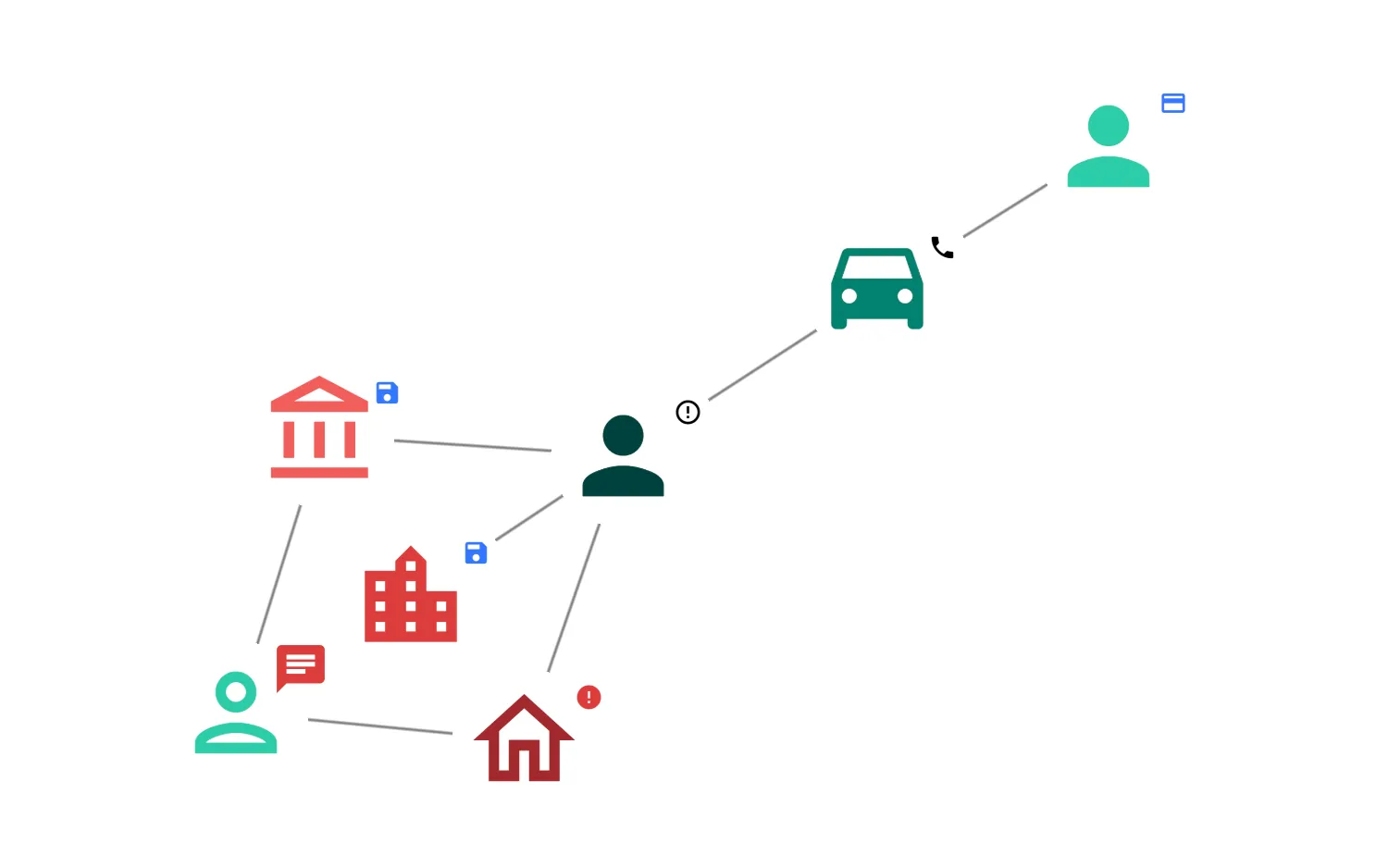
ReGraph can display font icons on nodes and glyphs.
Pass the ligature string of the icon into the fontIcon property. If using multiple variants such as both Filled and Outlined, each variant must be specified in the fontFamily property.
Material Icons can be imported via url. See the CSS used in this example in the CSS tab.
As ReGraph cannot accept font icons as React Components, you must use the original Material Icons font. You can use the document.fonts.load module to load the font from Google Fonts.
See the FontReadyChart and Demo components in the Code tab for how to wait for fonts to load before rendering the chart.
See also
import React from "react";
import { createRoot } from "react-dom/client";

import { Chart } from "regraph";

import items from "./data";

const imageAlignment = {
  directions_car: { dy: -10 },
  account_balance: { dy: -5 },
  chat: { size: 2 },
};

function MaterialDesign() {
  return (
    <Chart
      items={items}
      options={{
        imageAlignment,
        iconFontFamily: "Material Icons",
        navigation: false,
        overview: false,
      }}
    />
  );
}

const FontReadyChart = React.lazy(() =>
  // Ensure that the CSS containing the @font-face declarations
  // has been loaded before attempting to load the font here.
  // See CSS tab for the URL links used.
  document.fonts.ready
    .then(() =>
      Promise.all([
        document.fonts.load("24px 'Material Icons'"),
        document.fonts.load("24px 'Material Icons Outlined'"),
      ]),
    )
    .then(() => ({
      default: MaterialDesign,
    })),
);

export function Demo() {
  return (
    <React.Suspense fallback="">
      <FontReadyChart />
    </React.Suspense>
  );
}

const root = createRoot(document.getElementById("regraph"));
root.render(<Demo />);import { style } from "@ci/theme/rg/js/storyStyles";
const items = {
3: {
fontIcon: { text: "person", ...style.primary1 },
color: "rgba(0, 0, 0, 0)" /* transparent */,
glyphs: [
{
position: "ne",
color: "rgba(0, 0, 0, 0)",
fontIcon: { text: "credit_card", color: style.tertiary2.color },
},
],
},
4: {
fontIcon: {
text: "person",
fontFamily: "Material Icons Outlined",
...style.primary1,
},
color: "rgba(0, 0, 0, 0)",
glyphs: [
{
position: "ne",
color: "rgba(0, 0, 0, 0)",
fontIcon: { text: "chat", color: style.secondary2.color },
},
],
},
5: {
fontIcon: { text: "person", ...style.primary3 },
color: "rgba(0, 0, 0, 0)",
glyphs: [
{
position: "ne",
color: "rgba(0, 0, 0, 0)",
fontIcon: { text: "error_outline", color: "black" },
},
],
},
6: {
fontIcon: {
text: "account_balance",
fontFamily: "Material Icons Outlined",
...style.secondary1,
},
color: "rgba(0, 0, 0, 0)",
glyphs: [
{
position: "ne",
color: "rgba(0, 0, 0, 0)",
fontIcon: { text: "save", color: style.tertiary2.color },
},
],
},
7: {
fontIcon: { text: "directions_car", ...style.primary2 },
color: "rgba(0, 0, 0, 0)",
glyphs: [
{
position: "ne",
color: "rgba(0, 0, 0, 0)",
fontIcon: { text: "phone", color: "black" },
},
],
},
8: {
fontIcon: { text: "location_city", ...style.secondary2 },
color: "rgba(0, 0, 0, 0)",
glyphs: [
{
position: "ne",
color: "rgba(0, 0, 0, 0)",
fontIcon: { text: "save", color: style.tertiary2.color },
},
],
},
9: {
fontIcon: {
text: "home",
fontFamily: "Material Icons Outlined",
...style.secondary3,
},
color: "rgba(0, 0, 0, 0)",
glyphs: [
{
position: "ne",
color: "rgba(0, 0, 0, 0)",
fontIcon: { text: "error", color: style.secondary2.color },
},
],
},
l1: { id1: "3", id2: "7" },
l2: { id1: "4", id2: "6" },
l3: { id1: "4", id2: "9" },
l4: { id1: "5", id2: "7" },
l5: { id1: "5", id2: "8" },
l6: { id1: "5", id2: "9" },
l7: { id1: "5", id2: "6" },
};
export default items;<!doctype html>
<html>
<head>
<link rel="stylesheet" href="./style.css" />
</head>
<body>
<div id="regraph" style="height: 100vh"></div>
<script type="module" src="./code.jsx"></script>
</body>
</html>/* Import for Google's Material Icons */
@import url("https://fonts.googleapis.com/icon?family=Material+Icons");
@import url("https://fonts.googleapis.com/icon?family=Material+Icons+Outlined");