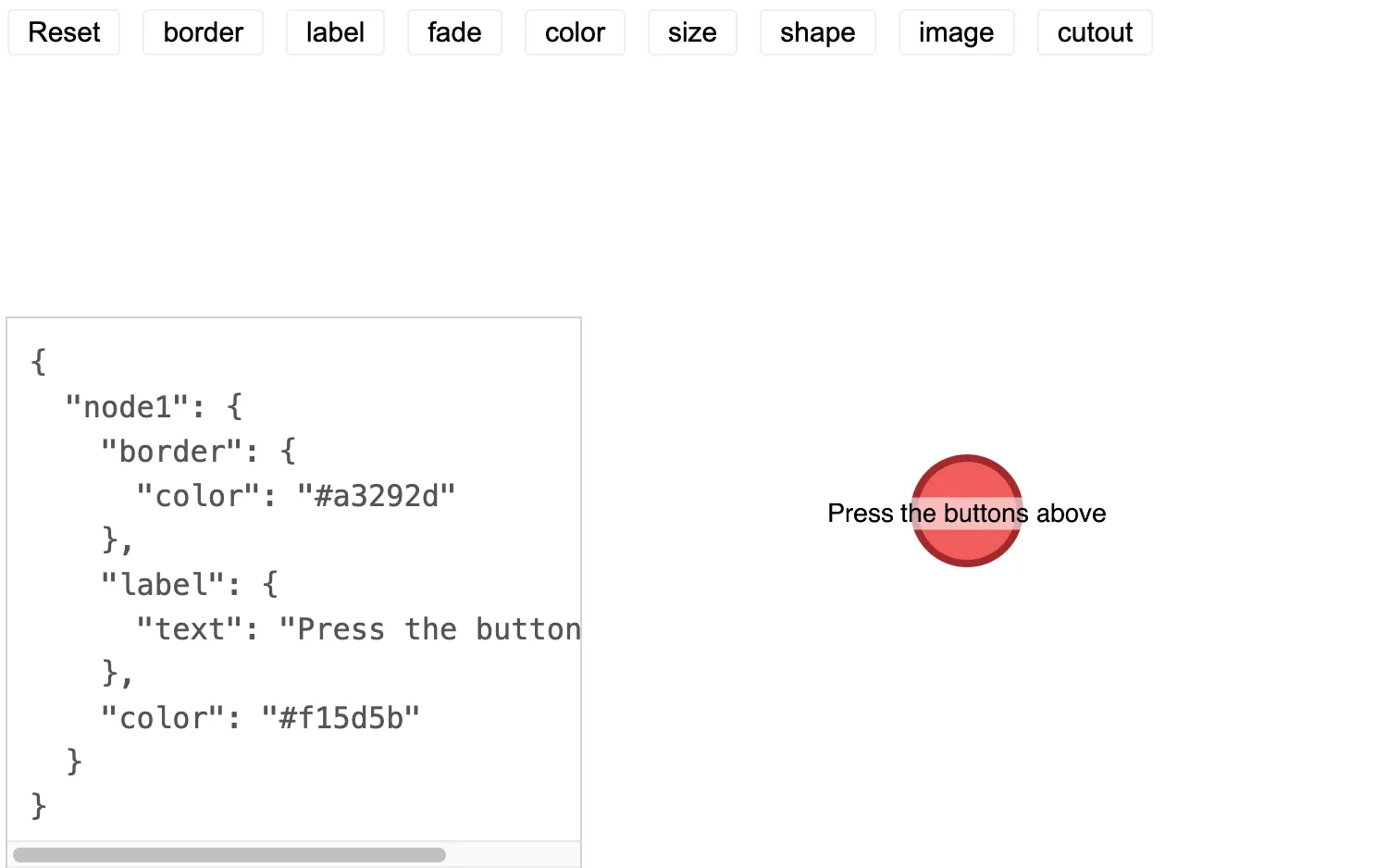
Click on the buttons to cycle through styles for that property.
The style data for the node is shown in the overlay.
You can combine properties to fully customize nodes.
Properties for each node are stored within its object in a simple format.
See also
import React from "react";
import { createRoot } from "react-dom/client";

import mapValues from "lodash/mapValues";
import pickBy from "lodash/pickBy";
import { Chart } from "regraph";

import { style } from "@ci/theme/rg/js/storyStyles";

import "@ci/theme/rg/css/properties.css";
import "@ci/theme/rg/css/button.css";

const regraphImage = "/public/img/regraph.png";

export const Demo = () => <NodeStyle />;

const { colorArrays } = style;

const nodeProps = {
  border: {
    values: [
      { color: colorArrays.dark[0] },
      { color: colorArrays.dark[1] },
      { color: colorArrays.dark[2] },
      { color: colorArrays.dark[3] },
      { width: 6, color: colorArrays.dark[0] },
      { width: 6, color: colorArrays.dark[1] },
      { width: 6, color: colorArrays.dark[2] },
      { width: 6, color: colorArrays.dark[3] },
      { width: 10, color: colorArrays.dark[0] },
      { width: 10, color: colorArrays.dark[1] },
      { width: 10, color: colorArrays.dark[2] },
      { width: 10, color: colorArrays.dark[3] },
      { lineStyle: "dashed", width: 10, color: colorArrays.dark[0] },
      { lineStyle: "dashed", width: 10, color: colorArrays.dark[1] },
      { lineStyle: "dashed", width: 10, color: colorArrays.dark[2] },
      { lineStyle: "dashed", width: 10, color: colorArrays.dark[3] },
      undefined,
    ],
    label: "Border",
  },
  label: {
    values: [
      { text: "Press the buttons above" },
      { text: "Bold label", bold: true },
      { text: "Color 1", color: colorArrays.dark[0] },
      { text: "Color 2", color: colorArrays.dark[1] },
      { text: "Color 3", color: colorArrays.dark[2] },
      {
        text: "Background color 1",
        backgroundColor: colorArrays.transparent[0],
      },
      {
        text: "Background color 2",
        backgroundColor: colorArrays.transparent[1],
      },
      {
        text: "Background color 3",
        backgroundColor: colorArrays.transparent[2],
      },
      {
        text: "Font size: 16",
        fontSize: 16,
      },
      {
        text: "Font size: 20",
        fontSize: 20,
      },
      [
        {
          text: "Not centered",
          position: "s",
        },
      ],
      {
        text: "Sans Serif",
        fontFamily: "sans serif",
      },
      {
        text: "Comic Sans",
        fontFamily: "comic sans ms",
      },
      { text: "Default font" },
      undefined,
    ],
    label: "Node label",
  },
  fade: { values: [undefined, true], label: "Fade" },
  color: { values: [...colorArrays.standard, undefined], label: "Fill color" },
  size: { values: [undefined, 2, 4, 0.5], label: "Size" },
  shape: { values: [undefined, "box"], label: "shape" },
  image: { values: [undefined, regraphImage], label: "image url" },
  cutout: { values: [undefined, true], label: "Cut out image (circle)" },
};

class NodeStyle extends React.PureComponent {
  constructor(props) {
    super(props);
    this.state = { ...mapValues(nodeProps, () => 0) };
  }

  update = (id) => {
    const { [id]: index } = this.state;
    const { [id]: property } = nodeProps;
    const { values } = property;
    let result = index + 1;
    if (result > values.length - 1) {
      result = 0;
    }
    this.setState({ [id]: result });
  };

  reset = () => {
    this.setState({ ...mapValues(nodeProps, () => 0) });
  };

  render = () => {
    const node1 = pickBy(
      mapValues(nodeProps, (value, key) => {
        const { [key]: index } = this.state;
        const newValue = value.values[index || 0];
        if (typeof newValue === "function") {
          return newValue(this.state);
        }
        return newValue;
      }),
      (value) => value !== undefined,
    );

    return (
      <div style={{ width: "100%", height: "100%" }}>
        <Chart
          items={{ node1 }}
          animation={{ animate: true, time: 250 }}
          options={{ fit: "all", navigation: false, overview: false }}
        />
        <div style={{ position: "absolute", top: 0, left: 0 }}>
          <button type="button" onClick={this.reset}>
            Reset
          </button>
          {Object.keys(nodeProps)
            .filter((key) => key !== "ci") // ci property is controlled by u property
            .map((key) => (
              <button
                type="button"
                title={nodeProps[key].label}
                key={key}
                onClick={() => this.update(key)}
              >
                {key}
              </button>
            ))}
        </div>
        <pre className="properties">{JSON.stringify({ node1 }, null, 2)}</pre>
      </div>
    );
  };
}

const root = createRoot(document.getElementById("regraph"));
root.render(<Demo />);<!doctype html>
<html>
<body>
<div id="regraph" style="height: 100vh"></div>
<script type="module" src="./code.jsx"></script>
</body>
</html>