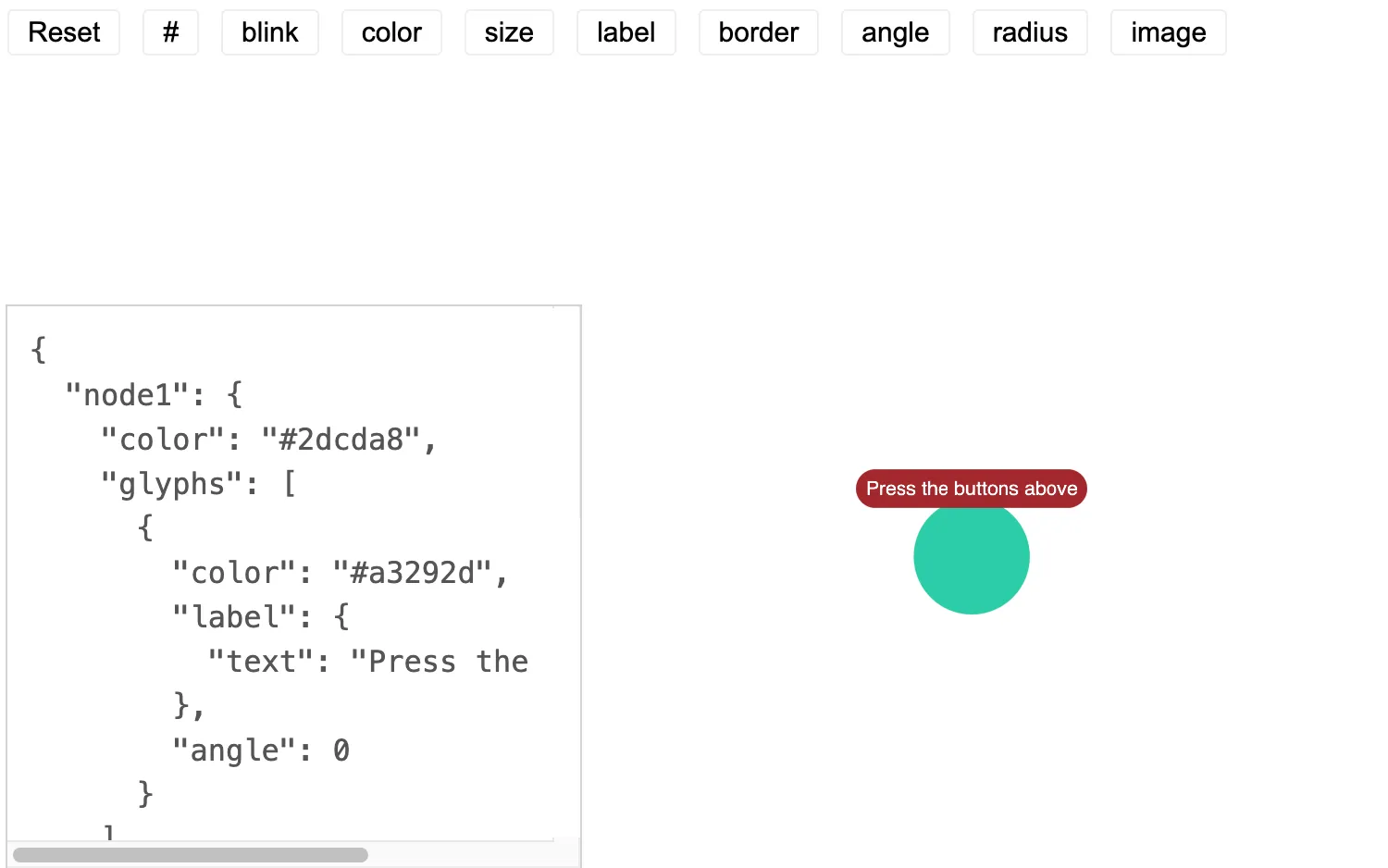
Click on the buttons to cycle through glyph styles.
Nodes can be annotated with glyphs by updating the glyphs property.
See also
import React from "react";
import { createRoot } from "react-dom/client";

import mapValues from "lodash/mapValues";
import pickBy from "lodash/pickBy";
import { Chart } from "regraph";

import { style } from "@ci/theme/rg/js/storyStyles";

import "@ci/theme/rg/css/button.css";

const usa = "/public/img/flags/united-states-of-america.svg";

export const Demo = () => <GlyphStyle />;

const { colorArrays } = style;

const glyphProps = {
  blink: { values: [undefined, true], label: "Blink" },
  color: { values: [...colorArrays.dark], label: "Fill color" },
  size: { values: [undefined, 1.5, 0.8], label: "Size" },
  label: {
    values: [
      { text: "Press the buttons above" },
      { text: "Bold label", bold: true },
      { text: "Color 1", color: colorArrays.standard[0] },
      { text: "Color 2", color: colorArrays.standard[1] },
      { text: "Color 3", color: colorArrays.standard[2] },
      {
        text: "Sans Serif",
        fontFamily: "sans serif",
      },
      {
        text: "Comic Sans",
        fontFamily: "comic sans ms",
      },
      undefined,
    ],
    label: "Label",
  },
  border: {
    values: [
      undefined,
      { color: colorArrays.dark[0] },
      { color: colorArrays.dark[1] },
    ],
    label: "Border",
  },
  angle: { values: [0, 120, 240], label: "Angle" },
  radius: {
    values: [undefined, 50, 15],
    label: "Radius (position from node center)",
  },
  image: { values: [undefined, usa], label: "Glyph image" },
};

class GlyphStyle extends React.PureComponent {
  constructor(props) {
    super(props);

    this.state = { ...mapValues(glyphProps, () => 0), length: 1 };
  }

  update = (id) => {
    const { [id]: index, image, label } = this.state;
    const { [id]: property } = glyphProps;
    const { values } = property;
    let result = index + 1;
    if (result > values.length - 1) {
      result = 0;
    }
    this.setState({ [id]: result });

    if (id === "image" && label < 7) {
      // let's get rid of the label, so that we can
      // actually see the image
      this.setState({ label: 7 });
    }
    if (id === "label" && image) {
      // remove the image so that the label is displayed
      this.setState({ image: 0 });
    }
  };

  reset = () => {
    this.setState({ ...mapValues(glyphProps, () => 0), length: 1 });
  };

  glyphNumber = () => {
    const { length } = this.state;
    let result = length + 1;
    if (result > 4) {
      result = 1;
    }
    this.setState({ length: result });
  };

  render = () => {
    const { length } = this.state;
    const glyph = pickBy(
      mapValues(glyphProps, (value, key) => {
        const { [key]: index } = this.state;
        return value.values[index || 0];
      }),
      (value) => value !== undefined,
    );

    const glyphs = [];
    for (let i = 0; i < length; i += 1) {
      let p = glyph.angle + i * 90;
      if (p > 359) {
        p -= 359;
      }
      glyphs.push({ ...glyph, angle: p });
    }

    const node1 = { ...style.primary1, glyphs };

    return (
      <div style={{ width: "100%", height: "100%" }}>
        <Chart
          items={{ node1 }}
          animation={{ animate: true, time: 250 }}
          options={{ fit: "all", navigation: false, overview: false }}
        />
        <div style={{ position: "absolute", top: 0, left: 0 }}>
          <button type="button" onClick={this.reset}>
            Reset
          </button>
          <button
            type="button"
            title="number of glyphs"
            onClick={this.glyphNumber}
          >
            #
          </button>
          {Object.keys(glyphProps).map((key) => (
            <button
              type="button"
              title={glyphProps[key].label}
              key={key}
              onClick={() => this.update(key)}
            >
              {key}
            </button>
          ))}
        </div>
        <pre className="properties">{JSON.stringify({ node1 }, null, 2)}</pre>
      </div>
    );
  };
}

const root = createRoot(document.getElementById("regraph"));
root.render(<Demo />);<!doctype html>
<html>
<body>
<div id="regraph" style="height: 100vh"></div>
<script type="module" src="./code.jsx"></script>
</body>
</html>