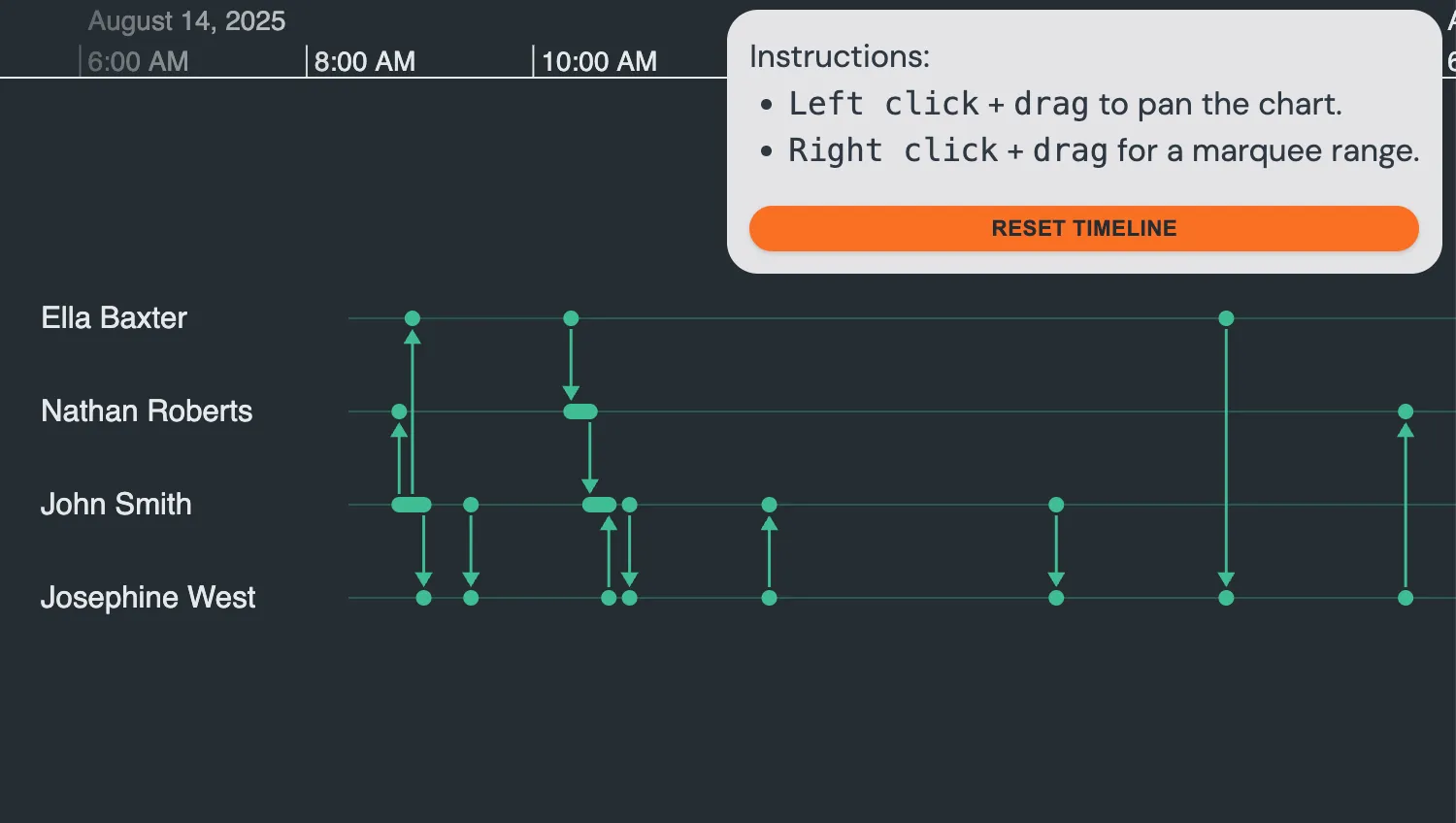
See how to customize dragging behavior.
The setDragOptions function on the drag-start event lets you customize the type of drag that occurs.
See Also
See how to customize dragging behavior.
The setDragOptions function on the onTimelineDragStart event lets you customize the type of drag that occurs.
See Also
import { createTimeline } from "kronograph";
import data from "./data";

const timeline = createTimeline("my-timeline");
document.getElementById("reset").addEventListener("click", () => {
  timeline.fit();
});

function dragStartHandler({ setDragOptions, button }) {
  if (button === 2) {
    setDragOptions({
      type: "marqueeRange",
    });
  }
}

timeline.set(data);
timeline.fit();
timeline.on("drag-start", dragStartHandler);export default {
entities: {
"smith-johnathan-151": {
label: "John Smith",
},
"west-josephine-126": {
label: "Josephine West",
},
"roberts-nathaniel-023": {
label: "Nathan Roberts",
},
"baxter-eleanor-004": {
label: "Ella Baxter",
},
},
events: {
"Email 1": {
entityIds: ["smith-johnathan-151", "roberts-nathaniel-023"],
time: new Date(2025, 7, 14, 8, 49),
},
"Email 2": {
entityIds: ["smith-johnathan-151", "baxter-eleanor-004"],
time: new Date(2025, 7, 14, 8, 56),
},
"Email 3": {
entityIds: ["smith-johnathan-151", "west-josephine-126"],
time: new Date(2025, 7, 14, 9, 2),
},
"Email 4": {
entityIds: ["smith-johnathan-151", "west-josephine-126"],
time: new Date(2025, 7, 14, 9, 27),
},
"Email 5": {
entityIds: ["baxter-eleanor-004", "roberts-nathaniel-023"],
time: new Date(2025, 7, 14, 10, 20),
},
"Email 6": {
entityIds: ["roberts-nathaniel-023", "smith-johnathan-151"],
time: new Date(2025, 7, 14, 10, 30),
},
"Email 7": {
entityIds: ["west-josephine-126", "smith-johnathan-151"],
time: new Date(2025, 7, 14, 10, 40),
},
"Email 8": {
entityIds: ["smith-johnathan-151", "west-josephine-126"],
time: new Date(2025, 7, 14, 10, 51),
},
"Email 9": {
entityIds: ["west-josephine-126", "smith-johnathan-151"],
time: new Date(2025, 7, 14, 12, 5),
},
"Email 10": {
entityIds: ["smith-johnathan-151", "west-josephine-126"],
time: new Date(2025, 7, 14, 14, 37),
},
"Email 11": {
entityIds: ["baxter-eleanor-004", "west-josephine-126"],
time: new Date(2025, 7, 14, 16, 7),
},
"Email 12": {
entityIds: ["west-josephine-126", "roberts-nathaniel-023"],
time: new Date(2025, 7, 14, 17, 42),
},
},
};<!doctype html>
<html>
<head>
<link rel="stylesheet" href="@ci/theme/kg/css/examples.css" />
</head>
<body>
<div class="story">
<div id="my-timeline" class="story__timeline"></div>
<div class="instructions-box-container stack">
Instructions:
<ul>
<li><code>Left click</code> + <code>drag</code> to pan the chart.</li>
<li><code>Right click</code> + <code>drag</code> for a marquee range.</li>
</ul>
<button class="button button--small" id="reset" type="button">Reset Timeline</button>
</div>
</div>
<script type="module" src="./code.js"></script>
</body>
</html>import React, { useRef } from "react";
import { createRoot } from "react-dom/client";
import Timeline from "kronograph/react/Timeline";
import data from "./data";
function dragStartHandler({ setDragOptions, button }) {
if (button === 2) {
setDragOptions({
type: "marqueeRange",
});
}
}
export const Demo = () => {
const timelineRef = useRef(null);
return (
<div className="story">
<Timeline
className="story__timeline"
events={data.events}
entities={data.entities}
ref={timelineRef}
onTimelineDragStart={dragStartHandler}
/>
<div className="instructions-box-container stack">
Instructions:
<ul>
<li>
<code>Left click</code> + <code>drag</code> to pan the chart.
</li>
<li>
<code>Right click</code> + <code>drag</code> for a marquee range.
</li>
</ul>
<button
className="button button--small"
type="button"
onClick={() => timelineRef.current.fit()}
>
Reset Timeline
</button>
</div>
</div>
);
};
const root = createRoot(document.getElementById("my-timeline"));
root.render(<Demo />);export default {
entities: {
"smith-johnathan-151": {
label: "John Smith",
},
"west-josephine-126": {
label: "Josephine West",
},
"roberts-nathaniel-023": {
label: "Nathan Roberts",
},
"baxter-eleanor-004": {
label: "Ella Baxter",
},
},
events: {
"Email 1": {
entityIds: ["smith-johnathan-151", "roberts-nathaniel-023"],
time: new Date(2025, 7, 14, 8, 49),
},
"Email 2": {
entityIds: ["smith-johnathan-151", "baxter-eleanor-004"],
time: new Date(2025, 7, 14, 8, 56),
},
"Email 3": {
entityIds: ["smith-johnathan-151", "west-josephine-126"],
time: new Date(2025, 7, 14, 9, 2),
},
"Email 4": {
entityIds: ["smith-johnathan-151", "west-josephine-126"],
time: new Date(2025, 7, 14, 9, 27),
},
"Email 5": {
entityIds: ["baxter-eleanor-004", "roberts-nathaniel-023"],
time: new Date(2025, 7, 14, 10, 20),
},
"Email 6": {
entityIds: ["roberts-nathaniel-023", "smith-johnathan-151"],
time: new Date(2025, 7, 14, 10, 30),
},
"Email 7": {
entityIds: ["west-josephine-126", "smith-johnathan-151"],
time: new Date(2025, 7, 14, 10, 40),
},
"Email 8": {
entityIds: ["smith-johnathan-151", "west-josephine-126"],
time: new Date(2025, 7, 14, 10, 51),
},
"Email 9": {
entityIds: ["west-josephine-126", "smith-johnathan-151"],
time: new Date(2025, 7, 14, 12, 5),
},
"Email 10": {
entityIds: ["smith-johnathan-151", "west-josephine-126"],
time: new Date(2025, 7, 14, 14, 37),
},
"Email 11": {
entityIds: ["baxter-eleanor-004", "west-josephine-126"],
time: new Date(2025, 7, 14, 16, 7),
},
"Email 12": {
entityIds: ["west-josephine-126", "roberts-nathaniel-023"],
time: new Date(2025, 7, 14, 17, 42),
},
},
};<!doctype html>
<html>
<head>
<link rel="stylesheet" href="@ci/theme/kg/css/examples.css" />
</head>
<body>
<div id="my-timeline" style="height: 100vh"></div>
<script type="module" src="./code.jsx"></script>
</body>
</html>