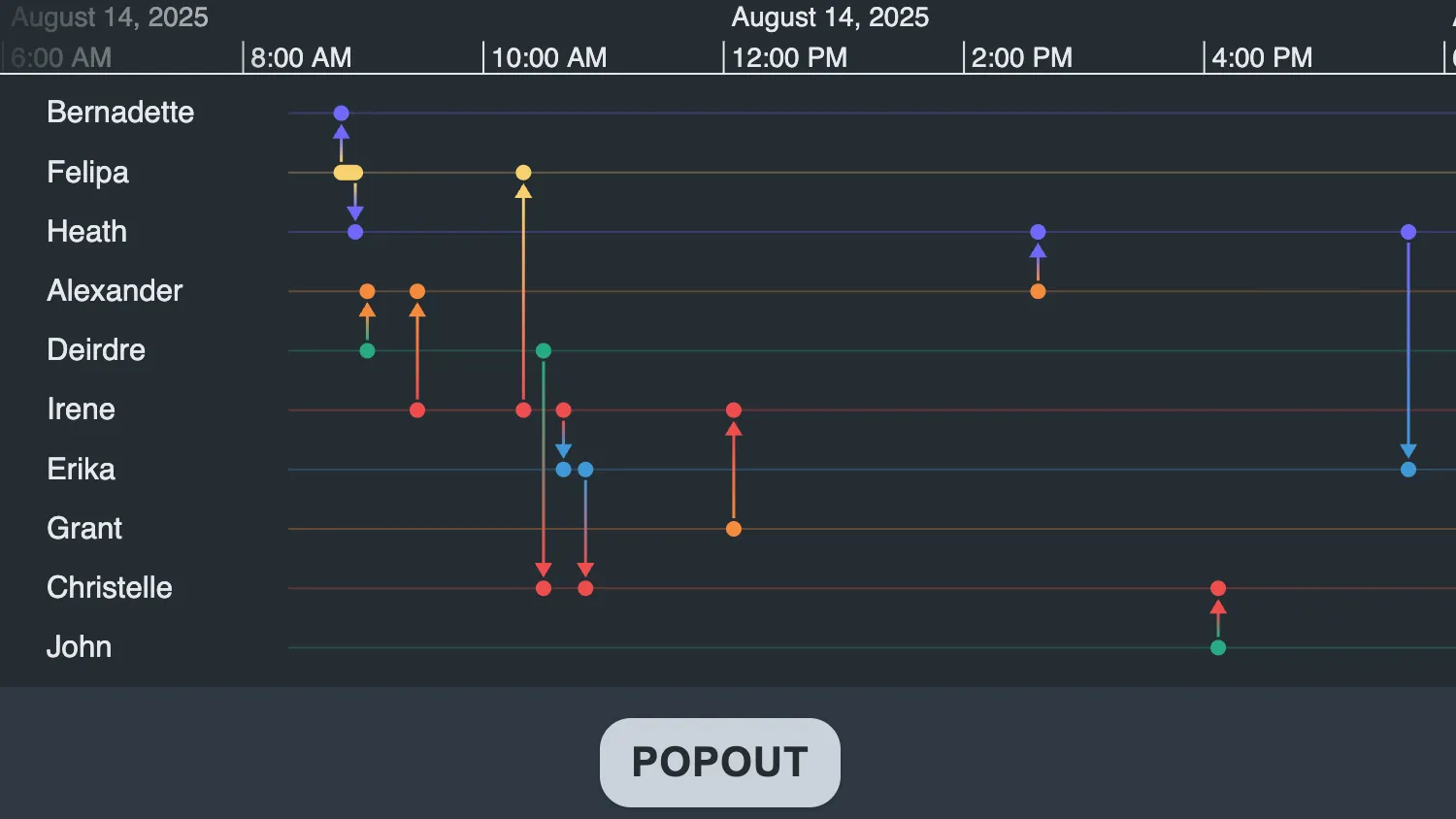
Click the popout button to open the timeline in a new window.
This example uses setContainer to render the timeline in a different part of the DOM.
See Also
Click the popout button to open the timeline in a new window.
This example uses createPortal to render the timeline in a different part of the DOM.
See Also
import { createTimeline } from "kronograph";
import { timelineData, timelineOptions } from "./data";

const showPopoutButton = document.getElementById("popout-button");
const timelineContainer = document.getElementById("timeline-container");
const openMessage = document.getElementById("open-message");

let timeline;
let popoutWindow;
let showPopout = false;

function closeWindow() {
  timelineContainer.style.display = null;
  openMessage.style.display = "none";
  timeline.setContainer(timelineContainer);
  popoutWindow.close();
  showPopout = false;
  showPopoutButton.innerHTML = "Popout";
}

function main() {
  showPopoutButton.addEventListener("click", () => {
    if (!showPopout) {
      showPopout = !showPopout;
      // move timeline to window
      popoutWindow = window.open(
        "",
        "",
        "width=1000,height=1000,left=200,top=200",
      );
      if (popoutWindow) {
        popoutWindow.document.body.style.margin = "0px";
        popoutWindow.document.body.style.backgroundColor = "#2e3842";
        const container = document.createElement("div");
        container.style.width = "100vw";
        container.style.height = "100vh";
        popoutWindow.document.body.appendChild(container);

        timeline.setContainer(container);

        timelineContainer.style.display = "none";
        openMessage.style.display = null;
        showPopoutButton.innerHTML = "Close";

        // when the popout window is closed, move the timeline back to timeline-container
        popoutWindow.onbeforeunload = closeWindow;
      } else {
        console.error("Window failed to open");
      }
    } else {
      closeWindow();
    }
  });

  openMessage.style.display = "none";

  timeline = createTimeline({
    container: timelineContainer,
    options: timelineOptions,
  });
  timeline.set(timelineData);
  timeline.fit();
}

main();const colorPalette = {
lightBlueGray: "#e5e8eb",
darkBlueGray: "#242c32",
darkBlueGrayAlpha: "rgba(36, 44, 50, 0.8)",
blueGray: "#606d7b",
blueGrayAlpha: "rgba(96, 109, 123, 0.5)",
orange: "#f58a3d",
purple: "#7069FA",
red: "#ef4e4e",
blue: "#4098D7",
yellow: "#f7d06e",
teal: "#27ab83",
};
export const timelineOptions = {
focus: {
backgroundColor: colorPalette.blueGray,
},
scales: { showAtBottom: false },
};
export const chartOptions = {
backgroundAlpha: 0.3,
backColour: colorPalette.darkBlueGray,
selectionColour: colorPalette.blueGray,
navigation: { shown: false },
controlTheme: "dark",
handMode: true,
minZoom: 0.2,
overview: false,
};
export const timebarOptions = {
backColour: colorPalette.darkBlueGray,
sliders: "free",
area: { colour: "white" },
type: "area",
controlBarTheme: "dark",
sliderColour: colorPalette.blueGrayAlpha,
showControlBar: false,
fontColour: colorPalette.lightBlueGray,
scale: { highlightColour: colorPalette.blueGray },
};
const nodes = [
{ t: "Alexander", c: colorPalette.orange },
{ t: "Bernadette", c: colorPalette.purple },
{ t: "Christelle", c: colorPalette.red },
{ t: "Deirdre", c: colorPalette.teal },
{ t: "Erika", c: colorPalette.blue },
{ t: "Felipa", c: colorPalette.yellow },
{ t: "Grant", c: colorPalette.orange },
{ t: "Heath", c: colorPalette.purple },
{ t: "Irene", c: colorPalette.red },
{ t: "John", c: colorPalette.teal },
].map((node, idx) => {
return {
...node,
type: "node",
id: `${idx + 1}`,
fc: colorPalette.lightBlueGray, // label text color
fbc: colorPalette.darkBlueGrayAlpha, // label text background color
};
});
const linkInfo = [
{ id: "a1", time: 1755157740000, id1: "6", id2: "2" },
{ id: "a2", time: 1755158160000, id1: "6", id2: "8" },
{ id: "a3", time: 1755158520000, id1: "4", id2: "1" },
{ id: "a4", time: 1755160020000, id1: "9", id2: "1" },
{ id: "a5", time: 1755163200000, id1: "9", id2: "6" },
{ id: "a6", time: 1755163800000, id1: "4", id2: "3" },
{ id: "a7", time: 1755164400000, id1: "9", id2: "5" },
{ id: "a8", time: 1755165060000, id1: "5", id2: "3" },
{ id: "a9", time: 1755169500000, id1: "7", id2: "9" },
{ id: "a10", time: 1755178620000, id1: "1", id2: "8" },
{ id: "a11", time: 1755184020000, id1: "10", id2: "3" },
{ id: "a12", time: 1755189720000, id1: "8", id2: "5" },
];
const links = linkInfo.map((link) => {
const { c: c2 } = nodes.find((node) => node.id === link.id1);
const { c } = nodes.find((node) => node.id === link.id2);
return {
...link,
type: "link",
c, // color at id1 end
c2, // color at id2 end
a2: true, // show arrow at id2 end
w: 1.5, // width
dt: [new Date(link.time)], // time
};
});
export const chartData = {
type: "LinkChart",
items: [...nodes, ...links],
};
const entities = {};
const events = {};
linkInfo.forEach((link) => {
events[link.id] = {
time: new Date(link.time),
entityIds: [link.id1, link.id2],
};
});
nodes.forEach((node) => {
entities[node.id] = { color: node.c, label: node.t };
});
export const timelineData = { events, entities };<!doctype html>
<html>
<head>
<link rel="stylesheet" href="@ci/theme/kg/css/examples.css" />
<link rel="stylesheet" href="./style.css" />
</head>
<body>
<div class="story">
<div id="timeline-container"></div>
<div id="open-message">Timeline open in external window</div>
<div class="story__controls story__controls--row">
<div class="story__controls__button-container">
<button id="popout-button" class="button button--neutral">Popout</button>
</div>
</div>
</div>
<script type="module" src="./code.js"></script>
</body>
</html>#timeline-container {
height: 100%;
display: flex;
flex: 1 1;
}
#open-message {
align-self: center;
}import React, { useState, useRef, useEffect, useCallback } from "react";
import { createRoot } from "react-dom/client";
import { createPortal } from "react-dom";
import Timeline from "kronograph/react/Timeline";
import { timelineData, timelineOptions } from "./data";
/**
* Component that wraps the portal
* This lets you move the portal around the page without remounting
*/
const TimelinePortal = ({ containerRef, children }) => {
const [container, setContainer] = useState(null);
useEffect(() => {
setContainer(containerRef.current);
}, [containerRef]);
// wait till the container exists before creating the portal
if (container) {
return createPortal(children, container);
}
return null;
};
export const Demo = () => {
const popoutWindow = useRef(null);
const timelineContainer = useRef(null);
const windowContainer = useRef(null);
const portalContainer = useRef(null);
const [showPopout, setShowPopout] = useState(null);
const closeWindow = useCallback(() => {
portalContainer.current?.parentNode?.removeChild(portalContainer.current);
popoutWindow.current?.close();
onClose();
}, []);
// once the component has mounted, set showPopout to be initially false
// running this after the first render ensures all emelemnts have been created and their refs have values
useEffect(() => {
setShowPopout(false);
}, []);
useEffect(() => {
if (portalContainer.current) {
if (showPopout) {
// create a new window
popoutWindow.current = window.open("", "", "width=1000,height=1000,left=200,top=200");
if (popoutWindow.current) {
popoutWindow.current.document.body.style.margin = "0px";
popoutWindow.current.document.body.style.backgroundColor = "#2e3842";
const newContainer = document.createElement("div");
newContainer.style.width = "100vw";
newContainer.style.height = "100vh";
popoutWindow.current?.document.body.appendChild(newContainer);
windowContainer.current = newContainer;
if (popoutWindow.current) {
// move the portal into the window
windowContainer.current?.appendChild(portalContainer.current);
// on the window closing, remove the portal from the window
popoutWindow.current.onbeforeunload = closeWindow;
}
} else {
console.error("Window failed to open");
}
} else {
// move the portal into the timeline container
timelineContainer.current?.appendChild(portalContainer.current);
}
}
}, [closeWindow, showPopout]);
const onClick = () => {
if (showPopout) {
closeWindow();
} else {
setShowPopout(true);
}
};
const onClose = () => {
setShowPopout(false);
};
return (
<div className="story">
{showPopout (
<div id="open-message">Timeline open in external window</div>
) : (
<div id="timeline-container" ref={timelineContainer}></div>
)}
<div className="story__controls story__controls--row">
<div className="story__controls__button-container">
<button id="popout-button" className="button button--neutral" onClick={onClick}>
{showPopout ? "Close" : "Popout"}
</button>
</div>
</div>
<div
className="timeline"
style={{ width: "100%", height: "100%" }}
ref={portalContainer}
></div>
<TimelinePortal containerRef={portalContainer}>
<Timeline
entities={timelineData.entities}
events={timelineData.events}
options={timelineOptions}
/>
</TimelinePortal>
</div>
);
};
const root = createRoot(document.getElementById("my-timeline"));
root.render(<Demo />);const colorPalette = {
lightBlueGray: "#e5e8eb",
darkBlueGray: "#242c32",
darkBlueGrayAlpha: "rgba(36, 44, 50, 0.8)",
blueGray: "#606d7b",
blueGrayAlpha: "rgba(96, 109, 123, 0.5)",
orange: "#f58a3d",
purple: "#7069FA",
red: "#ef4e4e",
blue: "#4098D7",
yellow: "#f7d06e",
teal: "#27ab83",
};
export const timelineOptions = {
focus: {
backgroundColor: colorPalette.blueGray,
},
scales: { showAtBottom: false },
};
export const chartOptions = {
backgroundAlpha: 0.3,
backColour: colorPalette.darkBlueGray,
selectionColour: colorPalette.blueGray,
navigation: { shown: false },
controlTheme: "dark",
handMode: true,
minZoom: 0.2,
overview: false,
};
export const timebarOptions = {
backColour: colorPalette.darkBlueGray,
sliders: "free",
area: { colour: "white" },
type: "area",
controlBarTheme: "dark",
sliderColour: colorPalette.blueGrayAlpha,
showControlBar: false,
fontColour: colorPalette.lightBlueGray,
scale: { highlightColour: colorPalette.blueGray },
};
const nodes = [
{ t: "Alexander", c: colorPalette.orange },
{ t: "Bernadette", c: colorPalette.purple },
{ t: "Christelle", c: colorPalette.red },
{ t: "Deirdre", c: colorPalette.teal },
{ t: "Erika", c: colorPalette.blue },
{ t: "Felipa", c: colorPalette.yellow },
{ t: "Grant", c: colorPalette.orange },
{ t: "Heath", c: colorPalette.purple },
{ t: "Irene", c: colorPalette.red },
{ t: "John", c: colorPalette.teal },
].map((node, idx) => {
return {
...node,
type: "node",
id: `${idx + 1}`,
fc: colorPalette.lightBlueGray, // label text color
fbc: colorPalette.darkBlueGrayAlpha, // label text background color
};
});
const linkInfo = [
{ id: "a1", time: 1755157740000, id1: "6", id2: "2" },
{ id: "a2", time: 1755158160000, id1: "6", id2: "8" },
{ id: "a3", time: 1755158520000, id1: "4", id2: "1" },
{ id: "a4", time: 1755160020000, id1: "9", id2: "1" },
{ id: "a5", time: 1755163200000, id1: "9", id2: "6" },
{ id: "a6", time: 1755163800000, id1: "4", id2: "3" },
{ id: "a7", time: 1755164400000, id1: "9", id2: "5" },
{ id: "a8", time: 1755165060000, id1: "5", id2: "3" },
{ id: "a9", time: 1755169500000, id1: "7", id2: "9" },
{ id: "a10", time: 1755178620000, id1: "1", id2: "8" },
{ id: "a11", time: 1755184020000, id1: "10", id2: "3" },
{ id: "a12", time: 1755189720000, id1: "8", id2: "5" },
];
const links = linkInfo.map((link) => {
const { c: c2 } = nodes.find((node) => node.id === link.id1);
const { c } = nodes.find((node) => node.id === link.id2);
return {
...link,
type: "link",
c, // color at id1 end
c2, // color at id2 end
a2: true, // show arrow at id2 end
w: 1.5, // width
dt: [new Date(link.time)], // time
};
});
export const chartData = {
type: "LinkChart",
items: [...nodes, ...links],
};
const entities = {};
const events = {};
linkInfo.forEach((link) => {
events[link.id] = {
time: new Date(link.time),
entityIds: [link.id1, link.id2],
};
});
nodes.forEach((node) => {
entities[node.id] = { color: node.c, label: node.t };
});
export const timelineData = { events, entities };<!doctype html>
<html>
<head>
<link rel="stylesheet" href="@ci/theme/kg/css/examples.css" />
<link rel="stylesheet" href="./style.css" />
</head>
<body>
<div id="my-timeline" style="height: 100vh"></div>
<script type="module" src="./code.jsx"></script>
</body>
</html>#timeline-container {
height: 100%;
display: flex;
flex: 1 1;
}
#open-message {
align-self: center;
}