Restyle at Runtime
Make your timelines more interactive and engaging for users by restyling items at runtime. The new overrideStyles() overrideStyles API lets you restyle events, entities, labels and other elements of the timeline on the fly.

Reloading the entire dataset just to restyle timeline elements is a thing of the past. Instead, you can now respond to KronoGraph or DOM interaction events and update entity and event properties dynamically, just for the period of an interaction.
Use this, for example, to highlight a hovered event with a contrasting color, mark a clicked entity with a glyph or add an information label to a double-clicked entity. Any of these styling updates will be applied smoothly and performantly, even with huge datasets.
Try it out in the Data Fusion Investigations or Cloud Monitoring showcases or learn how to use the overrideStyles() overrideStyles API in the Interactive Styling example.
Experience the Timeline with Map and Graph
We've added a Data Fusion Investigations showcase that seamlessly integrates graph, timeline and map visualizations into a single application. Explore the new showcase and track suspects, their phone calls and movements across multiple views.
Enhancements
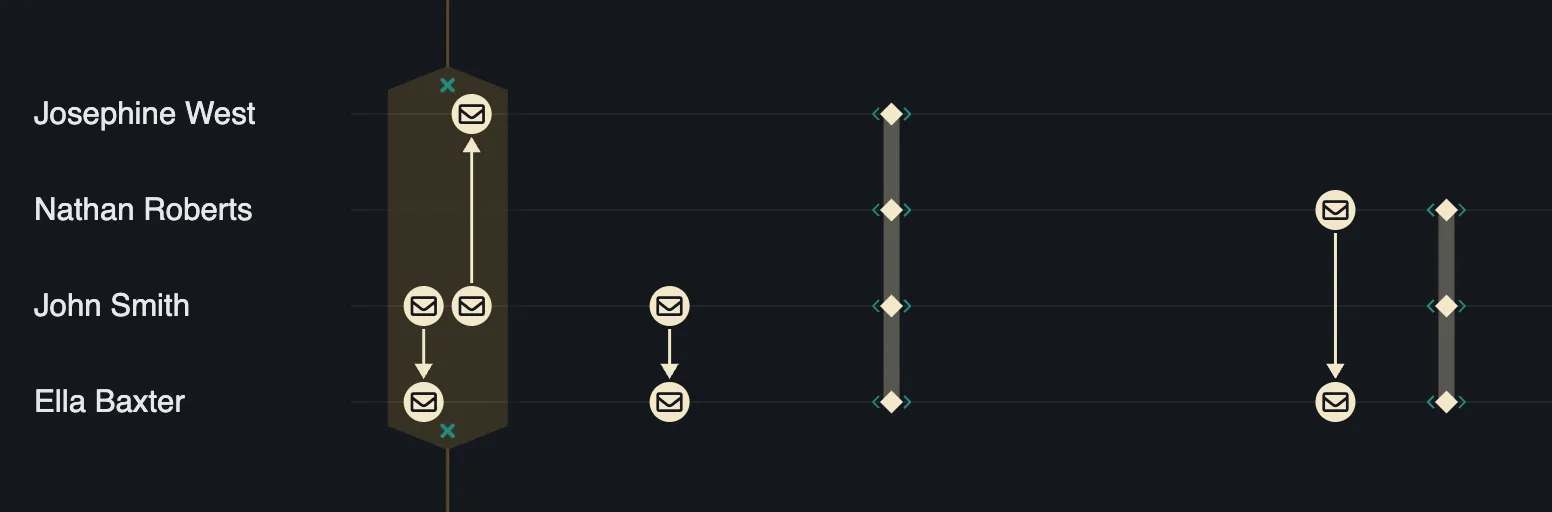
- Event folds are now easier to identify and interact with in the timeline thanks to our UX improvements. We've also added some new styling options with the
eventFoldscontrols. Try it out in the updated Event Folds example.
Features out of Beta
-
The
Annotationdata format -
The
AnnotationBodyPositiondata format -
The
annotationsevent -
The
annotationsAPI -
The
annotationsprop -
The
annotationsoptions -
The
deleteAnnotationoptions -
The
editAnnotationoptions -
The
EntityRangeSubjectdata format -
The
entitySelectionAPI -
The
entitySelectionEnabledAPI -
The
entitySelectionprop -
The
entitySelectionEnabledprop -
The
eventSelectionAPI -
The
eventSelectionModeAPI -
The
eventSelectionprop -
The
eventSelectionModeprop -
The
event-selection-changeevent -
The
expandedRowsAPI -
The
expandedRowsprop -
The
expandedRowsinstance method -
The
expandedRowsoptions -
The
getAnnotationBodyPositioninstance method -
The
Labeldata format -
The
labeldata format -
The
LabelFontIcondata format -
The
selectionColoroption
Bugs Fixed
fontWeightis now supported on event label font icons.- The event
labelnow inherits the eventtypelabel text. - An event
fontIconwill now display correctly in all circumstances.
Breaking Changes
- All timeline props now behave consistently when passed an
undefinedvalue. Previously, passingundefinedto theannotationsprop would not update the state.
Removed APIs
These APIs were deprecated in the 3.7 release and have now been removed:
-
The
selectionAPI. UseeventSelectioninstead. -
The
selectionModeAPI. UseeventSelectionModeinstead. -
The
selection-changeevent. Useevent-selection-changeinstead. -
The
selectionprop. UseeventSelectioninstead. -
The
selectionModeprop. UseeventSelectionModeinstead. -
The
selectionevent. UseeventSelectioninstead.
Deprecations
Advance Notice: Retirement of LTA
We've deprecated KronoGraph 1.13.0 (LTA), which means that from September 1, 2027, this version will no longer be available and support for this version will end.